
B1anket - Minecraft Skins & Skin History
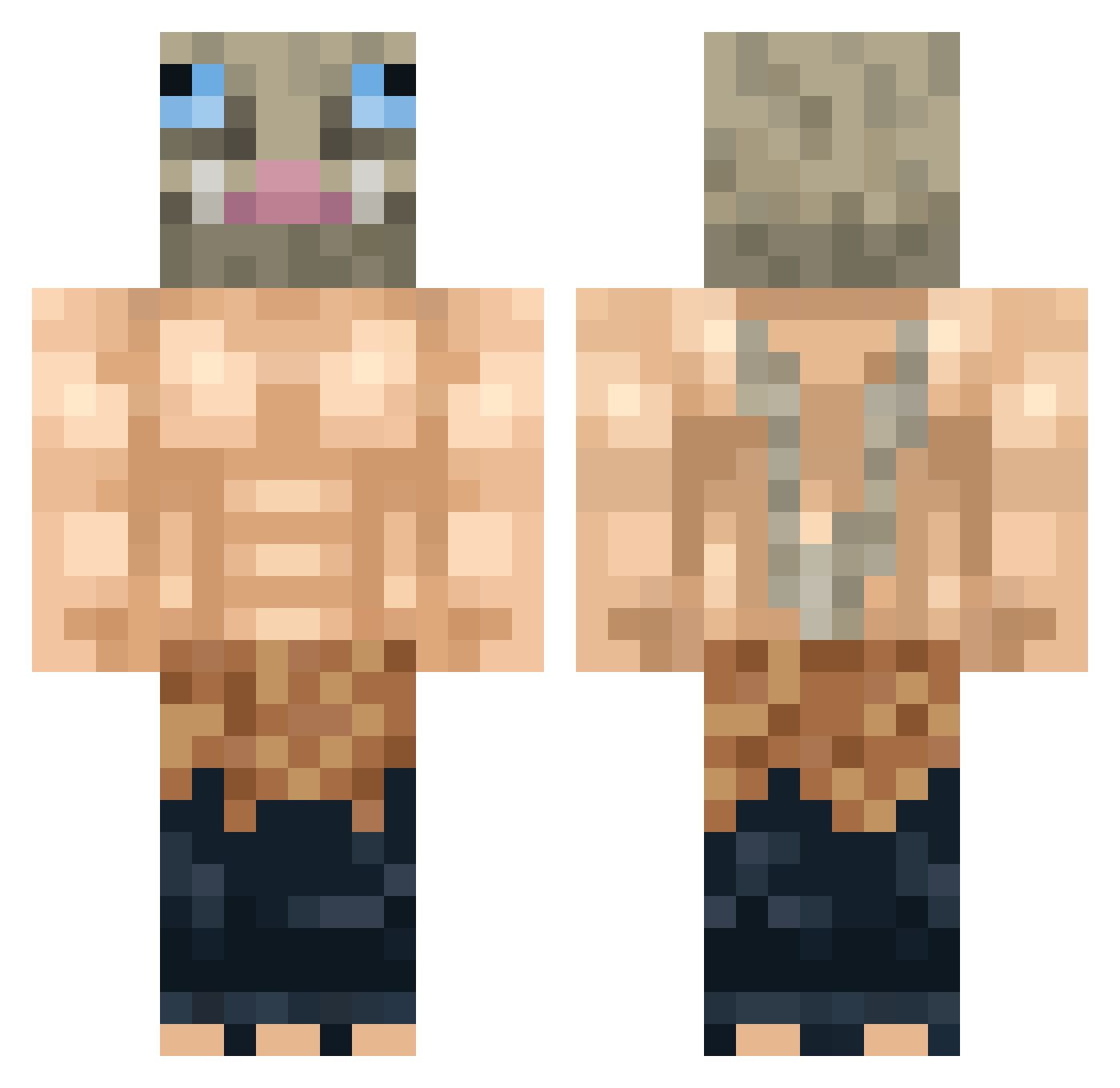
Current Minecraft skin of the player B1anket, loaded from the official Mojang API. Rotate the 3D model with your mouse or finger, then download the skin as a PNG file and use it in Minecraft: Bedrock Edition or Java Edition for free. When B1anket changes their skin, this page updates automatically and the old skin stays in the history below.
Other players with this skin (299)
B1anket was the 39th player we have seen with this skin, first spotted on 05.08.2026. The same skin was seen on these players. Open a nickname to see their current skin and skin history.
 IAmLagoon GodOfMountains Osiris2701 oUlfbert Jongraal_ McFlaash Fonzer Tartiboule69 P__aco Bxrcodesan Flacoton l2clpz torrente345 J4mesSullivan _Suguro_Geto_ seandagoatpro TheBadAtom_ XxHerodudexX XD_Andry hubblebubblegum CaseMinotaur914 xBazgoR BoniMewTwo _DBull lefake_dream Skichie Nash9999 StoneAshton VoidPonderer448 anloks eldiantre chill_KaBan THORKELLO NotH3R0 boda_6669 Mejuto70 NukeDukem2005 Goozth Flail981 LamaScott DieHanane Zemy21 IAmArch sku1l_GL oDantay KingMirm JimmyDiDi Skizzie_ xOmega814 Frippyy Anonymolove Ahmed17727 Rank_SSS Fashodunt asapkuba1981 Lazychi ANARCHYSASAKI RainKev DiplexBeatle06 SpartanAlvaro
More Boar Mask Minecraft skins
How to install the B1anket skin
- Press the Download button above to save the skin as a PNG file.
- Minecraft: Bedrock Edition (PE): open the Dressing Room from the main menu (or tap your character → Edit Character), go to Classic Skins → Owned, press the + (new skin) button, choose the downloaded PNG and pick the Classic (Steve) model. Works on PC and mobile; consoles cannot import custom skins.
- Minecraft: Java Edition: open the Minecraft Launcher, go to the Skins tab, click New Skin, load the PNG, pick the Classic (Steve) model and press Save & Use. You can also upload it at minecraft.net → Profile → Change Skin.
The skin does not show up after import - what should I do?
Restart Minecraft and open the Dressing Room again - imported skins sometimes appear only after a restart. Also make sure you selected the imported skin and picked the Classic (Steve) model.
Which model should I choose, Classic or Slim?
This skin is designed for the Classic (Steve) model. If you pick the wrong model, the arms of the skin will look stretched or squeezed.
Is the skin of B1anket free to download?
Yes. Press Download, save the PNG file and use it in Minecraft: Bedrock Edition or Java Edition - no payment or registration needed. The skin also works on multiplayer servers and Realms.
More skins
Looking for more? Go back to all Minecraft skins and check the top skins of the week, month and all time, or find any player's skin by nickname.