
B1ackCatz_ - Minecraft Skins & Skin History
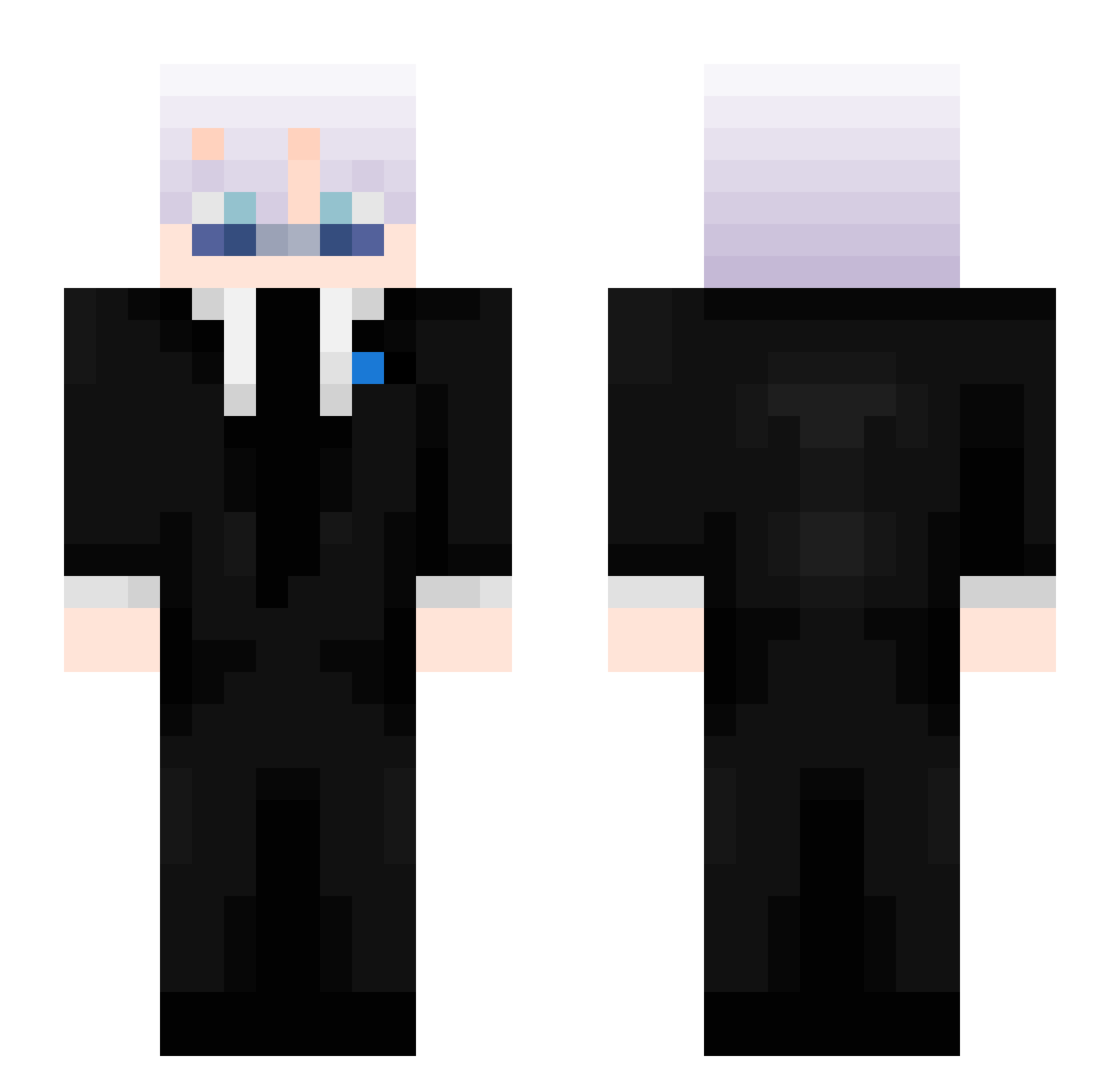
Current Minecraft skin of the player B1ackCatz_, loaded from the official Mojang API. Rotate the 3D model with your mouse or finger, then download the skin as a PNG file and use it in Minecraft: Bedrock Edition or Java Edition for free. When B1ackCatz_ changes their skin, this page updates automatically and the old skin stays in the history below.
Other players with this skin (449)
B1ackCatz_ was the 181st player we have seen with this skin, first spotted on 05.09.2026. The same skin was seen on these players. Open a nickname to see their current skin and skin history.
 ItzMati_
 KefirRage n1s4t
 RxilRL Klyqx _HikariAether FreeLove67 nugget147811 Yami0_ Klaayyy_ swighl east_alabama09 R1CeeRl cayfh Honza175 Harbrechtunused3 0_0better 420_P1erun adrian89806
 Ianatorious jfresas LinhmEzpd0215 Krissmaster1234 Lil_noob030
 runkmatias Enderdragon_363 Artis20100 SnowyBoarder2_0 ztmw Raajiglekambink Daenyall FlawlessRotu FEARLESSOMERTYT Maxboss1_ C__4Z sharppnes7917 xJotv baddtori EuBebiLEITE SKL_Venom7 asian_hunter
 bebus14
 Kripster_69 Emir969 Swight
 GeovanyKC redqwiller fernie6168 Swightless
 imbunsatskyblock Frostydawosty
 NimaIsCool LaSardineNa refiring fcno NOTKEVIN243 Oop1w JoniE2708 Haro503xX SILVERYARD1
More Satoru Gojo Minecraft skins
See all 1317 Satoru Gojo skins
How to install the B1ackCatz_ skin
- Press the Download button above to save the skin as a PNG file.
- Minecraft: Bedrock Edition (PE): open the Dressing Room from the main menu (or tap your character → Edit Character), go to Classic Skins → Owned, press the + (new skin) button, choose the downloaded PNG and pick the Slim (Alex) model. Works on PC and mobile; consoles cannot import custom skins.
- Minecraft: Java Edition: open the Minecraft Launcher, go to the Skins tab, click New Skin, load the PNG, pick the Slim (Alex) model and press Save & Use. You can also upload it at minecraft.net → Profile → Change Skin.
The skin does not show up after import - what should I do?
Restart Minecraft and open the Dressing Room again - imported skins sometimes appear only after a restart. Also make sure you selected the imported skin and picked the Slim (Alex) model.
Which model should I choose, Classic or Slim?
This skin is designed for the Slim (Alex) model. If you pick the wrong model, the arms of the skin will look stretched or squeezed.
Is the skin of B1ackCatz_ free to download?
Yes. Press Download, save the PNG file and use it in Minecraft: Bedrock Edition or Java Edition - no payment or registration needed. The skin also works on multiplayer servers and Realms.
More skins
Looking for more? Go back to all Minecraft skins and check the top skins of the week, month and all time, or find any player's skin by nickname.