
B1RDU - Minecraft Skins & Skin History
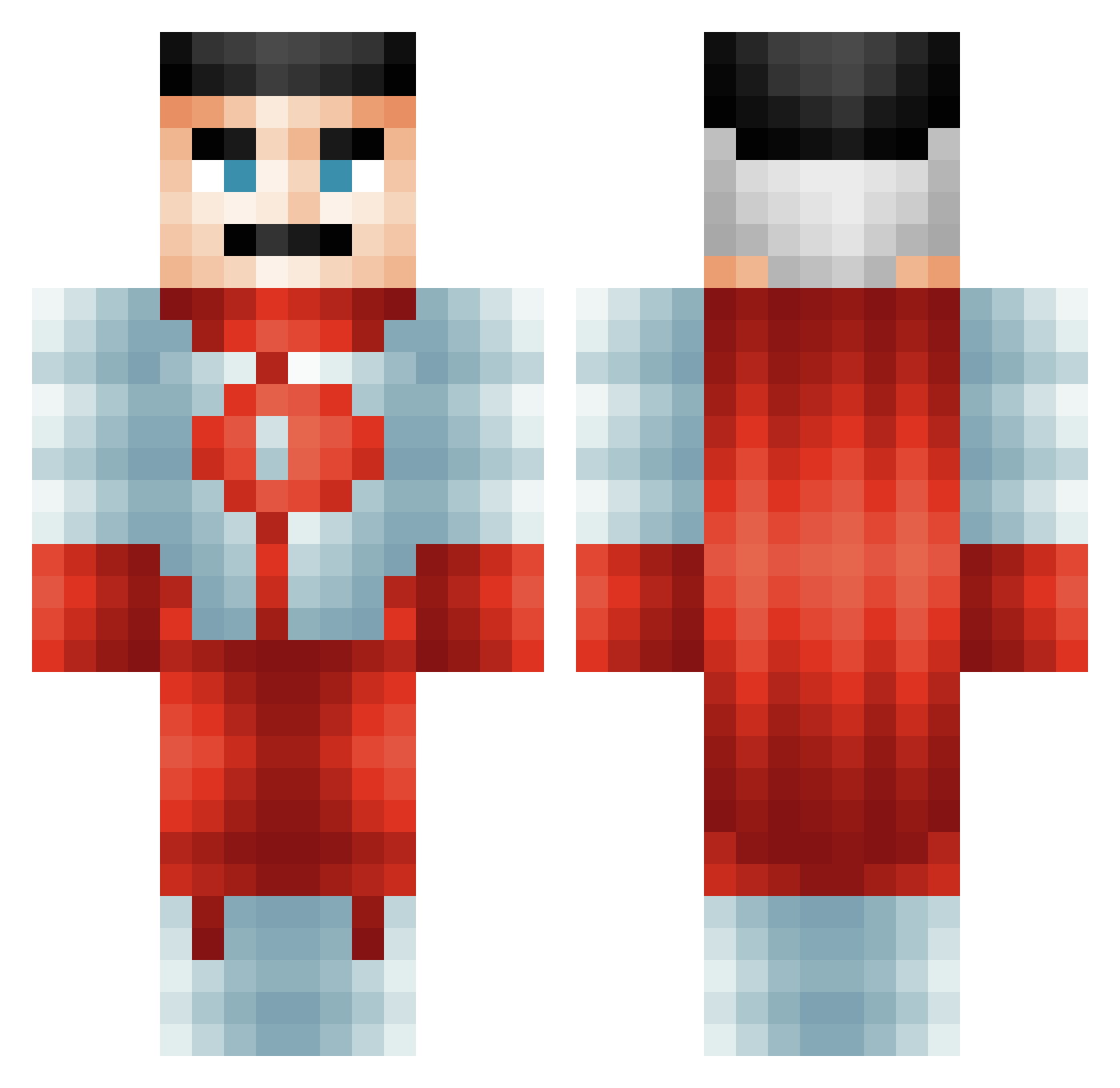
Current Minecraft skin of the player B1RDU, loaded from the official Mojang API. Rotate the 3D model with your mouse or finger, then download the skin as a PNG file and use it in Minecraft: Bedrock Edition or Java Edition for free. When B1RDU changes their skin, this page updates automatically and the old skin stays in the history below.
Other players with this skin (485)
B1RDU was the 105th player we have seen with this skin, first spotted on 10.08.2026. The same skin was seen on these players. Open a nickname to see their current skin and skin history.
 StarTroopzie SmokeRogen StardewDino pedrogamer6565 GoesToHollywood BomD1a the_cream420 Smoluh CexyCounselorBob Gejtu
 ljmcf02 SamWheels drewsskiiii tiozio aNIOGG MrRudyTBTTV Mamaleo320 Cloakkk Pako2340 _____Natsu_____ Fig440 grumpy7137 Lightning371 Sir_Readsalot23 zzzzDreaMzzzz Vyttor21 GortYe Pandapunk91 BigSweet1985 IamGamesis djgamer279 Funsmurf1150 YungAz caidernm4 xVoidLordKing
 juggernaut0073 BBL_Driz LickusMcBallus LolRenagard PsychoShot42 Itz_Xd01d40_y TheTinyHouse Syljohn CooperMC0 affezy ismellfish21 cassecroute93 Osk9 Cyrillovsk AtmaUltima NguynQA SpinKid905 achooo000 SnakyCord935859
 Jet_Alone1 Mapleapplesauce ULTRAMANIDA NolGod DarkVodka Dudech
More Omni Man Minecraft skins
How to install the B1RDU skin
- Press the Download button above to save the skin as a PNG file.
- Minecraft: Bedrock Edition (PE): open the Dressing Room from the main menu (or tap your character → Edit Character), go to Classic Skins → Owned, press the + (new skin) button, choose the downloaded PNG and pick the Classic (Steve) model. Works on PC and mobile; consoles cannot import custom skins.
- Minecraft: Java Edition: open the Minecraft Launcher, go to the Skins tab, click New Skin, load the PNG, pick the Classic (Steve) model and press Save & Use. You can also upload it at minecraft.net → Profile → Change Skin.
The skin does not show up after import - what should I do?
Restart Minecraft and open the Dressing Room again - imported skins sometimes appear only after a restart. Also make sure you selected the imported skin and picked the Classic (Steve) model.
Which model should I choose, Classic or Slim?
This skin is designed for the Classic (Steve) model. If you pick the wrong model, the arms of the skin will look stretched or squeezed.
Is the skin of B1RDU free to download?
Yes. Press Download, save the PNG file and use it in Minecraft: Bedrock Edition or Java Edition - no payment or registration needed. The skin also works on multiplayer servers and Realms.
More skins
Looking for more? Go back to all Minecraft skins and check the top skins of the week, month and all time, or find any player's skin by nickname.