
B0ogies - Minecraft Skins & Skin History
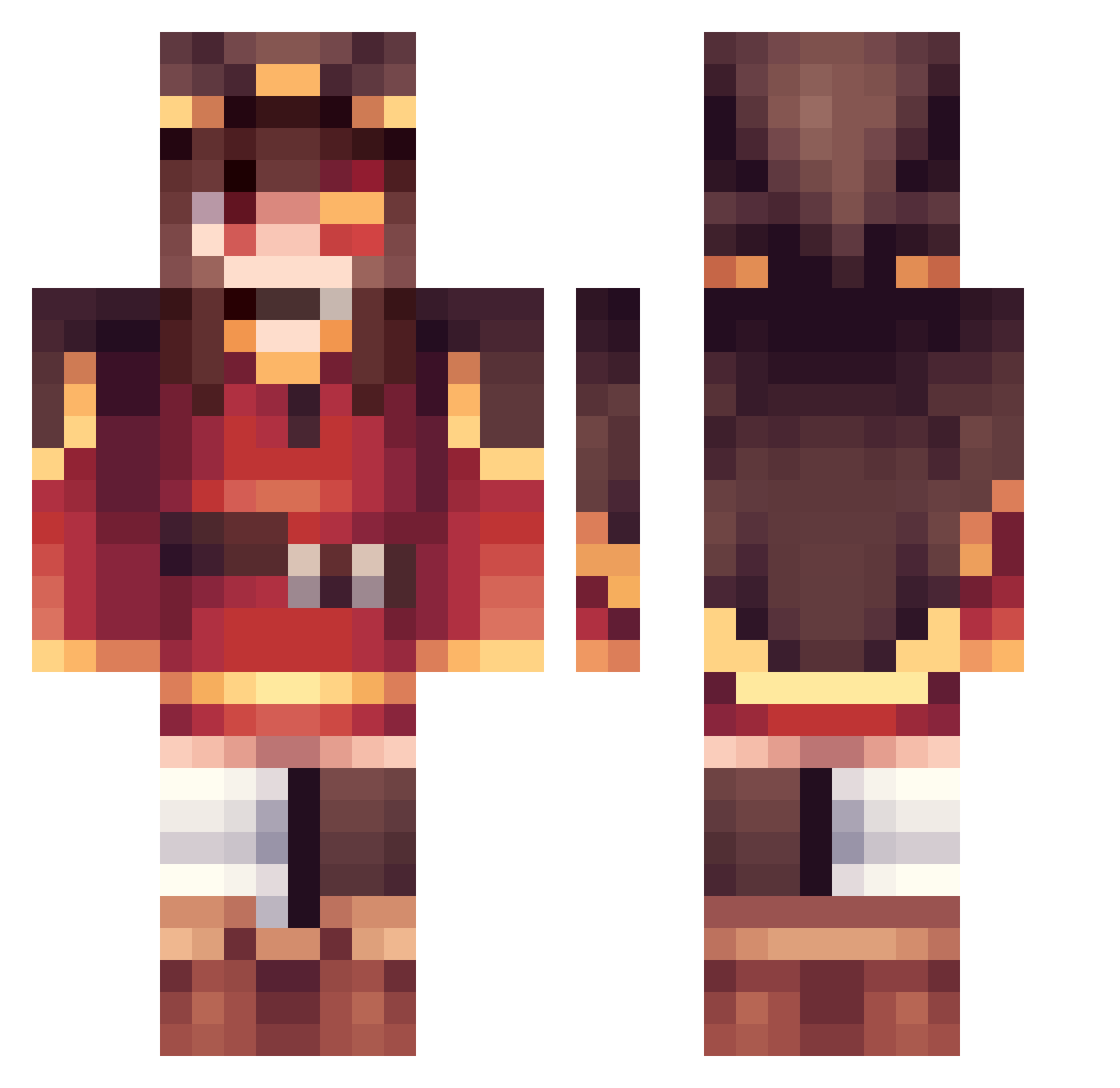
Current Minecraft skin of the player B0ogies, loaded from the official Mojang API. Rotate the 3D model with your mouse or finger, then download the skin as a PNG file and use it in Minecraft: Bedrock Edition or Java Edition for free. When B0ogies changes their skin, this page updates automatically and the old skin stays in the history below.
Other players with this skin (308)
B0ogies was the 105th player we have seen with this skin, first spotted on 24.08.2026. The same skin was seen on these players. Open a nickname to see their current skin and skin history.
 TheGamerKing154
 Nero_D Nitrammil Reaper46664 symom0911 cream1015L pancake_destroye esylains Goldingaling EvyXO wotmd7049 mocrate _Snipex_ Kizzu minecraft_yaoi Pixalar Arimathegoat Megubeans Poomm1e katakana0124 LOST0730 JCrackGT Lightchild bai_yixia
 pikaxo2010 yappapurin LoLiChino mult_heroi l2k13fkoefrre3r3 YamineStar Call_Me_Banana asrieltrhz Midnight_743 Acriva Nuggi402 Leo6c16 Sanstony Chio_fr sandwich1487 Socks_____ SW3GM45T3R aHR0cH RE0_Emilia_0923
 Foll_0w3r
 Kapilaiz Nikoo9821 kadoadd9 Shynesh PotiPouic EXiSx9 ItsErdonis BoatParking_ Nibelcol Konosama0819 Eddielin1123 ayumu1006 L1nkmaster3D zvezde Bwonkun 1mHungry
More Megumin Minecraft skins
How to install the B0ogies skin
- Press the Download button above to save the skin as a PNG file.
- Minecraft: Bedrock Edition (PE): open the Dressing Room from the main menu (or tap your character → Edit Character), go to Classic Skins → Owned, press the + (new skin) button, choose the downloaded PNG and pick the Classic (Steve) model. Works on PC and mobile; consoles cannot import custom skins.
- Minecraft: Java Edition: open the Minecraft Launcher, go to the Skins tab, click New Skin, load the PNG, pick the Classic (Steve) model and press Save & Use. You can also upload it at minecraft.net → Profile → Change Skin.
The skin does not show up after import - what should I do?
Restart Minecraft and open the Dressing Room again - imported skins sometimes appear only after a restart. Also make sure you selected the imported skin and picked the Classic (Steve) model.
Which model should I choose, Classic or Slim?
This skin is designed for the Classic (Steve) model. If you pick the wrong model, the arms of the skin will look stretched or squeezed.
Is the skin of B0ogies free to download?
Yes. Press Download, save the PNG file and use it in Minecraft: Bedrock Edition or Java Edition - no payment or registration needed. The skin also works on multiplayer servers and Realms.
More skins
Looking for more? Go back to all Minecraft skins and check the top skins of the week, month and all time, or find any player's skin by nickname.