
AzureWalrus - Minecraft Skins & Skin History
Current Minecraft skin of the player AzureWalrus, loaded from the official Mojang API. Rotate the 3D model with your mouse or finger, then download the skin as a PNG file and use it in Minecraft: Bedrock Edition or Java Edition for free. When AzureWalrus changes their skin, this page updates automatically and the old skin stays in the history below.
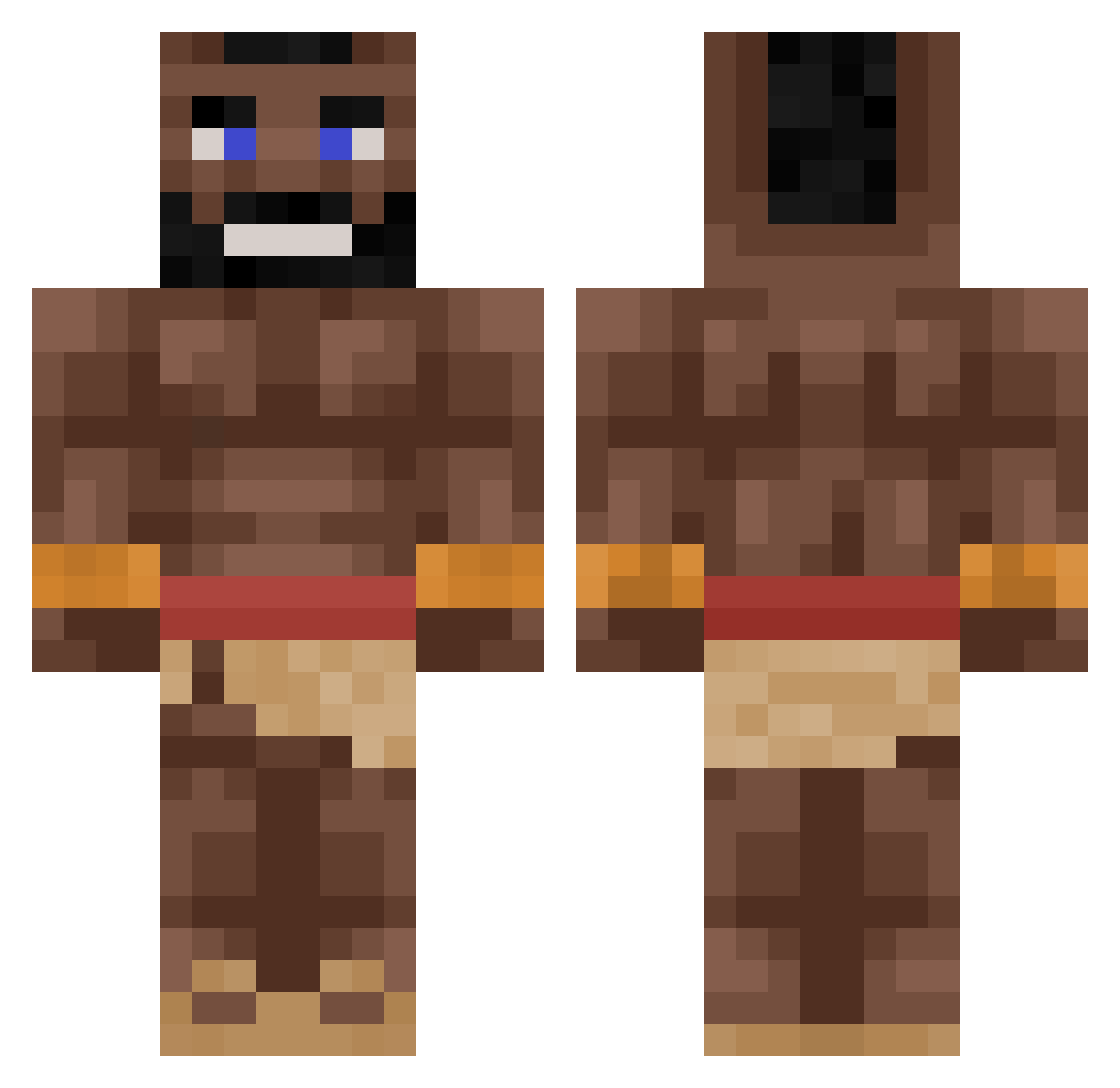
Other players with this skin (264)
AzureWalrus was the 194th player we have seen with this skin, first spotted on 04.10.2026. The same skin was seen on these players. Open a nickname to see their current skin and skin history.
 CoolHandLuke640 Tupla2 DR_Antoni Pabel55 ShimiHendrix LILKarnemelk69 T3rm1 rodgames DayCoronet86392 carlino69 c_dog411 froggyfog01 Auduunoo JaxmanT Jappiejongen vroxle JonahBrawler Hogriderbbc ihangn1ggers Tex10 reyid25 MykhailoMC Onskuumi banjaram yelit Kabani4 SileNane elprimoishere JamalDeshawn AndiFront99 Oxsen xCxd_ kakakakakakakaaa langeman69420 COBB7412 GemSniffa ToilettenPutzer1 _hubos_ Ogayi LetMeDie_ Omeraras111 rileygamer32 PanBorysPL Koenoenoe Drozy Blowmaster100 Plapapa giannispent09 WaccyTobaccy A1GPS Eclipsip f15hS_ KingMLK xStamon IDODOCR7 eatthateat SoulzSoulz MrExecutor112211 Optic2308 JamesWo1299
More Mohawk Minecraft skins
How to install the AzureWalrus skin
- Press the Download button above to save the skin as a PNG file.
- Minecraft: Bedrock Edition (PE): open the Dressing Room from the main menu (or tap your character → Edit Character), go to Classic Skins → Owned, press the + (new skin) button, choose the downloaded PNG and pick the Classic (Steve) model. Works on PC and mobile; consoles cannot import custom skins.
- Minecraft: Java Edition: open the Minecraft Launcher, go to the Skins tab, click New Skin, load the PNG, pick the Classic (Steve) model and press Save & Use. You can also upload it at minecraft.net → Profile → Change Skin.
The skin does not show up after import - what should I do?
Restart Minecraft and open the Dressing Room again - imported skins sometimes appear only after a restart. Also make sure you selected the imported skin and picked the Classic (Steve) model.
Which model should I choose, Classic or Slim?
This skin is designed for the Classic (Steve) model. If you pick the wrong model, the arms of the skin will look stretched or squeezed.
Is the skin of AzureWalrus free to download?
Yes. Press Download, save the PNG file and use it in Minecraft: Bedrock Edition or Java Edition - no payment or registration needed. The skin also works on multiplayer servers and Realms.
More skins
Looking for more? Go back to all Minecraft skins and check the top skins of the week, month and all time, or find any player's skin by nickname.