
JamesWo1299 - Minecraft Skins & Skin History
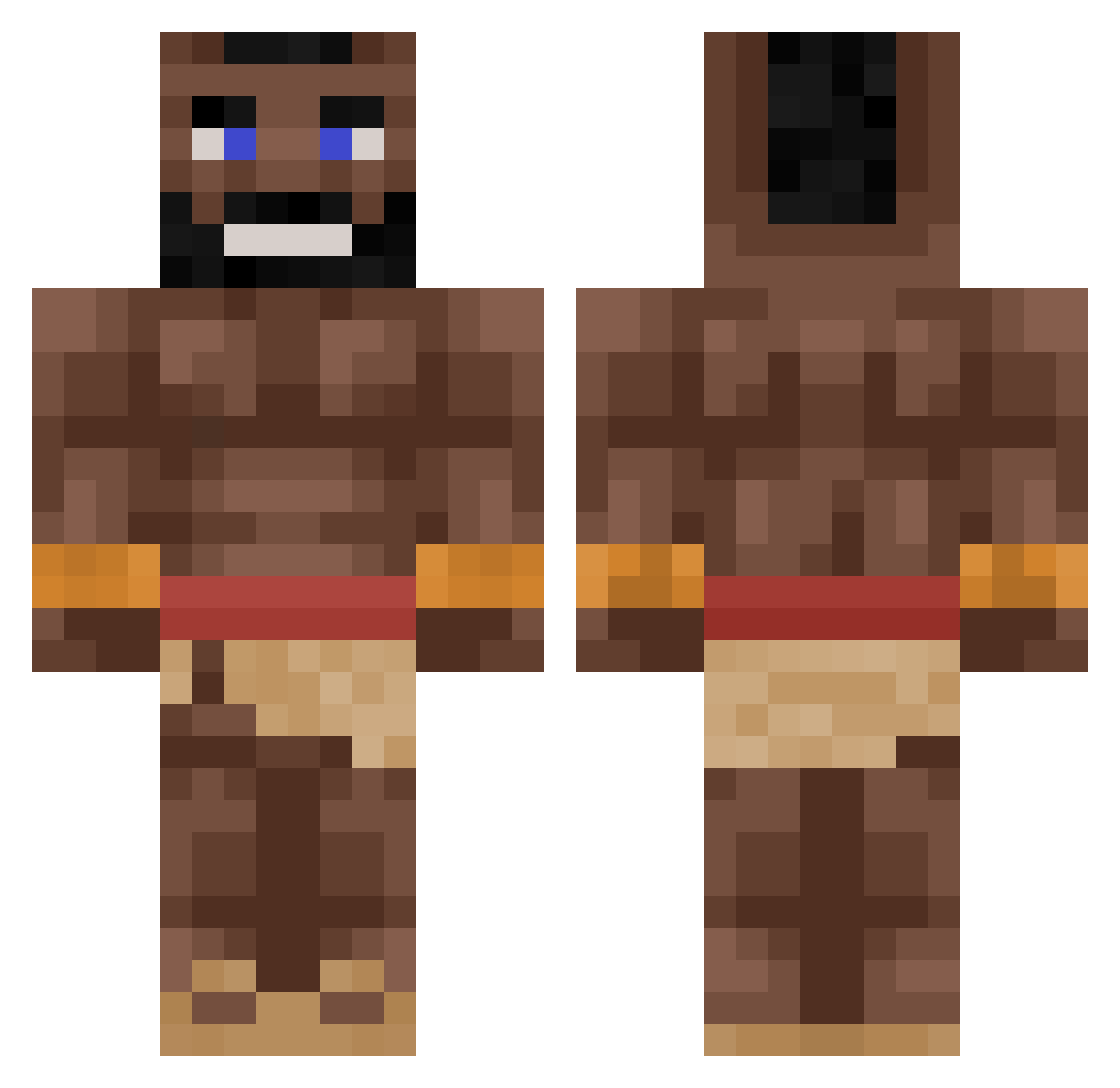
Current Minecraft skin of the player JamesWo1299, loaded from the official Mojang API. Rotate the 3D model with your mouse or finger, then download the skin as a PNG file and use it in Minecraft: Bedrock Edition or Java Edition for free. When JamesWo1299 changes their skin, this page updates automatically and the old skin stays in the history below.
Other players with this skin (264)
JamesWo1299 was the 230th player we have seen with this skin, first spotted on 13.10.2026. The same skin was seen on these players. Open a nickname to see their current skin and skin history.
 Optic2308 SoulzSoulz MonkeSingh IDODOCR7 BumPA59 xStamon HOGRIDER2017 KingMLK f15hS_ ermwth A1GPS Dzikichooj Plapapa mangnani0516 pananinha456 Blowmaster100 bigearedbob Drozy Omeraras111 powerfulcole2007 JorkCast LetMeDie_ XXdreamy_bullXX Deg_jr69 samm12369 Cavalo3101 justebrahim LilDurkUziFart96 IceCube_1029 COBB7412 oGusta Josele101 Nic_Cepkelis Turkish68 AndiFront99 YeahhhMoit elprimoishere SileNane Kabani4 larszonragg Poggersww_ uraqt009 banjaram IMWESTY Onskuumi KanyeEnjoyer123 Chinos__ michaldo_rodeo ihangn1ggers fourmi_qc rswrexx69 Hogriderbbc Fly_Kuba_cz IEATGLUE1313 m9zz JonahBrawler vroxle Jappiejongen JaxmanT Krzye
More Mohawk Minecraft skins
How to install the JamesWo1299 skin
- Press the Download button above to save the skin as a PNG file.
- Minecraft: Bedrock Edition (PE): open the Dressing Room from the main menu (or tap your character → Edit Character), go to Classic Skins → Owned, press the + (new skin) button, choose the downloaded PNG and pick the Classic (Steve) model. Works on PC and mobile; consoles cannot import custom skins.
- Minecraft: Java Edition: open the Minecraft Launcher, go to the Skins tab, click New Skin, load the PNG, pick the Classic (Steve) model and press Save & Use. You can also upload it at minecraft.net → Profile → Change Skin.
The skin does not show up after import - what should I do?
Restart Minecraft and open the Dressing Room again - imported skins sometimes appear only after a restart. Also make sure you selected the imported skin and picked the Classic (Steve) model.
Which model should I choose, Classic or Slim?
This skin is designed for the Classic (Steve) model. If you pick the wrong model, the arms of the skin will look stretched or squeezed.
Is the skin of JamesWo1299 free to download?
Yes. Press Download, save the PNG file and use it in Minecraft: Bedrock Edition or Java Edition - no payment or registration needed. The skin also works on multiplayer servers and Realms.
More skins
Looking for more? Go back to all Minecraft skins and check the top skins of the week, month and all time, or find any player's skin by nickname.