
Azalea233 - Minecraft Skins & Skin History
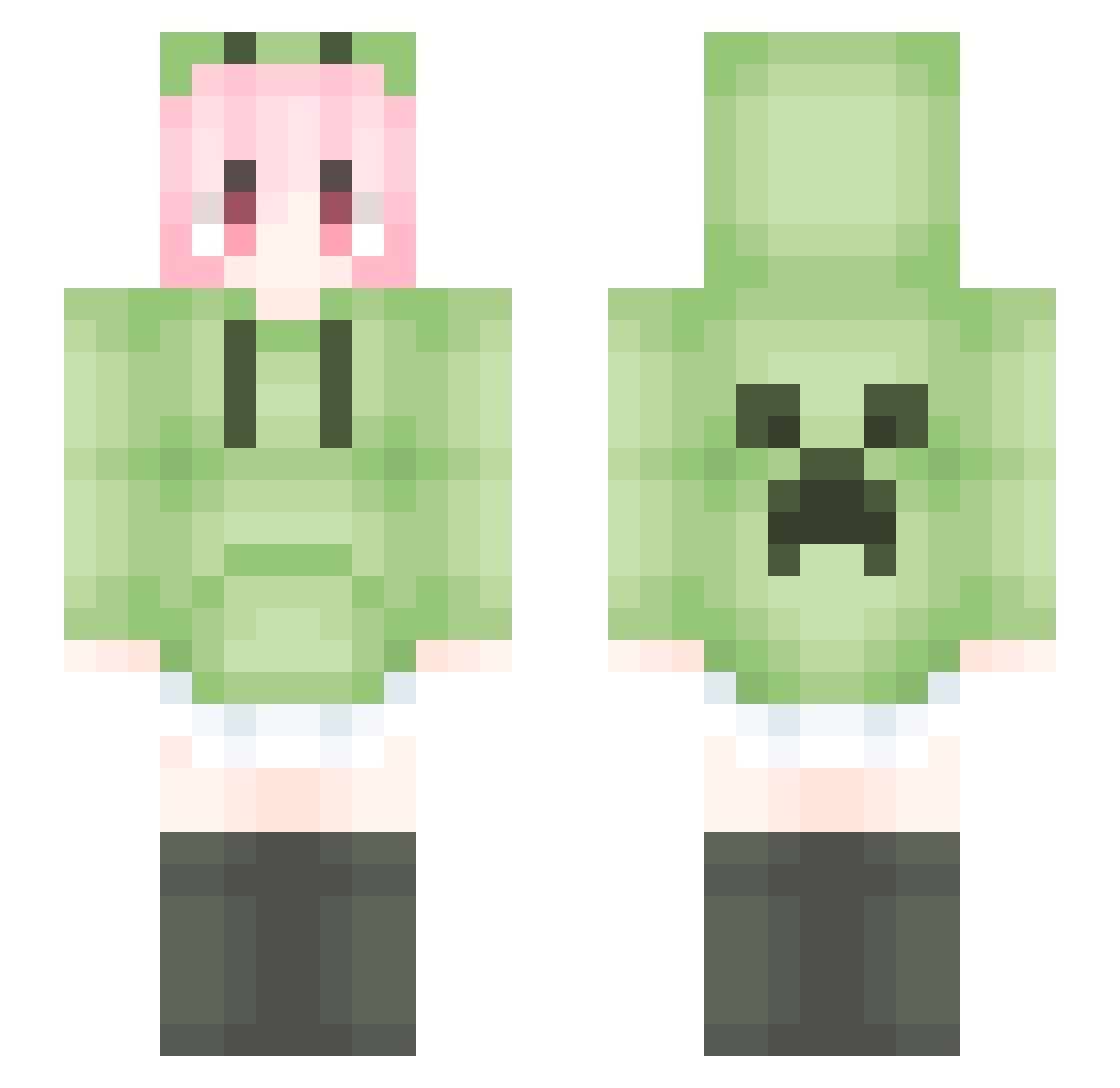
Current Minecraft skin of the player Azalea233, loaded from the official Mojang API. Rotate the 3D model with your mouse or finger, then download the skin as a PNG file and use it in Minecraft: Bedrock Edition or Java Edition for free. When Azalea233 changes their skin, this page updates automatically and the old skin stays in the history below.
Other players with this skin (1796)
Azalea233 was the 1324th player we have seen with this skin, first spotted on 15.10.2026. The same skin was seen on these players. Open a nickname to see their current skin and skin history.
 Huanshuo qiuyeyuqian6 Aline123 duduhello HuShuo2 ALJsY J_XSY youlq ftdxg Polaris5507 Huseni Straw1907 CHENQWE yazicQAQ XiLisa lixzhi ikun1919814 00mio00 kullp BW_LOL uob2323 Jinx_Power Ayin_cc LuRenJia_0 SteveT3000 Love_Shenqiu Iris30 adai279 Zghost233 Harryshi YUGHHGYUH Firshy Eternal0416 bysjyl MrWang233 zhongguoren123 WamgMingXiao fushengxian wt88666 KuGua012 NXH517 sygxwt Taquito7w7 touhouinm xingchenhaoyue Foxboxt ZhouMoY mucoff ohhhh12345 JakeQin qwertyuiopss wuyuovo yuan_huifu XULikeU 56nfng llmmc FE_liu sansanq recall159 miqi512
More Anime Girl Minecraft skins
See all 13798 Anime Girl skins
How to install the Azalea233 skin
- Press the Download button above to save the skin as a PNG file.
- Minecraft: Bedrock Edition (PE): open the Dressing Room from the main menu (or tap your character → Edit Character), go to Classic Skins → Owned, press the + (new skin) button, choose the downloaded PNG and pick the Slim (Alex) model. Works on PC and mobile; consoles cannot import custom skins.
- Minecraft: Java Edition: open the Minecraft Launcher, go to the Skins tab, click New Skin, load the PNG, pick the Slim (Alex) model and press Save & Use. You can also upload it at minecraft.net → Profile → Change Skin.
The skin does not show up after import - what should I do?
Restart Minecraft and open the Dressing Room again - imported skins sometimes appear only after a restart. Also make sure you selected the imported skin and picked the Slim (Alex) model.
Which model should I choose, Classic or Slim?
This skin is designed for the Slim (Alex) model. If you pick the wrong model, the arms of the skin will look stretched or squeezed.
Is the skin of Azalea233 free to download?
Yes. Press Download, save the PNG file and use it in Minecraft: Bedrock Edition or Java Edition - no payment or registration needed. The skin also works on multiplayer servers and Realms.
More skins
Looking for more? Go back to all Minecraft skins and check the top skins of the week, month and all time, or find any player's skin by nickname.