
Auroramo - Minecraft Skins & Skin History
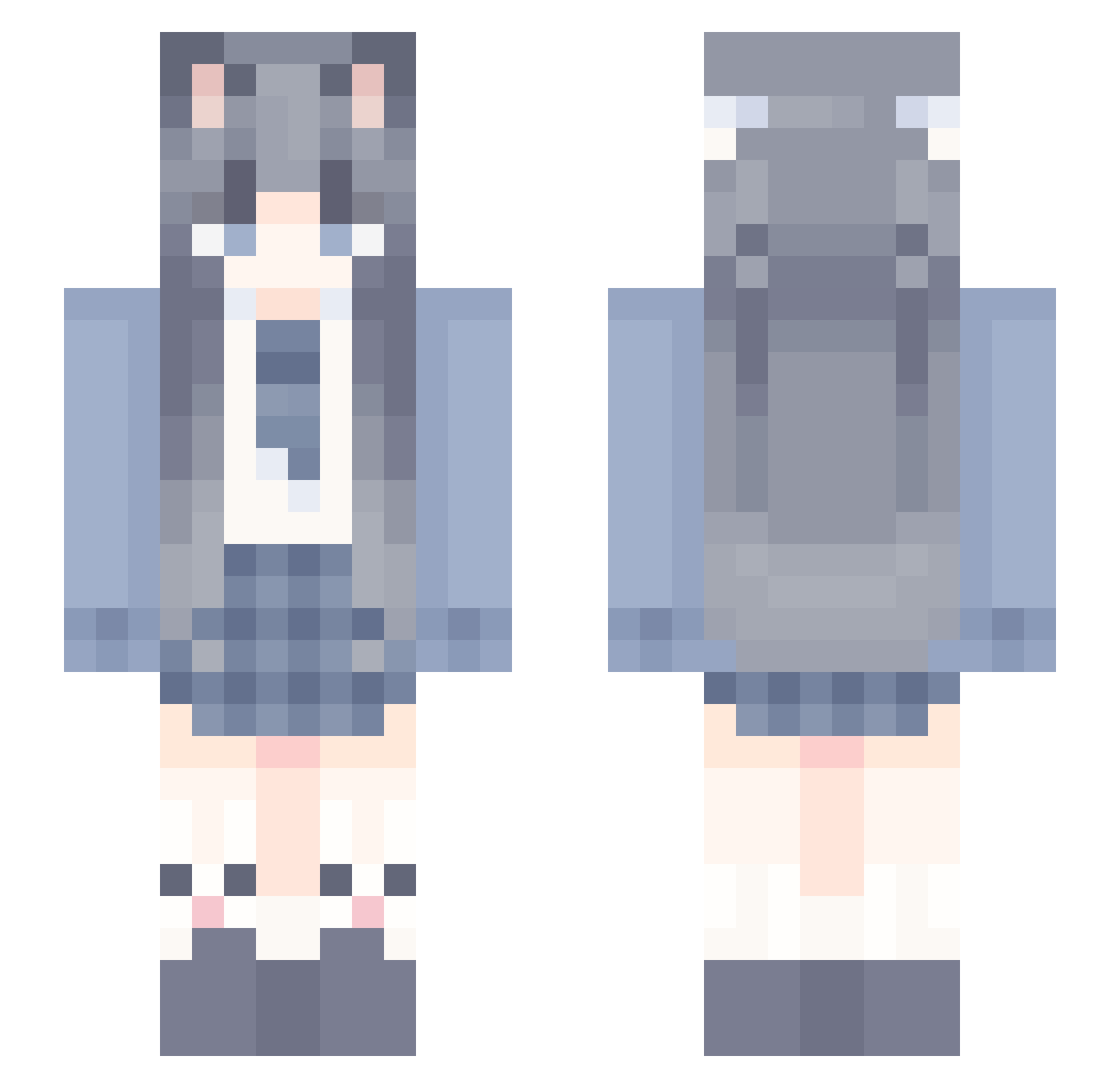
Current Minecraft skin of the player Auroramo, loaded from the official Mojang API. Rotate the 3D model with your mouse or finger, then download the skin as a PNG file and use it in Minecraft: Bedrock Edition or Java Edition for free. When Auroramo changes their skin, this page updates automatically and the old skin stays in the history below.
Other players with this skin (1360)
Auroramo was the 1311th player we have seen with this skin, first spotted on 15.11.2026. The same skin was seen on these players. Open a nickname to see their current skin and skin history.
 uenkmall abo0odi TheSuiAn MinLin61 77533 Vanilla114 Raiiney777 wildpig28 Yanhan1 yu__zhou jiangyuaho MmangoM _AppleA HazelTuna muyuxinnd Emilia_yuki hush0_o Hedatari Juicy233 lxhl_gluttony Yishanuo jiangshen6 SaSa_aw fwblove BMSUUZ Hinata_Ai Fx_Sa3ura_Gay520 wyq66 __kuromi_ Mu_xi114 guo_A_N_A jjjmianyan alxy1314 bgouo Altriaex1 gitub ztmer1 Glezen baseLiang UncleQQ DengQC Wen_Pei yinchuan007 MMMMMMMMMMMu Derlove kaen123 cta653200 LFTIKUN xxtweety zhongziqing ZhuHwb liang6888 _x1yx_ Little_Neww Caruso169 AricilK hgcty XG211 zz586 yjy0616
More School Uniform Minecraft skins
See all 7629 School Uniform skins
How to install the Auroramo skin
- Press the Download button above to save the skin as a PNG file.
- Minecraft: Bedrock Edition (PE): open the Dressing Room from the main menu (or tap your character → Edit Character), go to Classic Skins → Owned, press the + (new skin) button, choose the downloaded PNG and pick the Slim (Alex) model. Works on PC and mobile; consoles cannot import custom skins.
- Minecraft: Java Edition: open the Minecraft Launcher, go to the Skins tab, click New Skin, load the PNG, pick the Slim (Alex) model and press Save & Use. You can also upload it at minecraft.net → Profile → Change Skin.
The skin does not show up after import - what should I do?
Restart Minecraft and open the Dressing Room again - imported skins sometimes appear only after a restart. Also make sure you selected the imported skin and picked the Slim (Alex) model.
Which model should I choose, Classic or Slim?
This skin is designed for the Slim (Alex) model. If you pick the wrong model, the arms of the skin will look stretched or squeezed.
Is the skin of Auroramo free to download?
Yes. Press Download, save the PNG file and use it in Minecraft: Bedrock Edition or Java Edition - no payment or registration needed. The skin also works on multiplayer servers and Realms.
More skins
Looking for more? Go back to all Minecraft skins and check the top skins of the week, month and all time, or find any player's skin by nickname.