
Asura170 - Minecraft Skins & Skin History
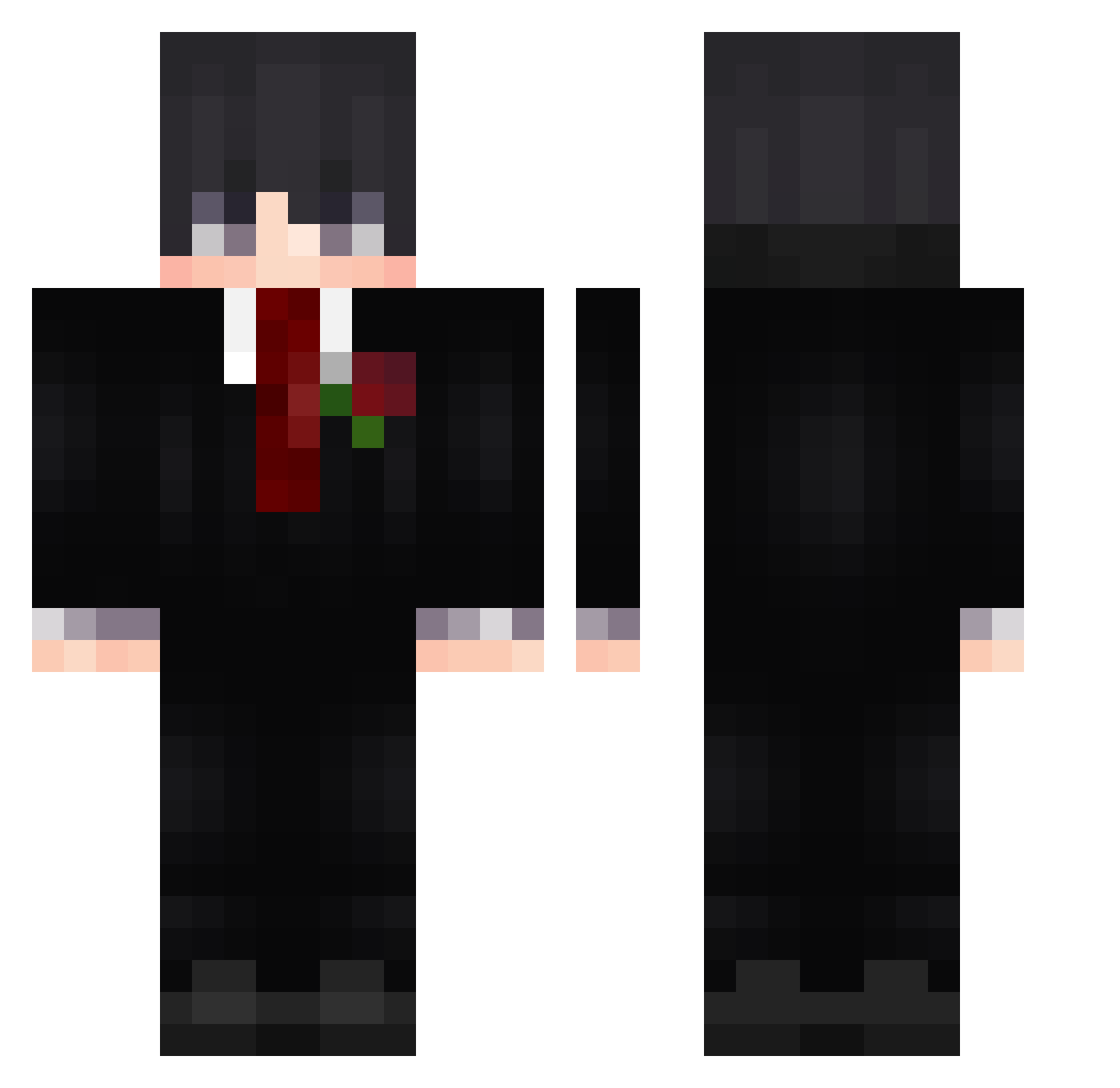
Current Minecraft skin of the player Asura170, loaded from the official Mojang API. Rotate the 3D model with your mouse or finger, then download the skin as a PNG file and use it in Minecraft: Bedrock Edition or Java Edition for free. When Asura170 changes their skin, this page updates automatically and the old skin stays in the history below.
Other players with this skin (722)
Asura170 was the 673rd player we have seen with this skin, first spotted on 12.11.2026. The same skin was seen on these players. Open a nickname to see their current skin and skin history.
 woowan25 extasixwrlds llucas090 bue_o2Yav_06_08 xElias_g boluo6 3daLa soubies Kaize3r ASHEN1201 Keerzz shiomit Umbayn Nojamms ECM09 BoraBLT ronin303 Milano_Melio PabloDaNuv ATLAIHG Hyeokk_ Skrillexme GabrielFrancisc0 bozeczekaj 07d_nicegen_sey Fragger4 ILAYTOP585 sts520 BeezzzL bn7__ Softhere LoyalHen Tsuuko Twilightrc phanthep Sans21L ymmh1 Kuasarchambeador sosviz Light52 leakydemon Dahingestuemper demon0707 Erendrcn BlazingSplash82 Ximbinha15 NovaXJR Kiritolul flaivor7 RFGYT Demir9867 TageTyron Marcys_ra9 Mitr021 samuray303 kaissd LordzGamer19 Draykz923 Proxxitty erdll
More Rose Minecraft skins
How to install the Asura170 skin
- Press the Download button above to save the skin as a PNG file.
- Minecraft: Bedrock Edition (PE): open the Dressing Room from the main menu (or tap your character → Edit Character), go to Classic Skins → Owned, press the + (new skin) button, choose the downloaded PNG and pick the Classic (Steve) model. Works on PC and mobile; consoles cannot import custom skins.
- Minecraft: Java Edition: open the Minecraft Launcher, go to the Skins tab, click New Skin, load the PNG, pick the Classic (Steve) model and press Save & Use. You can also upload it at minecraft.net → Profile → Change Skin.
The skin does not show up after import - what should I do?
Restart Minecraft and open the Dressing Room again - imported skins sometimes appear only after a restart. Also make sure you selected the imported skin and picked the Classic (Steve) model.
Which model should I choose, Classic or Slim?
This skin is designed for the Classic (Steve) model. If you pick the wrong model, the arms of the skin will look stretched or squeezed.
Is the skin of Asura170 free to download?
Yes. Press Download, save the PNG file and use it in Minecraft: Bedrock Edition or Java Edition - no payment or registration needed. The skin also works on multiplayer servers and Realms.
More skins
Looking for more? Go back to all Minecraft skins and check the top skins of the week, month and all time, or find any player's skin by nickname.