
AstraledOne - Minecraft Skins & Skin History
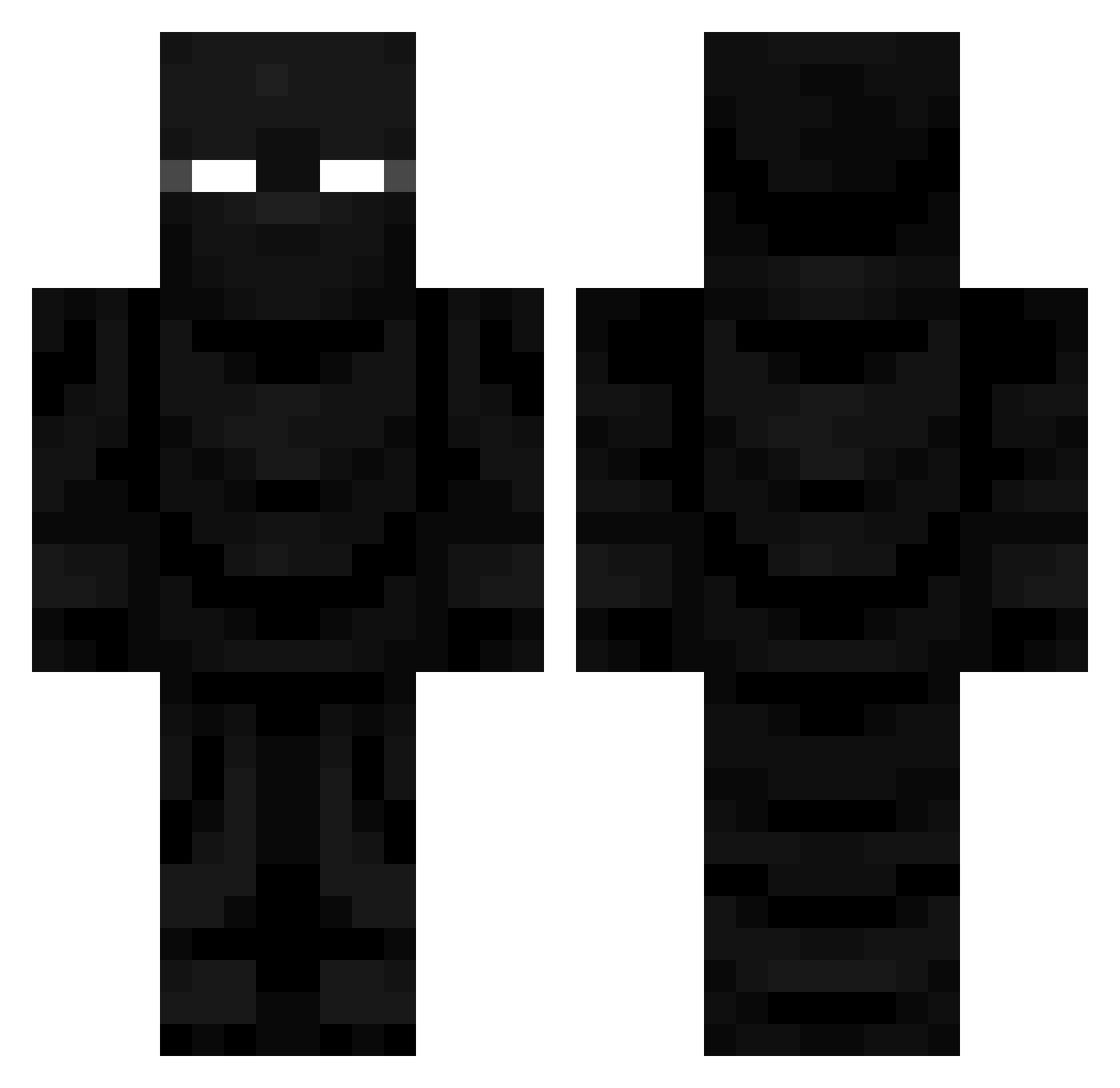
Current Minecraft skin of the player AstraledOne, loaded from the official Mojang API. Rotate the 3D model with your mouse or finger, then download the skin as a PNG file and use it in Minecraft: Bedrock Edition or Java Edition for free. When AstraledOne changes their skin, this page updates automatically and the old skin stays in the history below.
Other players with this skin (825)
AstraledOne was the 766th player we have seen with this skin, first spotted on 10.11.2026. The same skin was seen on these players. Open a nickname to see their current skin and skin history.
 Bobby52 KieferLegacy cloudy650 Kahoher JusteUnMec1 0xchrome Dragulas23 MrInfernOXD Dstarks16 FiiiraX AARETZ SenexTv SrManzanita09 trygon666 Onyxprime007 traos DampDraken DustyDupo LucasK2 K2FJ ArmaGamer __Rinkana__ Claw1987 SirBaldwin DoughBoyGuy Mazuuky Nandesitop TibbieKing Xerox69420 DamYinRay ilovefarmers Revoltdd NewSuicideSquad PDetrois gershdevice BurntElfBar Charasknife Rigit2002 Gappyherobrine Deadseh JDMAYHEW Envixitie_2 SpartysBro SHYDISCORDKITTEN Prof_THOR Favoredcooper TC_vibes spintownclearsg 01Skipper01 ProBomberMan1 Vindetapl gooys jinxyluvs Squaji Spooksy17 AAAUUUMMM yennis1234 demonicangles1 darenthi88 PurrAvali
More Ninja Minecraft skins
How to install the AstraledOne skin
- Press the Download button above to save the skin as a PNG file.
- Minecraft: Bedrock Edition (PE): open the Dressing Room from the main menu (or tap your character → Edit Character), go to Classic Skins → Owned, press the + (new skin) button, choose the downloaded PNG and pick the Classic (Steve) model. Works on PC and mobile; consoles cannot import custom skins.
- Minecraft: Java Edition: open the Minecraft Launcher, go to the Skins tab, click New Skin, load the PNG, pick the Classic (Steve) model and press Save & Use. You can also upload it at minecraft.net → Profile → Change Skin.
The skin does not show up after import - what should I do?
Restart Minecraft and open the Dressing Room again - imported skins sometimes appear only after a restart. Also make sure you selected the imported skin and picked the Classic (Steve) model.
Which model should I choose, Classic or Slim?
This skin is designed for the Classic (Steve) model. If you pick the wrong model, the arms of the skin will look stretched or squeezed.
Is the skin of AstraledOne free to download?
Yes. Press Download, save the PNG file and use it in Minecraft: Bedrock Edition or Java Edition - no payment or registration needed. The skin also works on multiplayer servers and Realms.
More skins
Looking for more? Go back to all Minecraft skins and check the top skins of the week, month and all time, or find any player's skin by nickname.