
Asamino - Minecraft Skins & Skin History
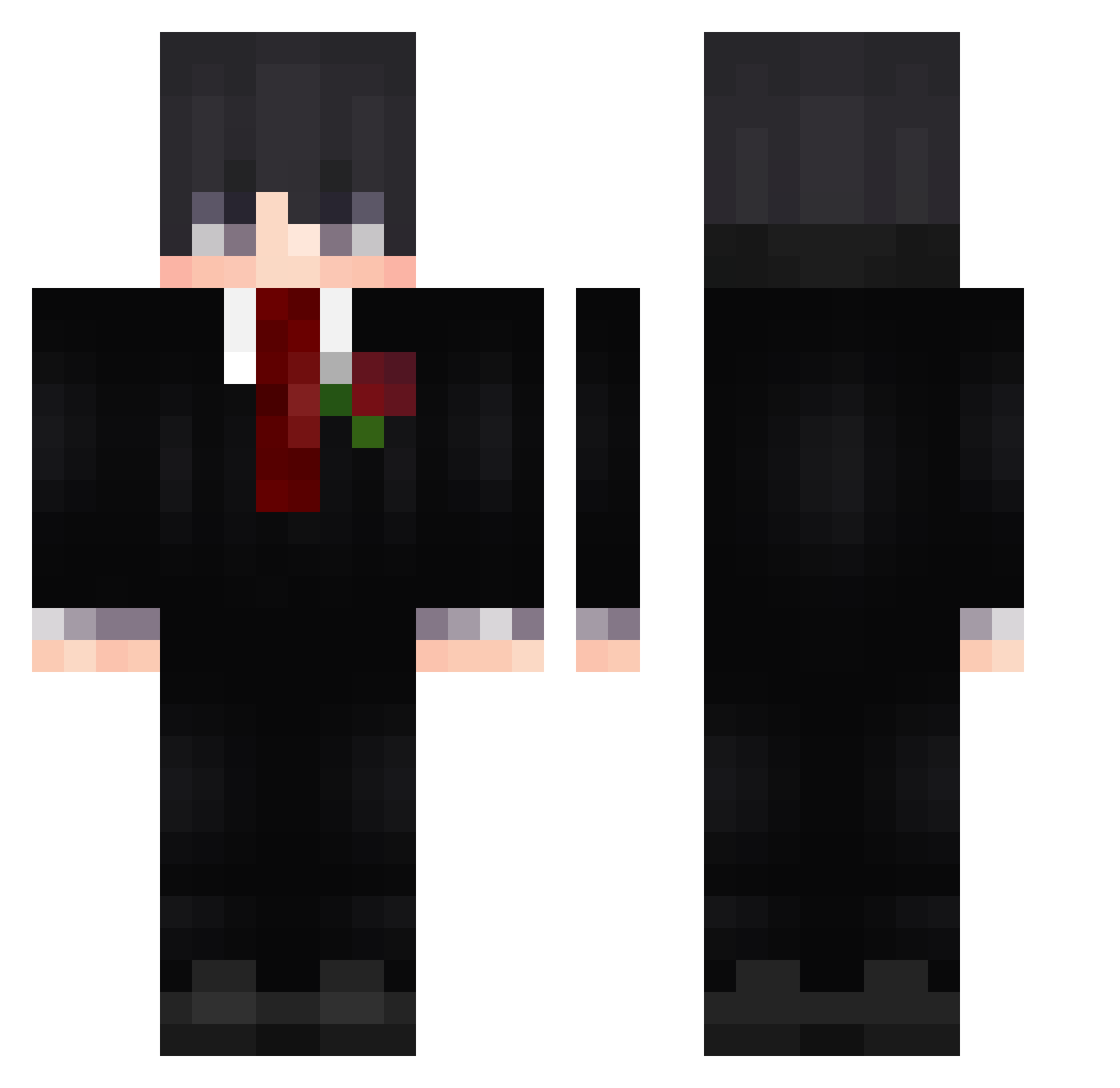
Current Minecraft skin of the player Asamino, loaded from the official Mojang API. Rotate the 3D model with your mouse or finger, then download the skin as a PNG file and use it in Minecraft: Bedrock Edition or Java Edition for free. When Asamino changes their skin, this page updates automatically and the old skin stays in the history below.
Other players with this skin (597)
Asamino was the 359th player we have seen with this skin, first spotted on 27.09.2026. The same skin was seen on these players. Open a nickname to see their current skin and skin history.
 MALENINHA2112 calangokk FemboyTaster MateGamerElpro TT_Isam Yunearr Lshbm T1Yang TRESJHG nevermorov CUdona Smoking__ Isaiah_yeohs fuddiest MADNEKIT1 MissMalinowa Ni_kh_ piokasz Zeryx10 Gerhsoul Rithisgoodboi ItsMeBayno Ge_gwin Harxs09 JunLIVE_ Drip_oi Vital_Yt ItzRealnoobzao 01874 DudeWithTheVans mantimert1 NoOneIsSafe mr_jaded Jotaf15 MUNKEYD1 QIS713 Ash9543 RamirezHD Psycho_0o0 Odete s3_k capi434 Peramos12 Zl_ScOrE Shayrix Orka1337 Mekpe1 EWENIE Braynot06 Davidino29 Zerion88 Bread0960 Danaelxx LakshXD1 Om3n_exe Mami1453 ChoppiNouuu iReqqu Oh_Userr _zenaR
More Rose Minecraft skins
How to install the Asamino skin
- Press the Download button above to save the skin as a PNG file.
- Minecraft: Bedrock Edition (PE): open the Dressing Room from the main menu (or tap your character → Edit Character), go to Classic Skins → Owned, press the + (new skin) button, choose the downloaded PNG and pick the Classic (Steve) model. Works on PC and mobile; consoles cannot import custom skins.
- Minecraft: Java Edition: open the Minecraft Launcher, go to the Skins tab, click New Skin, load the PNG, pick the Classic (Steve) model and press Save & Use. You can also upload it at minecraft.net → Profile → Change Skin.
The skin does not show up after import - what should I do?
Restart Minecraft and open the Dressing Room again - imported skins sometimes appear only after a restart. Also make sure you selected the imported skin and picked the Classic (Steve) model.
Which model should I choose, Classic or Slim?
This skin is designed for the Classic (Steve) model. If you pick the wrong model, the arms of the skin will look stretched or squeezed.
Is the skin of Asamino free to download?
Yes. Press Download, save the PNG file and use it in Minecraft: Bedrock Edition or Java Edition - no payment or registration needed. The skin also works on multiplayer servers and Realms.
More skins
Looking for more? Go back to all Minecraft skins and check the top skins of the week, month and all time, or find any player's skin by nickname.