
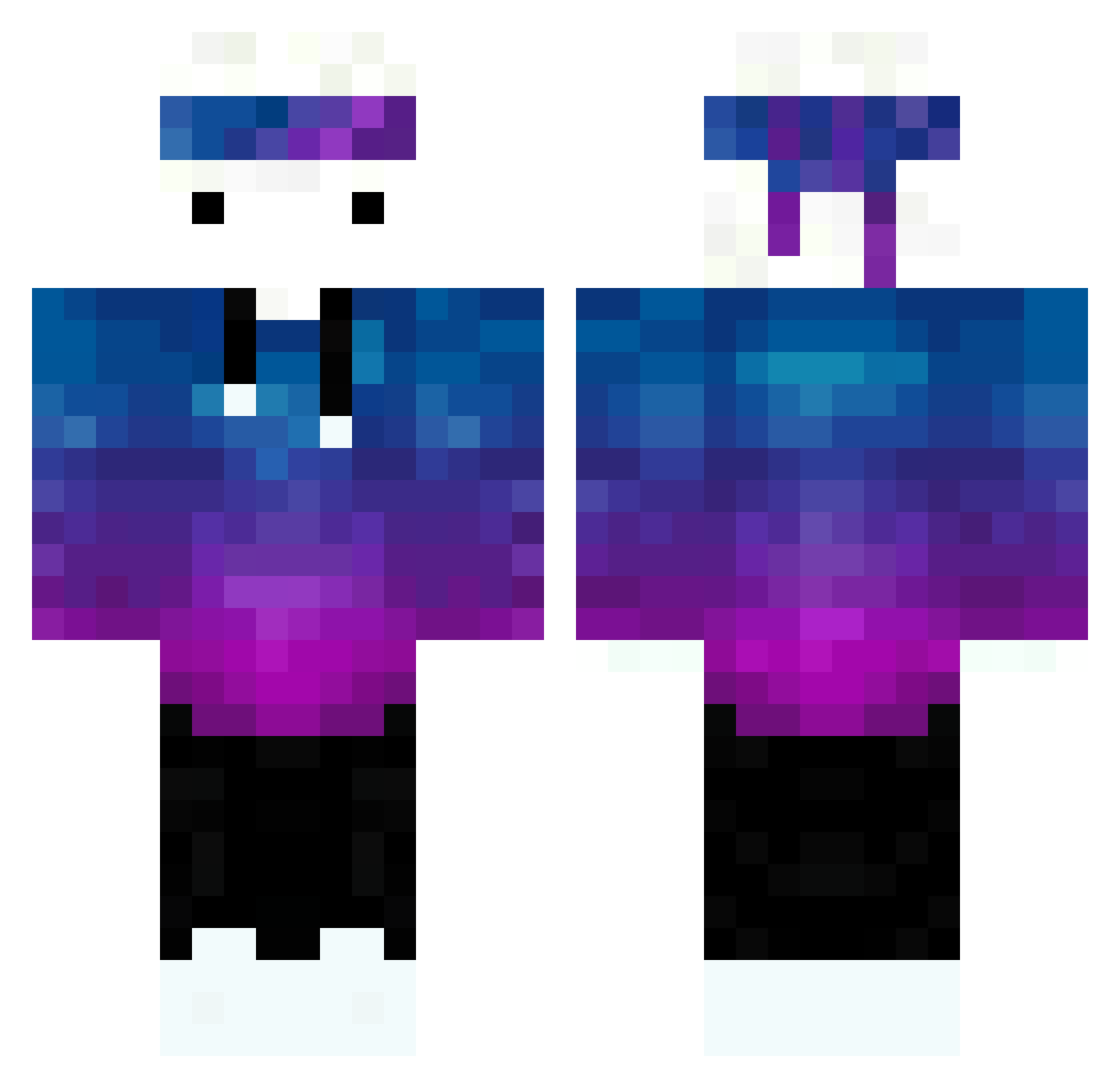
Current Minecraft skin of the player Artfulscissors6, loaded from the official Mojang API. Rotate the 3D model with your mouse or finger, then download the skin as a PNG file and use it in Minecraft: Bedrock Edition or Java Edition for free. When Artfulscissors6 changes their skin, this page updates automatically and the old skin stays in the history below.
Other players with this skin (191)
Artfulscissors6 was the 150th player we have seen with this skin, first spotted on 30.09.2026. The same skin was seen on these players. Open a nickname to see their current skin and skin history.
 PurePvper Catschild New_Tiger Strodor stuard189 Two_uwu ZiggiOne Nawre13 albertoska228 iTiemen_ tyghimk gotbaz __IslandS__ Passerbye pitapizza123 dankheart9596 H00Dlnl AlmondPlusOrange G4BO82 cassidyjames _D3rweX_ DerEchteButters jellylola Wojtaso AstroInVR MAZ_DE_LA_FUFU game24freak24 Oyuz __JUNIOR__be Black_Game SytiKKK Wassim_GG zanix69 Santifico Point_Do_6418 Agente_FBI Dank_Rice Kingfeki987i ZIGZAGO13 Lightiix AROWLAS Kan141 Etachie Christinayo_ minesize FaZeKennys heygini Rubick85 _FIR3STORM_ Lover_59 Pasha72232 JustSilex PichoBoy691 Mike5021 thomaspasia2 Orangiog Totiy martamwinner hbomb____ Kubstertron
How to install the Artfulscissors6 skin
- Press the Download button above to save the skin as a PNG file.
- Minecraft: Bedrock Edition (PE): open the Dressing Room from the main menu (or tap your character → Edit Character), go to Classic Skins → Owned, press the + (new skin) button, choose the downloaded PNG and pick the Classic (Steve) model. Works on PC and mobile; consoles cannot import custom skins.
- Minecraft: Java Edition: open the Minecraft Launcher, go to the Skins tab, click New Skin, load the PNG, pick the Classic (Steve) model and press Save & Use. You can also upload it at minecraft.net → Profile → Change Skin.
The skin does not show up after import - what should I do?
Restart Minecraft and open the Dressing Room again - imported skins sometimes appear only after a restart. Also make sure you selected the imported skin and picked the Classic (Steve) model.
Which model should I choose, Classic or Slim?
This skin is designed for the Classic (Steve) model. If you pick the wrong model, the arms of the skin will look stretched or squeezed.
Is the skin of Artfulscissors6 free to download?
Yes. Press Download, save the PNG file and use it in Minecraft: Bedrock Edition or Java Edition - no payment or registration needed. The skin also works on multiplayer servers and Realms.
More skins
Looking for more? Go back to all Minecraft skins and check the top skins of the week, month and all time, or find any player's skin by nickname.