
ArnaudPou - Minecraft Skins & Skin History
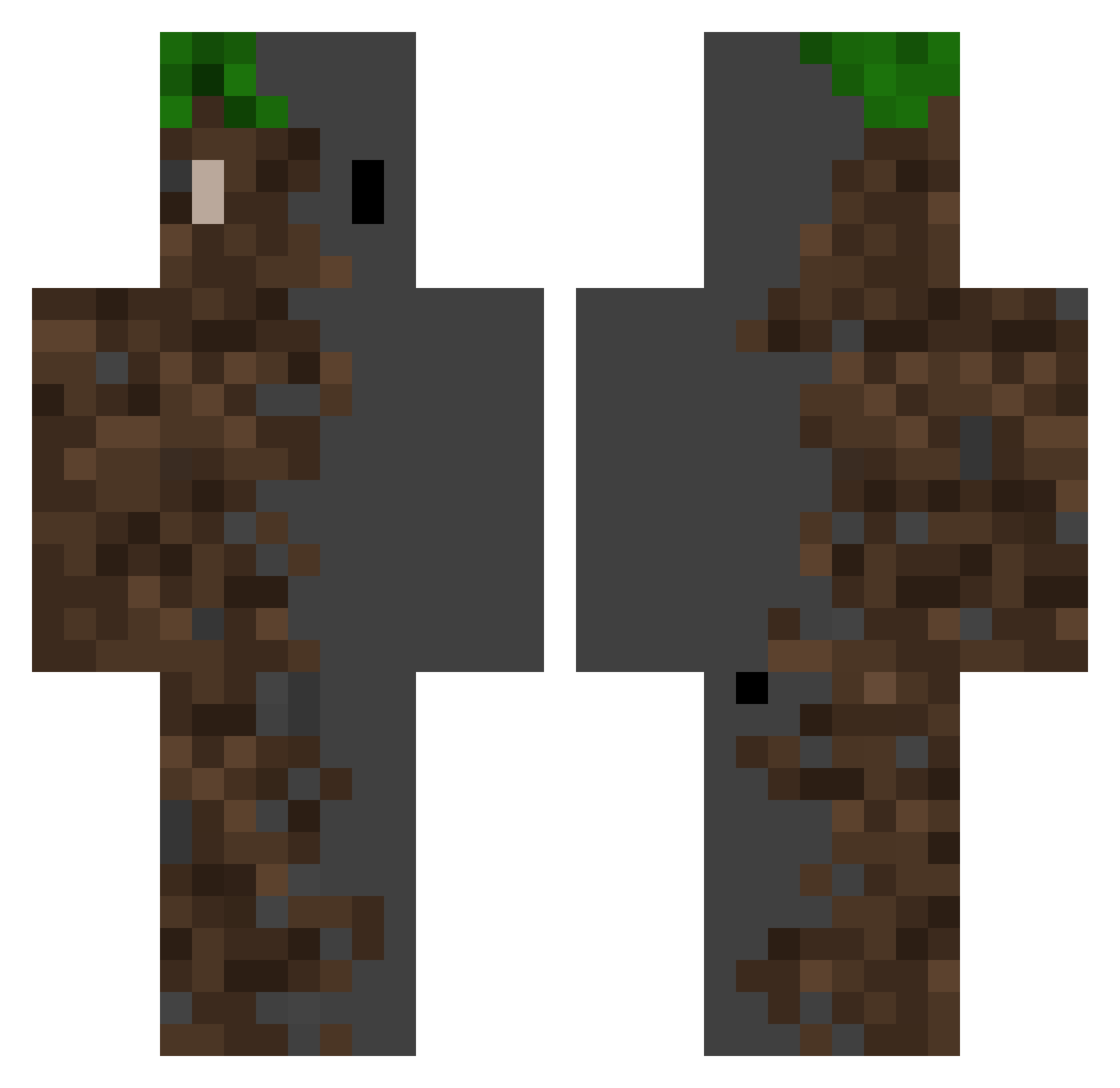
Current Minecraft skin of the player ArnaudPou, loaded from the official Mojang API. Rotate the 3D model with your mouse or finger, then download the skin as a PNG file and use it in Minecraft: Bedrock Edition or Java Edition for free. When ArnaudPou changes their skin, this page updates automatically and the old skin stays in the history below.
Other players with this skin (451)
ArnaudPou was the 417th player we have seen with this skin, first spotted on 11.11.2026. The same skin was seen on these players. Open a nickname to see their current skin and skin history.
 MadKraken_ jotbungsin ItsCrispyTV haaaaaao Maider2006_ Yogibear1911 Bencee0 rinno0216 Chillbas Kinosuke0822 paul123542 Mettoudi xoxas chebacca55 k_asche0617 Moon_FTN Nathandu81 Slumber6347 leonH2002 gloriacarl8 GerryMerry lgao1 Rezet1998 BurikF anthony_wong DoctorAI Decency1615 DaivdTW tommya4545 Muhammed_Yusuf glistr Khelsio Djonko4 SirVALEEE thediamante Mqrteeeee Youkune NordFreeday LostCode as_daw2 Lemon4926 Sso125 Xanderscrib Grossflugzeug EcoRebelX ERIS0506 TATSU29 BunnyBoo620 Akkrim7 casinista IIssadMinecraft FeedMeCheese DEVILMAN6317 o_omp3 wwknjww clikclak12 Latte_0 Hatter73 Skyforde Firukky
More Dirt Block Minecraft skins
How to install the ArnaudPou skin
- Press the Download button above to save the skin as a PNG file.
- Minecraft: Bedrock Edition (PE): open the Dressing Room from the main menu (or tap your character → Edit Character), go to Classic Skins → Owned, press the + (new skin) button, choose the downloaded PNG and pick the Classic (Steve) model. Works on PC and mobile; consoles cannot import custom skins.
- Minecraft: Java Edition: open the Minecraft Launcher, go to the Skins tab, click New Skin, load the PNG, pick the Classic (Steve) model and press Save & Use. You can also upload it at minecraft.net → Profile → Change Skin.
The skin does not show up after import - what should I do?
Restart Minecraft and open the Dressing Room again - imported skins sometimes appear only after a restart. Also make sure you selected the imported skin and picked the Classic (Steve) model.
Which model should I choose, Classic or Slim?
This skin is designed for the Classic (Steve) model. If you pick the wrong model, the arms of the skin will look stretched or squeezed.
Is the skin of ArnaudPou free to download?
Yes. Press Download, save the PNG file and use it in Minecraft: Bedrock Edition or Java Edition - no payment or registration needed. The skin also works on multiplayer servers and Realms.
More skins
Looking for more? Go back to all Minecraft skins and check the top skins of the week, month and all time, or find any player's skin by nickname.