
Armette - Minecraft Skins & Skin History
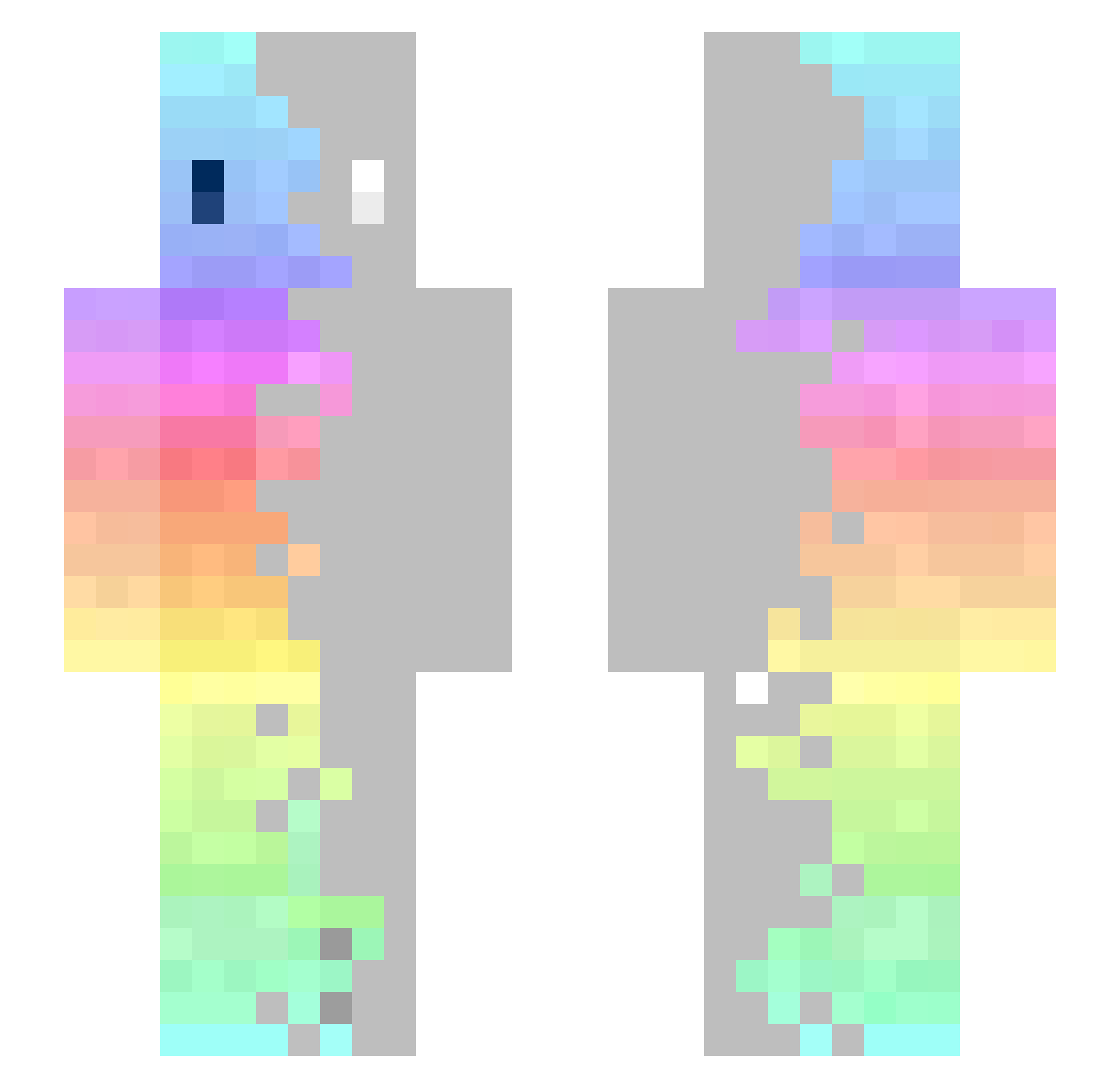
Current Minecraft skin of the player Armette, loaded from the official Mojang API. Rotate the 3D model with your mouse or finger, then download the skin as a PNG file and use it in Minecraft: Bedrock Edition or Java Edition for free. When Armette changes their skin, this page updates automatically and the old skin stays in the history below.
Other players with this skin (366)
Armette was the 343rd player we have seen with this skin, first spotted on 03.11.2026. The same skin was seen on these players. Open a nickname to see their current skin and skin history.
 JRG9P Sufficiency luis1493474 sm_po raymong5032 Gernar GA022 FlameX___ Rpg_11 Hotspurcraft02 paNicO23 Mitwa Gekon2956 minechany extremeshart Yuki_izanai Lawrence09 EMDD_1 luis_br30 Buskudka Charliups Millenniumboy Star_31jo8nkrtaw vSxolarxs chiaen2005 Hoock AliceZHANG tun_The ASDFGJK ClassyChic Jell_EBean StalinsOpa volfxom sutqku Oreskis0 imKAMAIN ligat JeanValjeanx Chris2609 tiltmonster WuppoKing SayOatmeal umaumako MrAgoti Berbarus Dream15616 The_Pr0dy Cooking_Doc clni_xinxon PersianPrincess1 carrielimjx ssaam_ Lucasmaestri461 Piniv llCrioxll Hyrkane xXCaribouXx GrandmaDeb5266 Matiu222 stercoburn
How to install the Armette skin
- Press the Download button above to save the skin as a PNG file.
- Minecraft: Bedrock Edition (PE): open the Dressing Room from the main menu (or tap your character → Edit Character), go to Classic Skins → Owned, press the + (new skin) button, choose the downloaded PNG and pick the Slim (Alex) model. Works on PC and mobile; consoles cannot import custom skins.
- Minecraft: Java Edition: open the Minecraft Launcher, go to the Skins tab, click New Skin, load the PNG, pick the Slim (Alex) model and press Save & Use. You can also upload it at minecraft.net → Profile → Change Skin.
The skin does not show up after import - what should I do?
Restart Minecraft and open the Dressing Room again - imported skins sometimes appear only after a restart. Also make sure you selected the imported skin and picked the Slim (Alex) model.
Which model should I choose, Classic or Slim?
This skin is designed for the Slim (Alex) model. If you pick the wrong model, the arms of the skin will look stretched or squeezed.
Is the skin of Armette free to download?
Yes. Press Download, save the PNG file and use it in Minecraft: Bedrock Edition or Java Edition - no payment or registration needed. The skin also works on multiplayer servers and Realms.
More skins
Looking for more? Go back to all Minecraft skins and check the top skins of the week, month and all time, or find any player's skin by nickname.