
Arissz - Minecraft Skins & Skin History
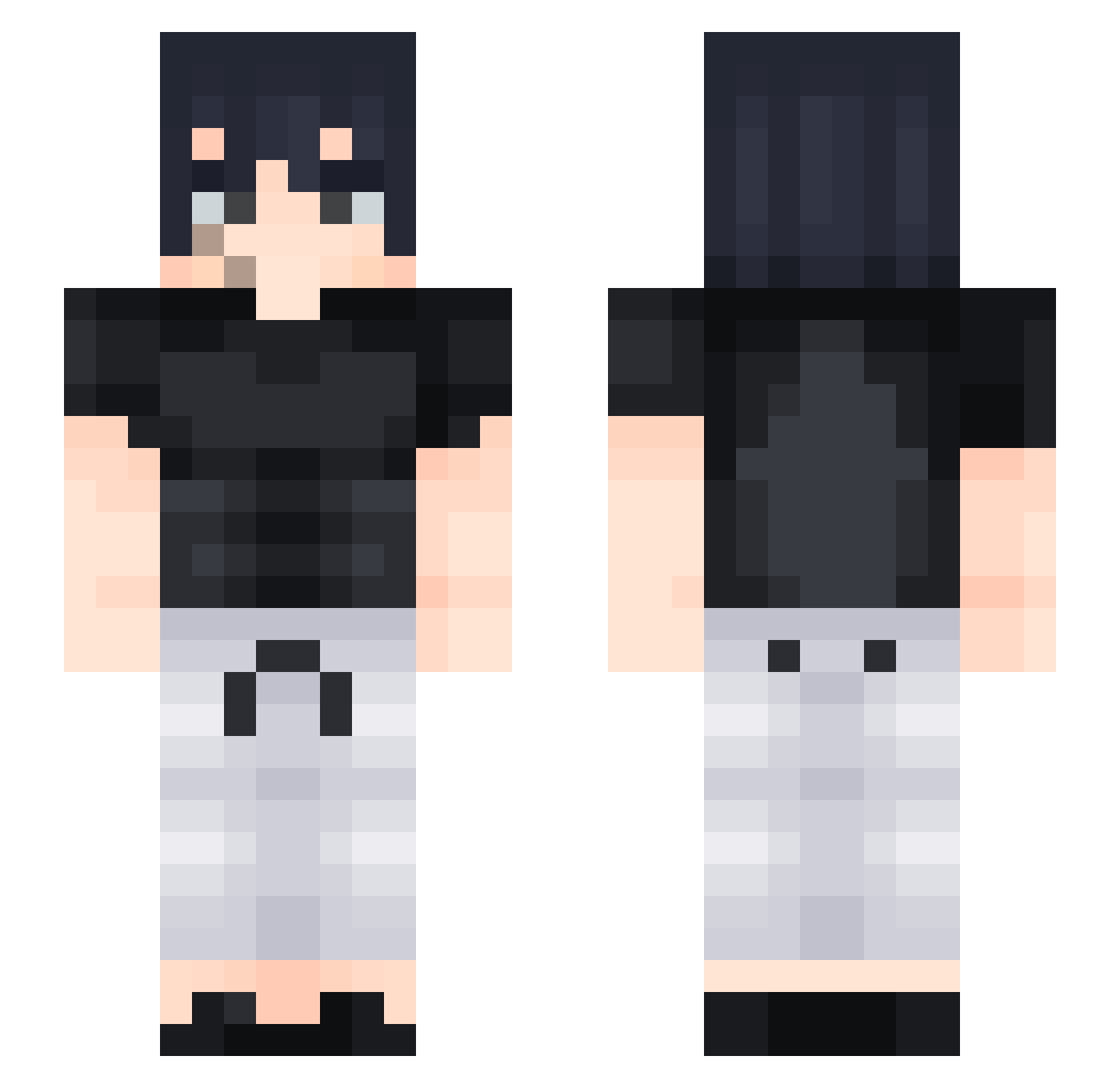
Current Minecraft skin of the player Arissz, loaded from the official Mojang API. Rotate the 3D model with your mouse or finger, then download the skin as a PNG file and use it in Minecraft: Bedrock Edition or Java Edition for free. When Arissz changes their skin, this page updates automatically and the old skin stays in the history below.
Other players with this skin (428)
Arissz was the 339th player we have seen with this skin, first spotted on 15.10.2026. The same skin was seen on these players. Open a nickname to see their current skin and skin history.
 VtrZer0 tengen7 Efgamer33 zPredalien XGyuszaX Tyranthe Toji_Fvshiguro Yagic42 SageBirch69420 _Rayu_ NoeJr_ AzSalim SP_slun Rockpip francoSUPREMO qzToji Gaga14cd TomHomren Owens_s AshCaesar G00DM4N mbUNLUCK SwiftTortoise Jay2343 ARROTAINO TheRealWoyson ChrisYett vitri0l Baki_K_ manuelangas2 M30_ DodgeMaster69 XxX_Toji_XxX llissamll MettaurHunter yvtok E_Zero_ Swaz43 oLeoLeoLeo Ctepoudbl x_Ink_x Kurosaki101 jvmunix Minecraft_movie_ Harpdoge24 CaptainEmmett Saker06 FinnJake2016 LOnen09 _itzaiden_M xXMamaCocoXx560 FollaMamis69 Raarrr LingLingBoy Soulstriker234 Trosion_099 jtrlol N_ightNight GUTS64 H_sd7
More Sasuke Uchiha Minecraft skins
See all 727 Sasuke Uchiha skins
How to install the Arissz skin
- Press the Download button above to save the skin as a PNG file.
- Minecraft: Bedrock Edition (PE): open the Dressing Room from the main menu (or tap your character → Edit Character), go to Classic Skins → Owned, press the + (new skin) button, choose the downloaded PNG and pick the Slim (Alex) model. Works on PC and mobile; consoles cannot import custom skins.
- Minecraft: Java Edition: open the Minecraft Launcher, go to the Skins tab, click New Skin, load the PNG, pick the Slim (Alex) model and press Save & Use. You can also upload it at minecraft.net → Profile → Change Skin.
The skin does not show up after import - what should I do?
Restart Minecraft and open the Dressing Room again - imported skins sometimes appear only after a restart. Also make sure you selected the imported skin and picked the Slim (Alex) model.
Which model should I choose, Classic or Slim?
This skin is designed for the Slim (Alex) model. If you pick the wrong model, the arms of the skin will look stretched or squeezed.
Is the skin of Arissz free to download?
Yes. Press Download, save the PNG file and use it in Minecraft: Bedrock Edition or Java Edition - no payment or registration needed. The skin also works on multiplayer servers and Realms.
More skins
Looking for more? Go back to all Minecraft skins and check the top skins of the week, month and all time, or find any player's skin by nickname.