
Argonauth_ - Minecraft Skins & Skin History
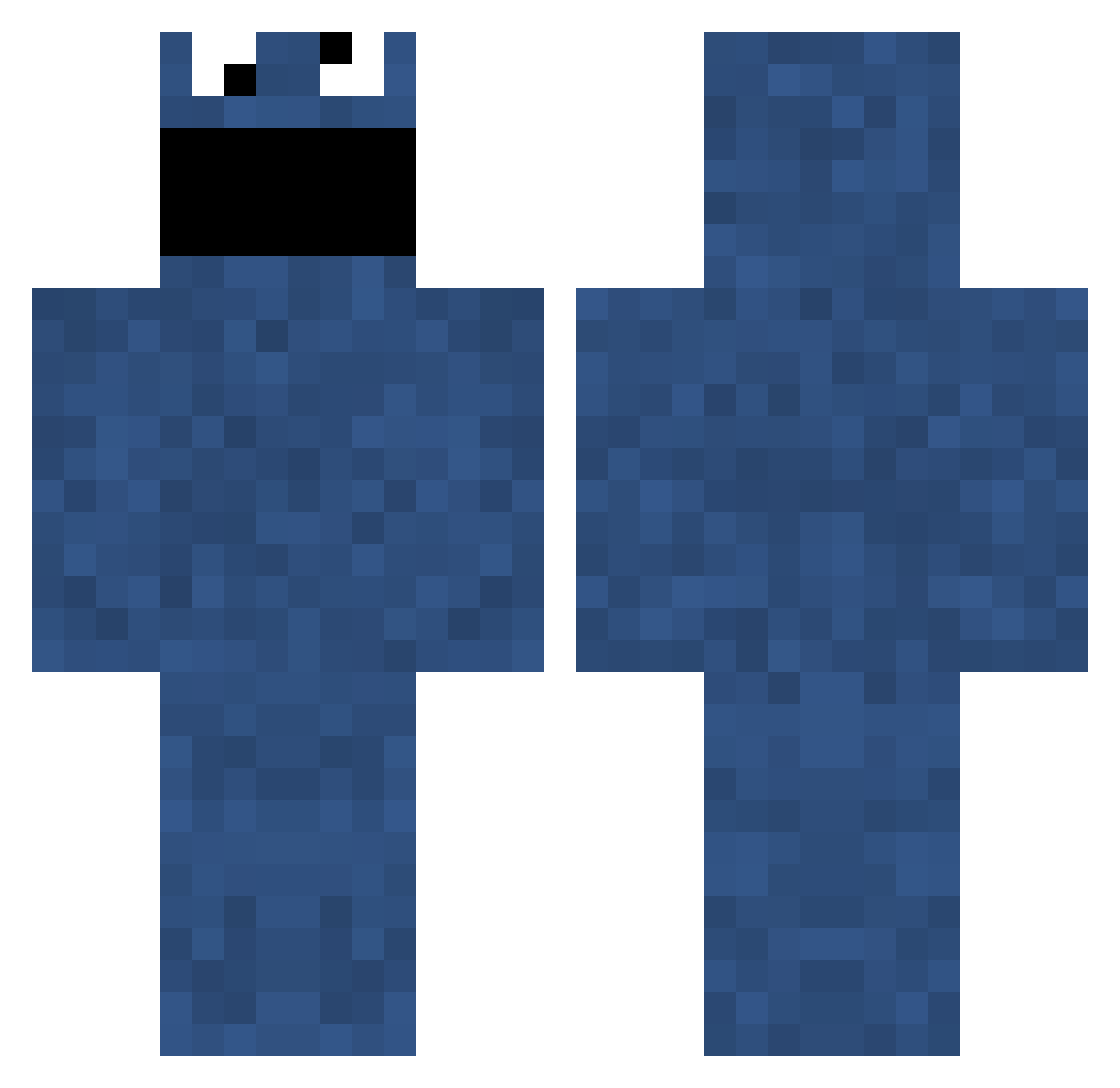
Current Minecraft skin of the player Argonauth_, loaded from the official Mojang API. Rotate the 3D model with your mouse or finger, then download the skin as a PNG file and use it in Minecraft: Bedrock Edition or Java Edition for free. When Argonauth_ changes their skin, this page updates automatically and the old skin stays in the history below.
Other players with this skin (699)
Argonauth_ was the 545th player we have seen with this skin, first spotted on 04.10.2026. The same skin was seen on these players. Open a nickname to see their current skin and skin history.
 DE5PO OscarStick Whoopers radi12345 winter62 Leopluradon Abrewster xChrizzx mattsmart CALV3RT nightkiller9699 BreakSkins Ptaaaa mathiewcraft TheDoctor34 joschi1111 GT5 kachow Xyphz Flexional LittleMiss9901 HeinOr gummin Flamel13 Marmite99 RAWR747 P3NN9R keprawr kanao Devon557 _GERARDO_ Blijebakkes steakums Koooloozz timbo222 rockman45 jOsh3o Budluxe GBisquick heets07 gammogy Amylooboo pablington Hille25 BlueWaffleFart kris_tag AutumnSDraco missingchapter Postombud 4nusPounder666 ButterTainter kizpawn JonnyHD94 tyhame hirden ziggy___ P_P_ TailsDoll10 Lenkas Drewer23
More Cookie Monster Minecraft skins
See all 241 Cookie Monster skins
How to install the Argonauth_ skin
- Press the Download button above to save the skin as a PNG file.
- Minecraft: Bedrock Edition (PE): open the Dressing Room from the main menu (or tap your character → Edit Character), go to Classic Skins → Owned, press the + (new skin) button, choose the downloaded PNG and pick the Classic (Steve) model. Works on PC and mobile; consoles cannot import custom skins.
- Minecraft: Java Edition: open the Minecraft Launcher, go to the Skins tab, click New Skin, load the PNG, pick the Classic (Steve) model and press Save & Use. You can also upload it at minecraft.net → Profile → Change Skin.
The skin does not show up after import - what should I do?
Restart Minecraft and open the Dressing Room again - imported skins sometimes appear only after a restart. Also make sure you selected the imported skin and picked the Classic (Steve) model.
Which model should I choose, Classic or Slim?
This skin is designed for the Classic (Steve) model. If you pick the wrong model, the arms of the skin will look stretched or squeezed.
Is the skin of Argonauth_ free to download?
Yes. Press Download, save the PNG file and use it in Minecraft: Bedrock Edition or Java Edition - no payment or registration needed. The skin also works on multiplayer servers and Realms.
More skins
Looking for more? Go back to all Minecraft skins and check the top skins of the week, month and all time, or find any player's skin by nickname.