
ArdaFoze - Minecraft Skins & Skin History
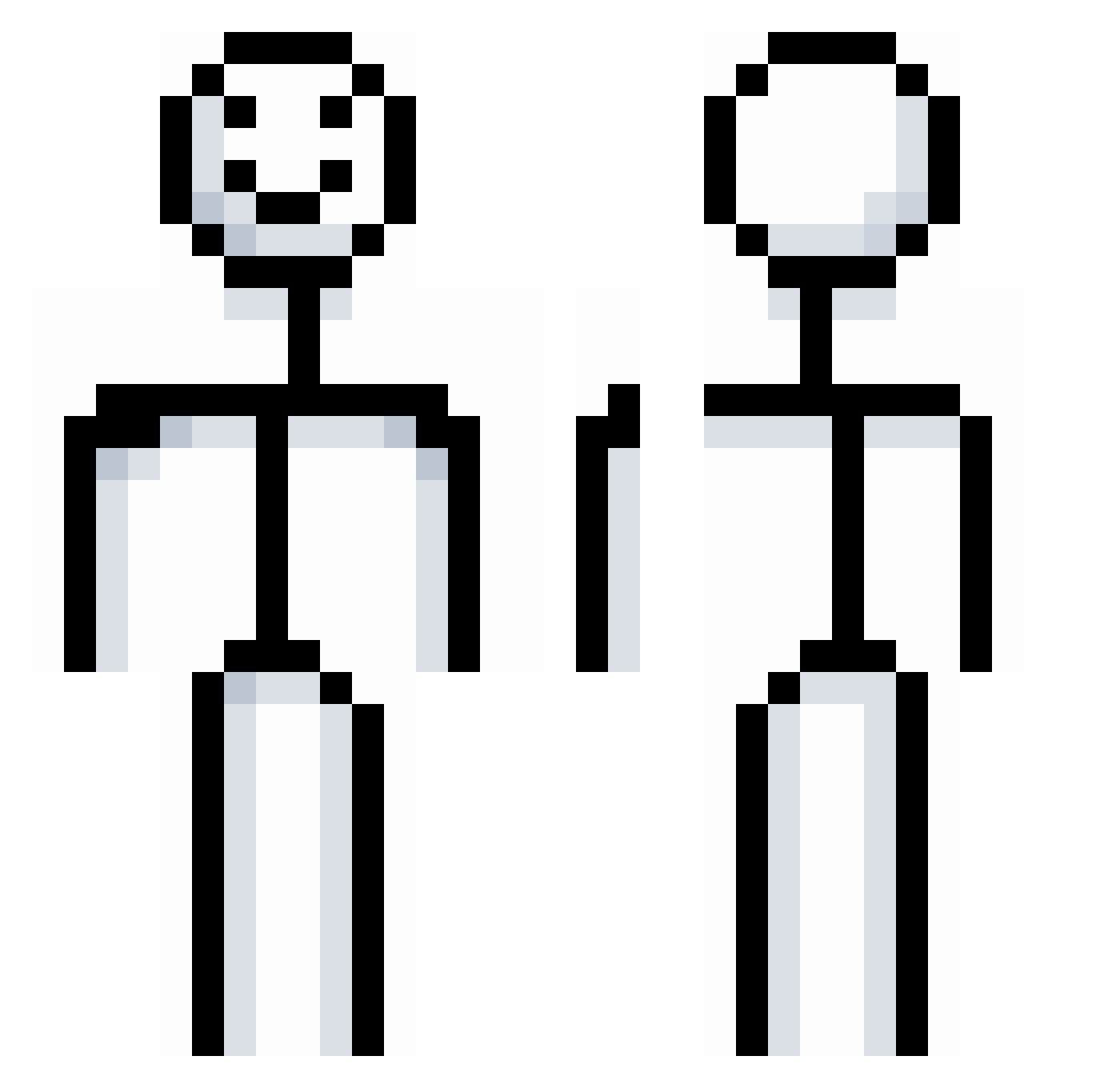
Current Minecraft skin of the player ArdaFoze, loaded from the official Mojang API. Rotate the 3D model with your mouse or finger, then download the skin as a PNG file and use it in Minecraft: Bedrock Edition or Java Edition for free. When ArdaFoze changes their skin, this page updates automatically and the old skin stays in the history below.
Other players with this skin (867)
ArdaFoze was the 415th player we have seen with this skin, first spotted on 20.09.2026. The same skin was seen on these players. Open a nickname to see their current skin and skin history.
 x_df Bong_Soon lintianqi JRoydhouse santuco qixiangrui66 zJeqn_ opsa0603 Spideypoo1 moharram damianlol EmPike727 Er_Panda MaMaKi_ just_a_failure1 _rqge_ MadisonNeo Jamurai_X DaveGiant JUANPAN247 eatingthecookies cochayuyo97 Neeyoo1400999 FriendlyFenix Solitary_Boy00 siahbae NotRisko shaark0111 Petergriffen_123 Tamakiza bautiaguero irang84 itsavi07 samtakoi_we Lee1045 hurri_cane TLDRaziel Mike_Knows_Best LZHzzZ dconsbr Rivermcd Jusepi frosty004 Big_bad_Wolf_1 zorro123123 bandowtf Semaz_ galyka_eh gooberdobber Champurrado_2 GrumpyDumpy20 HelgaSupporter69 Nioup sxkha Re4lNoodles8411 Kodieisabee Lolomanchen avuuuuu lizhiwang1 Byoungmog
More Stickman Minecraft skins
How to install the ArdaFoze skin
- Press the Download button above to save the skin as a PNG file.
- Minecraft: Bedrock Edition (PE): open the Dressing Room from the main menu (or tap your character → Edit Character), go to Classic Skins → Owned, press the + (new skin) button, choose the downloaded PNG and pick the Classic (Steve) model. Works on PC and mobile; consoles cannot import custom skins.
- Minecraft: Java Edition: open the Minecraft Launcher, go to the Skins tab, click New Skin, load the PNG, pick the Classic (Steve) model and press Save & Use. You can also upload it at minecraft.net → Profile → Change Skin.
The skin does not show up after import - what should I do?
Restart Minecraft and open the Dressing Room again - imported skins sometimes appear only after a restart. Also make sure you selected the imported skin and picked the Classic (Steve) model.
Which model should I choose, Classic or Slim?
This skin is designed for the Classic (Steve) model. If you pick the wrong model, the arms of the skin will look stretched or squeezed.
Is the skin of ArdaFoze free to download?
Yes. Press Download, save the PNG file and use it in Minecraft: Bedrock Edition or Java Edition - no payment or registration needed. The skin also works on multiplayer servers and Realms.
More skins
Looking for more? Go back to all Minecraft skins and check the top skins of the week, month and all time, or find any player's skin by nickname.