
Arcaaadeus - Minecraft Skins & Skin History
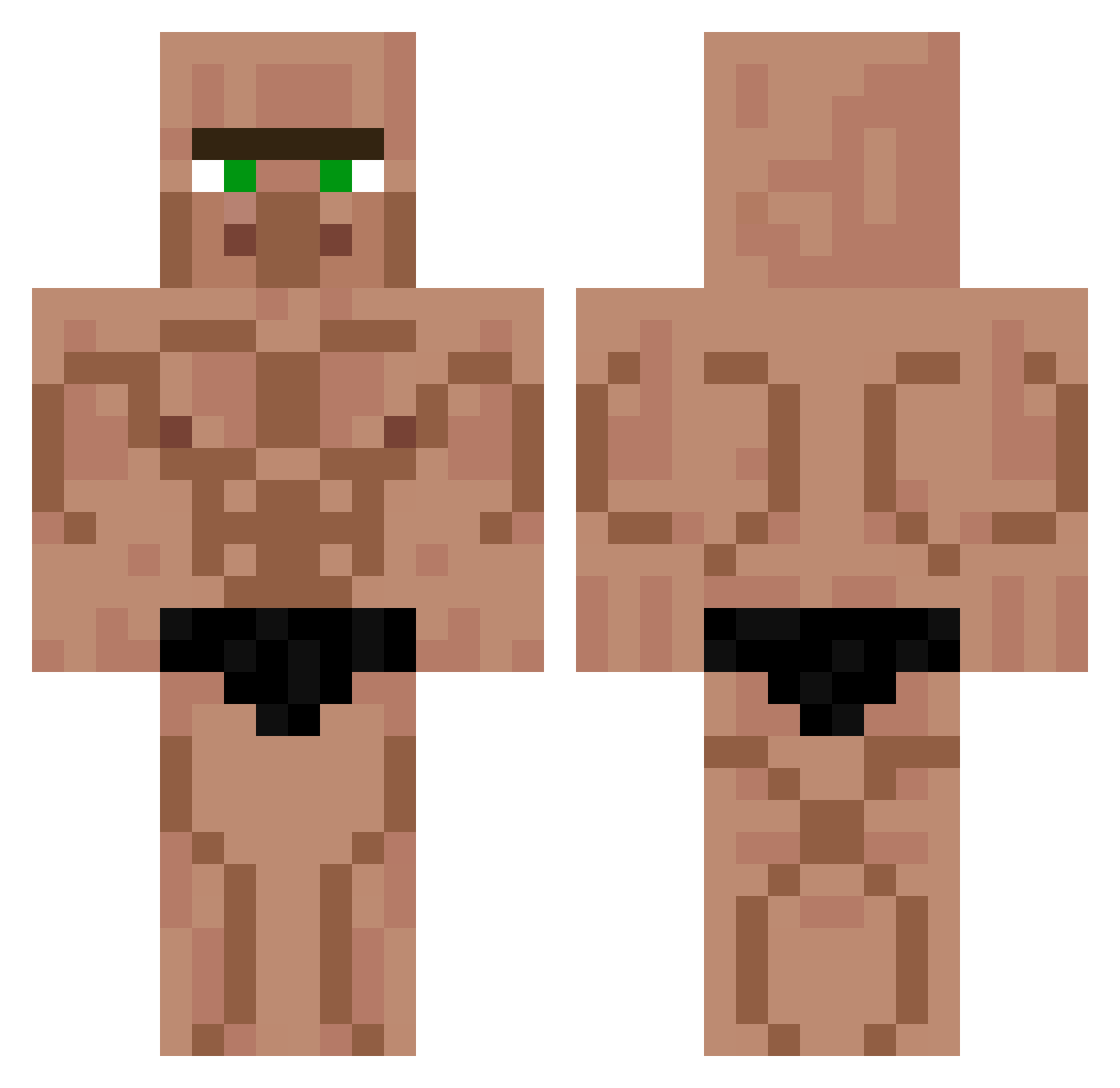
Current Minecraft skin of the player Arcaaadeus, loaded from the official Mojang API. Rotate the 3D model with your mouse or finger, then download the skin as a PNG file and use it in Minecraft: Bedrock Edition or Java Edition for free. When Arcaaadeus changes their skin, this page updates automatically and the old skin stays in the history below.
Other players with this skin (425)
Arcaaadeus was the 21st player we have seen with this skin, first spotted on 30.07.2026. The same skin was seen on these players. Open a nickname to see their current skin and skin history.
 isrealll Tickler67 FaveriBalaTensa YieldingOcean69 Terbix Soviskas HSUZA7 Tosunio Martinlenoire xecicut Xyarezz Rayas BliksemMax Sugmabaws Whatdoyoumean20 Flam1x_ Exporion Augst_SA eloDzik Nergam Fernandin572 epiodite OmarPro010 V1ct0r14 Maaaaa123 Arex0404 Drakesk1nn
 Drayzeee shmurkles __Dieu GingerNinja3568
 Worryingcurry AlchemistsBread Alpha_joana MagNutzz Cxtch_ Dream_fansesf34 zxcv0070 Bilgamesh326 Marzopie Terminator11 Nid3ma NishiKyokotintin Deranged_Azrael LeogolasBR Conlethh Petites_fleurs chinese_beauty Vroney lnwZad Fufi9999 PabloBanane Kaerisuri MR_W0RLDWlDE Ytdinosol TUCAMOTE007 GeorgeeInnit LightGuardian11 Juampi199 eXReach
More Muscle Minecraft skins
How to install the Arcaaadeus skin
- Press the Download button above to save the skin as a PNG file.
- Minecraft: Bedrock Edition (PE): open the Dressing Room from the main menu (or tap your character → Edit Character), go to Classic Skins → Owned, press the + (new skin) button, choose the downloaded PNG and pick the Classic (Steve) model. Works on PC and mobile; consoles cannot import custom skins.
- Minecraft: Java Edition: open the Minecraft Launcher, go to the Skins tab, click New Skin, load the PNG, pick the Classic (Steve) model and press Save & Use. You can also upload it at minecraft.net → Profile → Change Skin.
The skin does not show up after import - what should I do?
Restart Minecraft and open the Dressing Room again - imported skins sometimes appear only after a restart. Also make sure you selected the imported skin and picked the Classic (Steve) model.
Which model should I choose, Classic or Slim?
This skin is designed for the Classic (Steve) model. If you pick the wrong model, the arms of the skin will look stretched or squeezed.
Is the skin of Arcaaadeus free to download?
Yes. Press Download, save the PNG file and use it in Minecraft: Bedrock Edition or Java Edition - no payment or registration needed. The skin also works on multiplayer servers and Realms.
More skins
Looking for more? Go back to all Minecraft skins and check the top skins of the week, month and all time, or find any player's skin by nickname.