
Drayzeee - Minecraft Skins & Skin History
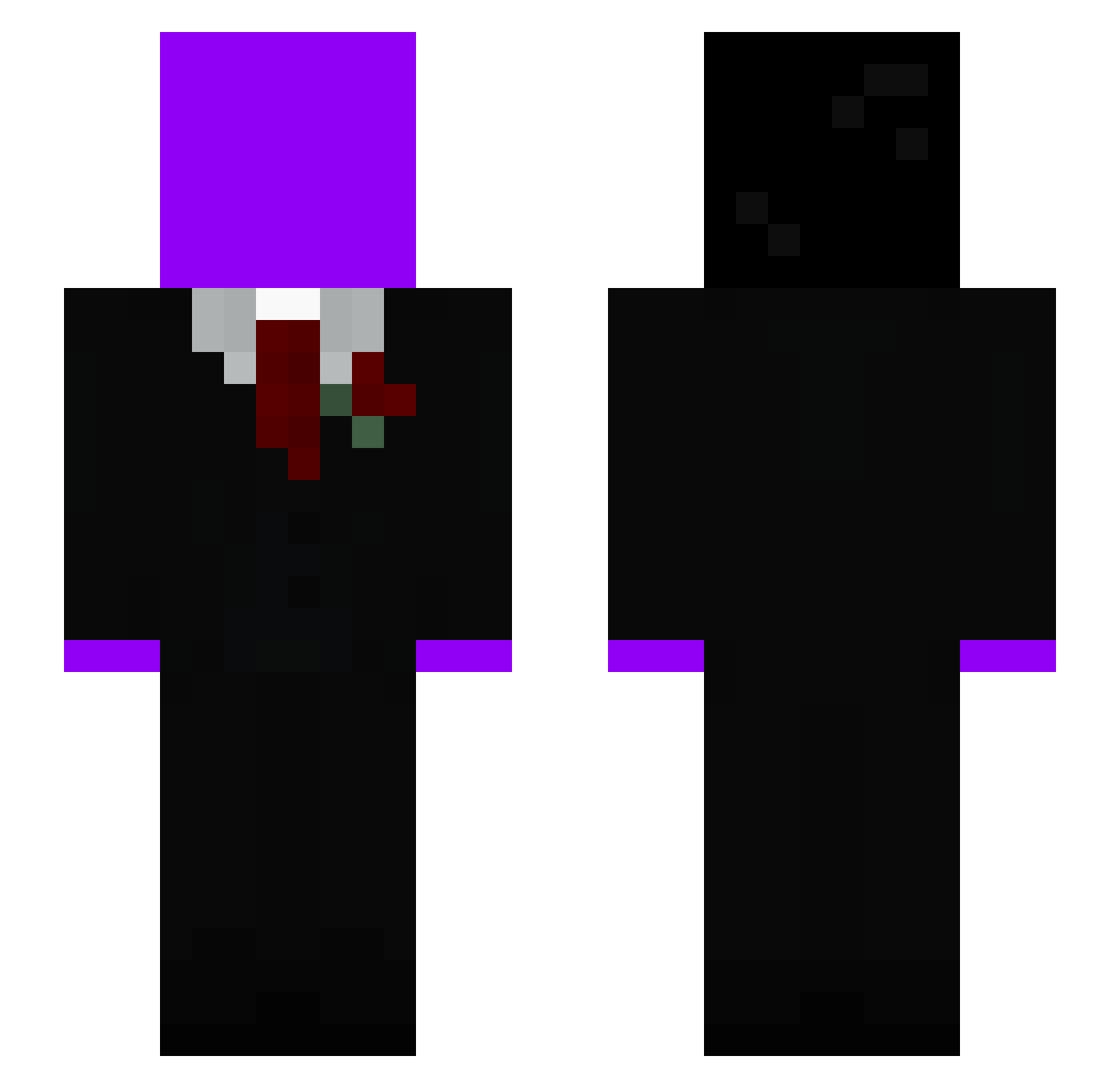
Current Minecraft skin of the player Drayzeee, loaded from the official Mojang API. Rotate the 3D model with your mouse or finger, then download the skin as a PNG file and use it in Minecraft: Bedrock Edition or Java Edition for free. When Drayzeee changes their skin, this page updates automatically and the old skin stays in the history below.
Other players with this skin (59)
Drayzeee was the 15th player we have seen with this skin, first spotted on 26.08.2026. The same skin was seen on these players. Open a nickname to see their current skin and skin history.
 prollynotpolver
 K1rbeee
 Philouto MMCManager
 craftolotlmc
 v4nilia LT5weak Penguinduck1128 ERXNNnn Estebandido_08 NegroLol
 C1RBE JohnMC172
 killtimebtw Gaminidino wTinx__ pkk477 DSMPComeBack K1RB2 kalkulierbar ThatCombatMaster LukasCodres_ Waldo6148 cupkosigma TTVkertenkele Real_Tuna02
 q1rbe MackFied SaifanSlayer
 Zamuel1305 K1R8E VoidSt2p hmp_solz RedXul qq7s
 sw1fe le_petit_lu Cryptography NinjaKot1 elijahh__ knaxxhero123 KostiaKytyi2000 BUDDY2Q Ibik12 Itzbreadloaf wr0te_ Sleazzyycpvp S30_ jilixx Redox_XLZ marll0ww kaczuszka_432 JCgamer7 Mrgoaaattt matiloconueve nettspendxdd 1Farex Kirpyy_ Skeebo112113
Previous skins of Drayzeee
Skins that Drayzeee wore before, newest first. Click a skin to open its page and download it.
More Slenderman Minecraft skins
How to install the Drayzeee skin
- Press the Download button above to save the skin as a PNG file.
- Minecraft: Bedrock Edition (PE): open the Dressing Room from the main menu (or tap your character → Edit Character), go to Classic Skins → Owned, press the + (new skin) button, choose the downloaded PNG and pick the Slim (Alex) model. Works on PC and mobile; consoles cannot import custom skins.
- Minecraft: Java Edition: open the Minecraft Launcher, go to the Skins tab, click New Skin, load the PNG, pick the Slim (Alex) model and press Save & Use. You can also upload it at minecraft.net → Profile → Change Skin.
The skin does not show up after import - what should I do?
Restart Minecraft and open the Dressing Room again - imported skins sometimes appear only after a restart. Also make sure you selected the imported skin and picked the Slim (Alex) model.
Which model should I choose, Classic or Slim?
This skin is designed for the Slim (Alex) model. If you pick the wrong model, the arms of the skin will look stretched or squeezed.
Is the skin of Drayzeee free to download?
Yes. Press Download, save the PNG file and use it in Minecraft: Bedrock Edition or Java Edition - no payment or registration needed. The skin also works on multiplayer servers and Realms.
More skins
Looking for more? Go back to all Minecraft skins and check the top skins of the week, month and all time, or find any player's skin by nickname.