
Aran_may - Minecraft Skins & Skin History
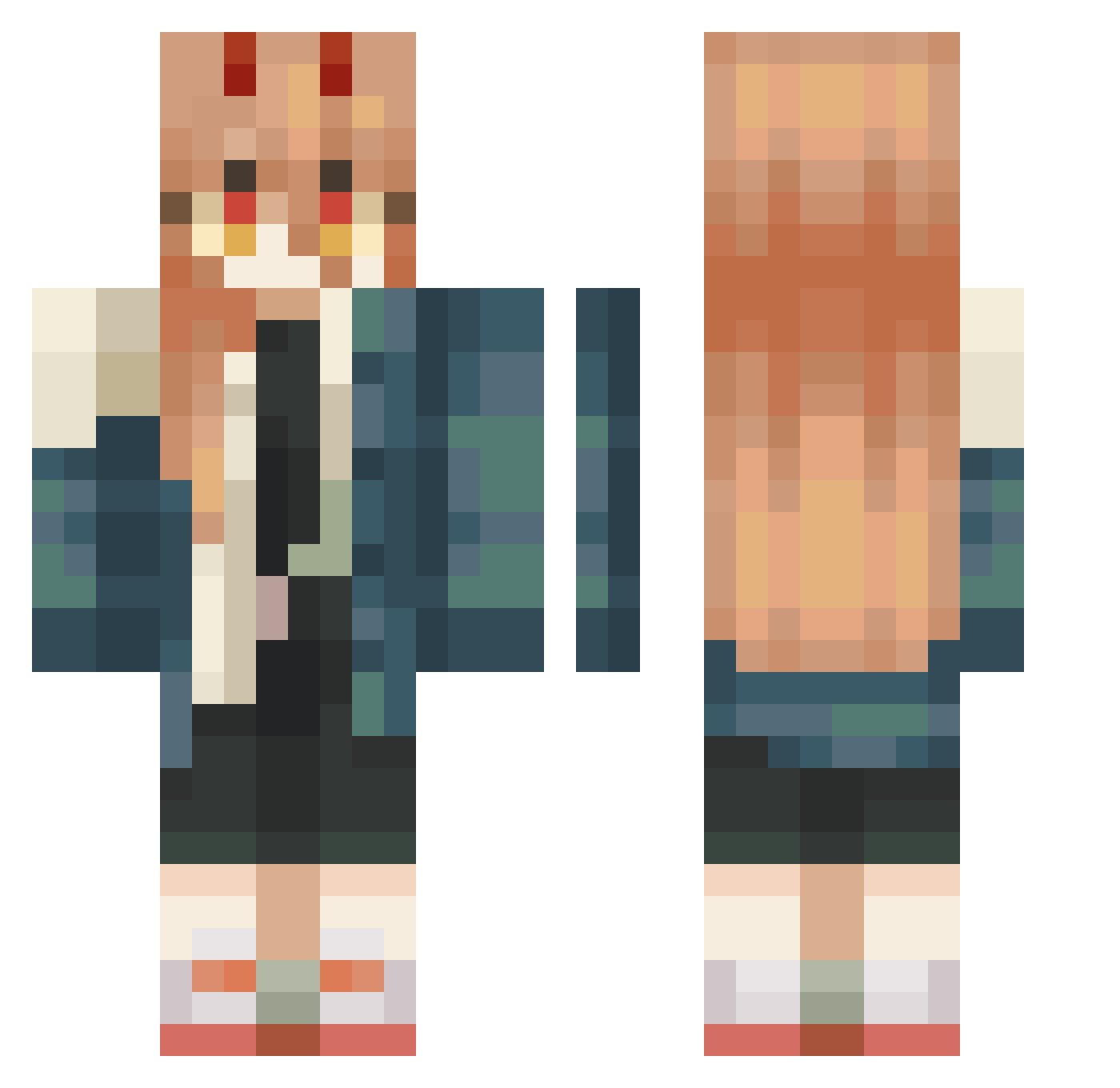
Current Minecraft skin of the player Aran_may, loaded from the official Mojang API. Rotate the 3D model with your mouse or finger, then download the skin as a PNG file and use it in Minecraft: Bedrock Edition or Java Edition for free. When Aran_may changes their skin, this page updates automatically and the old skin stays in the history below.
Other players with this skin (446)
Aran_may was the 141st player we have seen with this skin, first spotted on 25.08.2026. The same skin was seen on these players. Open a nickname to see their current skin and skin history.
 WaterTypeEnjoyer Felineq CozImACreeper worstchip BuumbleBea M4ngoPVP HowClov ArthurPas213 Quackkiii guidomistasgun katisgr82 IlonMaks1337 LLisiastyy drizku ma_hiru_ Ameeeee01 c0rgi_p0rgi LittleKamumu KevKev1945 janechicken KichiiRyu FreddyTurbina07 kasei_kkr Z3l0uis52 yourlocal_idiot L0rdy_Luc JoeVokt FHSHFH eru2024 GolemdePiedra Petter_Moe Ruevi karmi18 _P0WA lilpenee TTTedyyy Tonder56
 ccstari Sykociis quzflx Sleepiless WauuWauu ggyongsun DerSer1517 Remag_3201 sp52c Satsuma520 ruhuho Masks09 matthewknows Yuiiky Song8K maxgsmer_12789 POWER2011 iEdenGarden Stinkly_Cat Dashmaster114 EgirlBongwater JackiePhat Axmar0_0
More Power Minecraft skins
How to install the Aran_may skin
- Press the Download button above to save the skin as a PNG file.
- Minecraft: Bedrock Edition (PE): open the Dressing Room from the main menu (or tap your character → Edit Character), go to Classic Skins → Owned, press the + (new skin) button, choose the downloaded PNG and pick the Classic (Steve) model. Works on PC and mobile; consoles cannot import custom skins.
- Minecraft: Java Edition: open the Minecraft Launcher, go to the Skins tab, click New Skin, load the PNG, pick the Classic (Steve) model and press Save & Use. You can also upload it at minecraft.net → Profile → Change Skin.
The skin does not show up after import - what should I do?
Restart Minecraft and open the Dressing Room again - imported skins sometimes appear only after a restart. Also make sure you selected the imported skin and picked the Classic (Steve) model.
Which model should I choose, Classic or Slim?
This skin is designed for the Classic (Steve) model. If you pick the wrong model, the arms of the skin will look stretched or squeezed.
Is the skin of Aran_may free to download?
Yes. Press Download, save the PNG file and use it in Minecraft: Bedrock Edition or Java Edition - no payment or registration needed. The skin also works on multiplayer servers and Realms.
More skins
Looking for more? Go back to all Minecraft skins and check the top skins of the week, month and all time, or find any player's skin by nickname.