
Aquagirl44120 - Minecraft Skins & Skin History
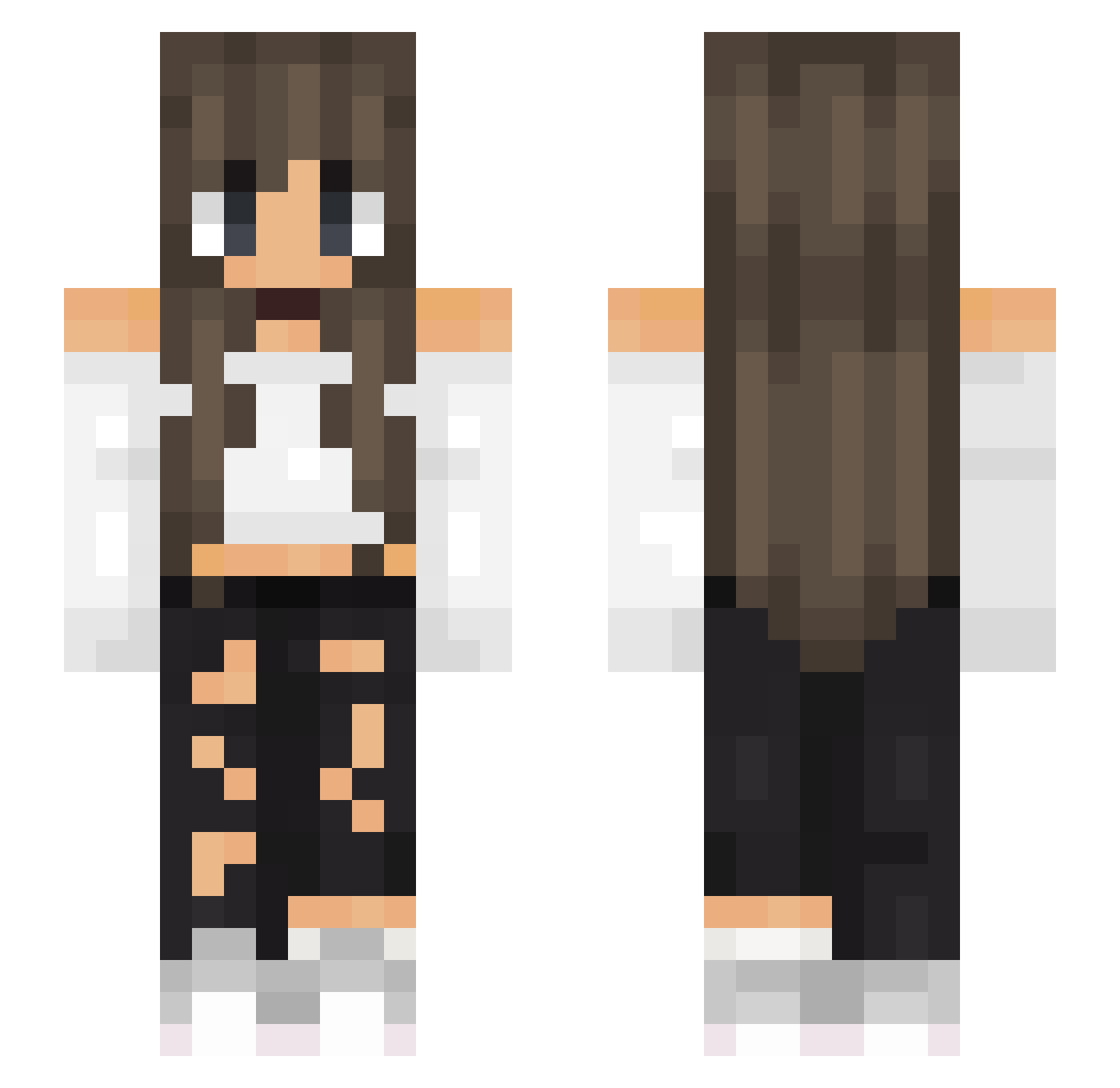
Current Minecraft skin of the player Aquagirl44120, loaded from the official Mojang API. Rotate the 3D model with your mouse or finger, then download the skin as a PNG file and use it in Minecraft: Bedrock Edition or Java Edition for free. When Aquagirl44120 changes their skin, this page updates automatically and the old skin stays in the history below.
Other players with this skin (518)
Aquagirl44120 was the 486th player we have seen with this skin, first spotted on 26.10.2026. The same skin was seen on these players. Open a nickname to see their current skin and skin history.
 Ju_Skinner roca_happy ArsDub __Freez__ Hideymi ixely Maja44 imMLX toetyfroety fathernessaa xXSinnlos BlueJay182 beatrice_fcb queenb028 Hannicute12 NiCNiCi Pia1607 Fannoche01 scarlet612 _Xarna_ PauanCo Lates10 Patate4uFour pexeEXE ALYZOO NetherNomad yoitslexis VickyB15 Nora_3281 Chia_150 Eoshi Puddingfee4466 Akemi_04 cosmic__vibes mONESY6 Britou01 Selski NakishaRangiaho Kaylee_Bearr Wqtermel0n EctoEgbutt BellaMossa supernova_bmj ps4forlife DragoXxLord XenonExon10 sveni_me ALICE6421 xEvqx Maria612 SpicySenorita iRennan_ meli_ska Roxanne2018 UnkreativesBerry Lucianan87 yawngoblin Cenado LeaFoster Mephaa
More Off Shoulder Minecraft skins
See all 443 Off Shoulder skins
How to install the Aquagirl44120 skin
- Press the Download button above to save the skin as a PNG file.
- Minecraft: Bedrock Edition (PE): open the Dressing Room from the main menu (or tap your character → Edit Character), go to Classic Skins → Owned, press the + (new skin) button, choose the downloaded PNG and pick the Slim (Alex) model. Works on PC and mobile; consoles cannot import custom skins.
- Minecraft: Java Edition: open the Minecraft Launcher, go to the Skins tab, click New Skin, load the PNG, pick the Slim (Alex) model and press Save & Use. You can also upload it at minecraft.net → Profile → Change Skin.
The skin does not show up after import - what should I do?
Restart Minecraft and open the Dressing Room again - imported skins sometimes appear only after a restart. Also make sure you selected the imported skin and picked the Slim (Alex) model.
Which model should I choose, Classic or Slim?
This skin is designed for the Slim (Alex) model. If you pick the wrong model, the arms of the skin will look stretched or squeezed.
Is the skin of Aquagirl44120 free to download?
Yes. Press Download, save the PNG file and use it in Minecraft: Bedrock Edition or Java Edition - no payment or registration needed. The skin also works on multiplayer servers and Realms.
More skins
Looking for more? Go back to all Minecraft skins and check the top skins of the week, month and all time, or find any player's skin by nickname.