
Apus - Minecraft Skins & Skin History
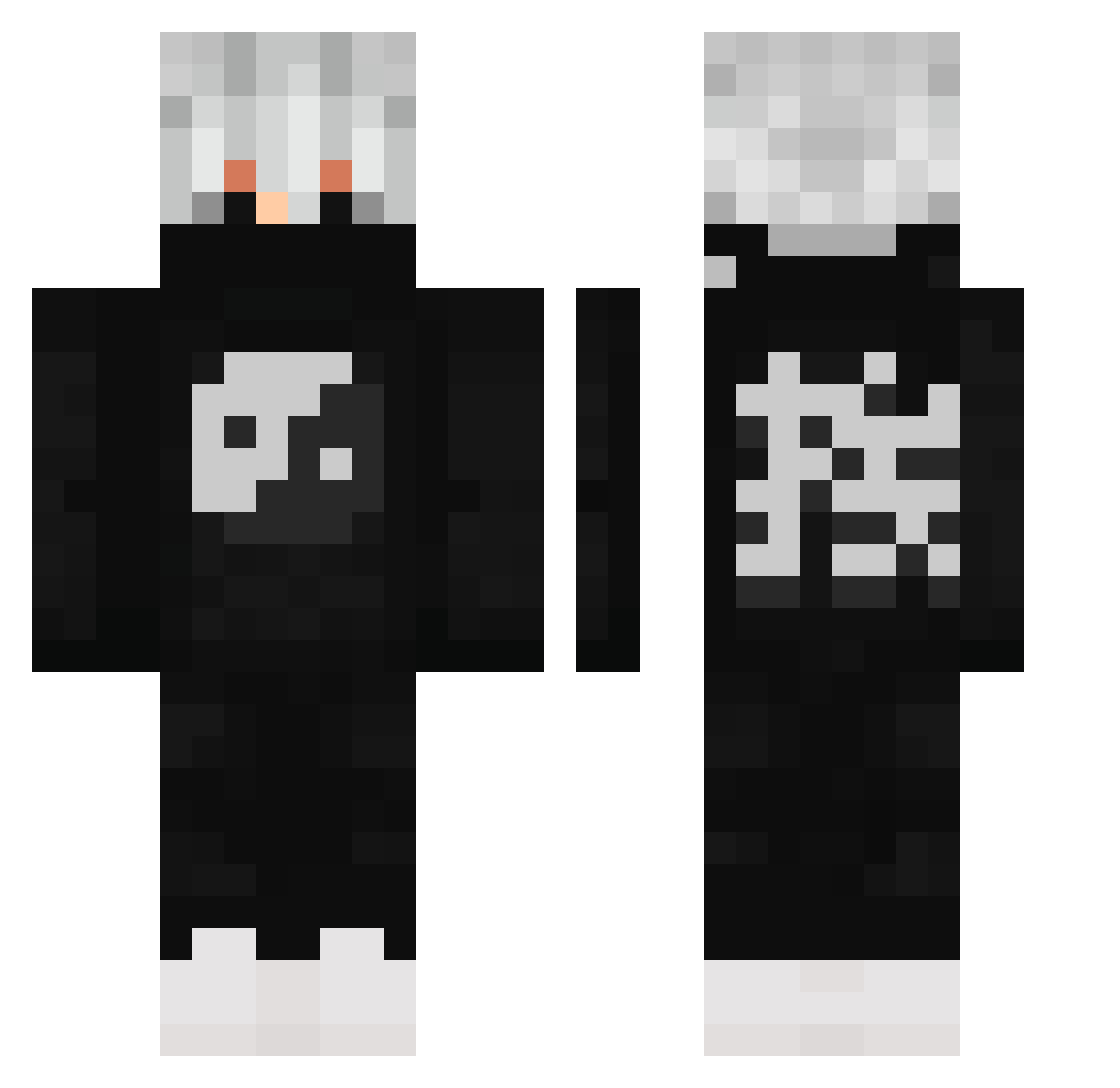
Current Minecraft skin of the player Apus, loaded from the official Mojang API. Rotate the 3D model with your mouse or finger, then download the skin as a PNG file and use it in Minecraft: Bedrock Edition or Java Edition for free. When Apus changes their skin, this page updates automatically and the old skin stays in the history below.
Other players with this skin (503)
Apus was the 33rd player we have seen with this skin, first spotted on 31.07.2026. The same skin was seen on these players. Open a nickname to see their current skin and skin history.
 P1MPZ guilherme0910 chaddiman_1069 chiboe aNgelic_asceNt SakuraRonin Cloowek Markdead7 DEBSKIEE JUSTINTHEGAMER12 NatheUchiha25 karolingia2008 Beastboy20 duuuuusK Josepalla06 LegitFusion Wolfgang8 Marschan Schosche_ smellylukas a2x123 crazyhanabi Maath9710 grifiti not_quite_quiet naxoko69 Bilancione9 by_4taberk SpEz1313 wj12613 KJR_LENGEND145 handiesel favouriteroadman Finalfuryz II_DankWolf_II Thanawinnnnn WitheredMind22 Mcdizzy1 MoneyDesired IGrind4Fun watercow234 ORANGE1963 Capolot_ Mozareal Majonez_exe oeth098979 S_2394BlaBlaBlub GG_Palme Agame1 JM3E Strongestrook19 Istrqfex Ab56 Bobush Torshyon Gordonnnnnn SheepysRAWR Lafftinn Kasper8900
 Lennap
More Yin Yang Minecraft skins
How to install the Apus skin
- Press the Download button above to save the skin as a PNG file.
- Minecraft: Bedrock Edition (PE): open the Dressing Room from the main menu (or tap your character → Edit Character), go to Classic Skins → Owned, press the + (new skin) button, choose the downloaded PNG and pick the Classic (Steve) model. Works on PC and mobile; consoles cannot import custom skins.
- Minecraft: Java Edition: open the Minecraft Launcher, go to the Skins tab, click New Skin, load the PNG, pick the Classic (Steve) model and press Save & Use. You can also upload it at minecraft.net → Profile → Change Skin.
The skin does not show up after import - what should I do?
Restart Minecraft and open the Dressing Room again - imported skins sometimes appear only after a restart. Also make sure you selected the imported skin and picked the Classic (Steve) model.
Which model should I choose, Classic or Slim?
This skin is designed for the Classic (Steve) model. If you pick the wrong model, the arms of the skin will look stretched or squeezed.
Is the skin of Apus free to download?
Yes. Press Download, save the PNG file and use it in Minecraft: Bedrock Edition or Java Edition - no payment or registration needed. The skin also works on multiplayer servers and Realms.
More skins
Looking for more? Go back to all Minecraft skins and check the top skins of the week, month and all time, or find any player's skin by nickname.