
Apeg_ - Minecraft Skins & Skin History
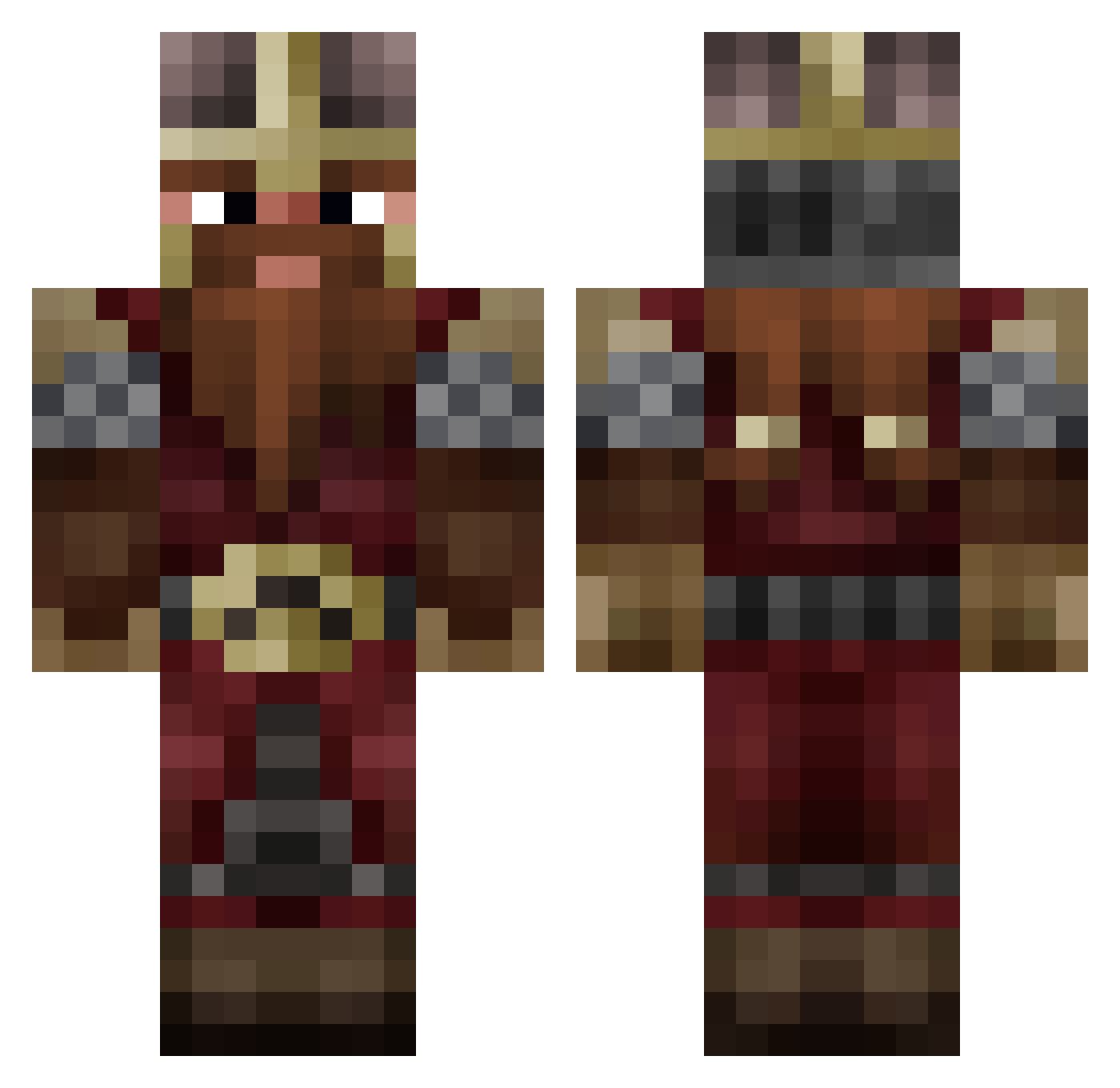
Current Minecraft skin of the player Apeg_, loaded from the official Mojang API. Rotate the 3D model with your mouse or finger, then download the skin as a PNG file and use it in Minecraft: Bedrock Edition or Java Edition for free. When Apeg_ changes their skin, this page updates automatically and the old skin stays in the history below.
Other players with this skin (809)
Apeg_ was the 299th player we have seen with this skin, first spotted on 28.08.2026. The same skin was seen on these players. Open a nickname to see their current skin and skin history.
 kuhnz Morsstein Mosie1130 Avalium JLocke33 chefReg RocKeWin luwin95 anybod FastyLmJ Jeanlouisdu29 Lime_Squeezer Gulli99 talion_exposito Glock111 ArmandoCheez13 ryan_v3 test_of_time EdwardAldred LooBSTUR Alfred_TranumGad NosamD Misiael26 HylianSicilian _xN00bsnipa69x_ Higarn traben07 Edrael BigBlueBeard eXql0Re Soullesspigeon FrostWraith4392 BullDude bu884 N3um1 Zwergenkoenig29 Malayix Fl0ReH Hoigoroths Freezzola Senjei NetherTakMeAlive Drachneyn2
 Durin257 TeckLee NutellaIsMyWaifu Draetyn JohnnyBeeGood21 unitedkiller628 HankHill85 Dwarven_Engineer AinarOnkulis wishmanyt Tertan
 Flame0fInsanity deafault1752 ZakyyyEw Kattenlusse Rednal6 Fernandooxi
More Dwarf Minecraft skins
How to install the Apeg_ skin
- Press the Download button above to save the skin as a PNG file.
- Minecraft: Bedrock Edition (PE): open the Dressing Room from the main menu (or tap your character → Edit Character), go to Classic Skins → Owned, press the + (new skin) button, choose the downloaded PNG and pick the Classic (Steve) model. Works on PC and mobile; consoles cannot import custom skins.
- Minecraft: Java Edition: open the Minecraft Launcher, go to the Skins tab, click New Skin, load the PNG, pick the Classic (Steve) model and press Save & Use. You can also upload it at minecraft.net → Profile → Change Skin.
The skin does not show up after import - what should I do?
Restart Minecraft and open the Dressing Room again - imported skins sometimes appear only after a restart. Also make sure you selected the imported skin and picked the Classic (Steve) model.
Which model should I choose, Classic or Slim?
This skin is designed for the Classic (Steve) model. If you pick the wrong model, the arms of the skin will look stretched or squeezed.
Is the skin of Apeg_ free to download?
Yes. Press Download, save the PNG file and use it in Minecraft: Bedrock Edition or Java Edition - no payment or registration needed. The skin also works on multiplayer servers and Realms.
More skins
Looking for more? Go back to all Minecraft skins and check the top skins of the week, month and all time, or find any player's skin by nickname.