
Anthrax9 - Minecraft Skins & Skin History
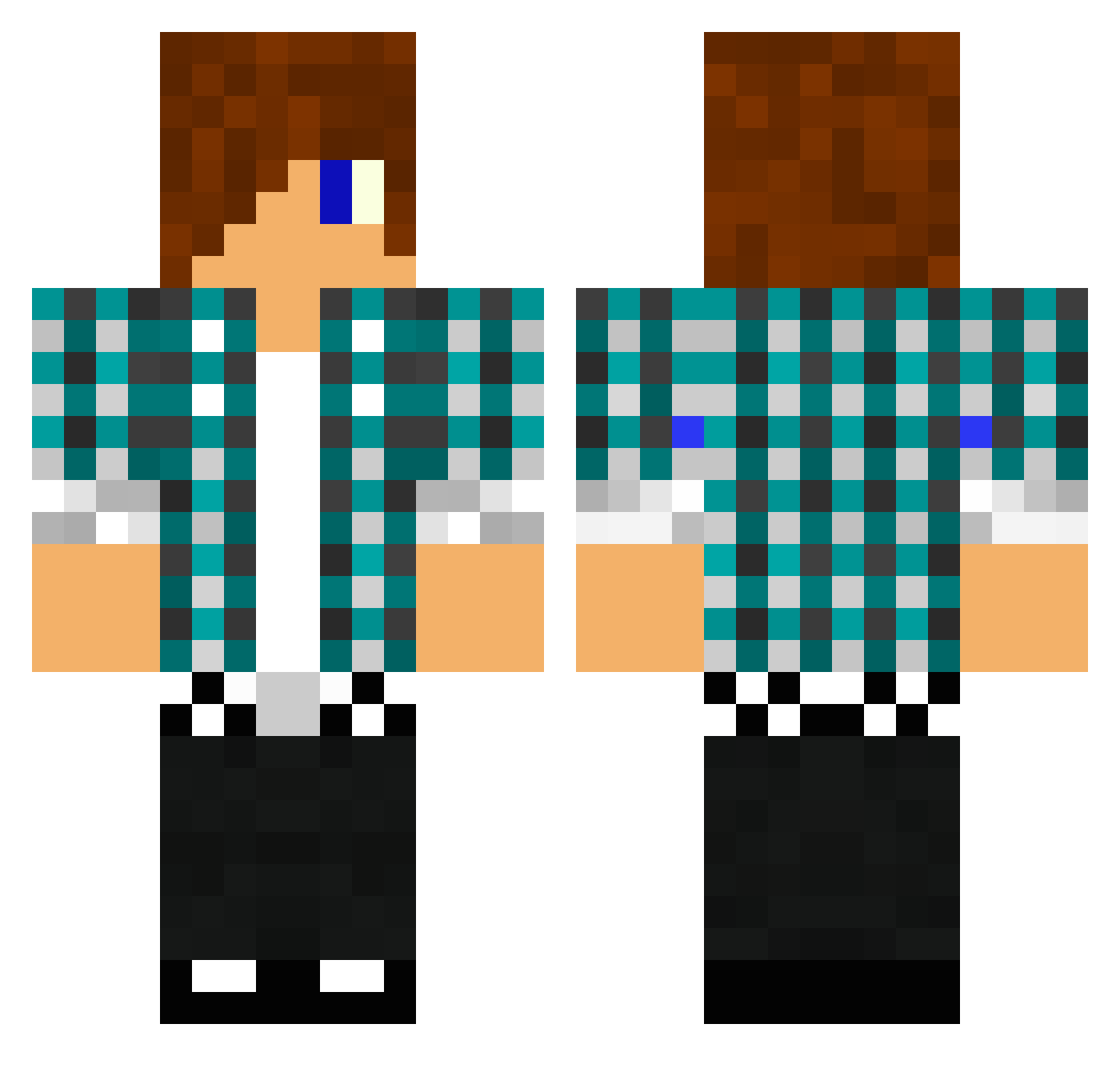
Current Minecraft skin of the player Anthrax9, loaded from the official Mojang API. Rotate the 3D model with your mouse or finger, then download the skin as a PNG file and use it in Minecraft: Bedrock Edition or Java Edition for free. When Anthrax9 changes their skin, this page updates automatically and the old skin stays in the history below.
Other players with this skin (1476)
Anthrax9 was the 295th player we have seen with this skin, first spotted on 17.08.2026. The same skin was seen on these players. Open a nickname to see their current skin and skin history.
 jack0306 donut77 KingCxrry TheOllieman IIxKingxBradxII w1n5t0nthe1st Sexy_King100 Behaviors Thunderdome720 Elf_Lord_69 smokin_shotgun IncepRealm Raggarolsson LucasR2000 theavengers623 McNick15 ww9003475 Mikeybiucchi olpi96 bason TheZeroScore Stare16 sjabber123 linfrueh savagekiller91 ale987 xR3apX zeddn1 Robbro15 Zombiepaintball MegaKing101 inyourface98 noelstark tannerb909 BlockNMinaz lizardgumbo Krasher57 lassejensen465 togood98 Frederikmp1234 AndresGamer1324 geeli99 jack7556 semba_124 camo_hunter lowery1973 mathiasbraten askaterboy Roelswag the_punisher502 boboll25 thundabuddy Duck_Man04 wubbysnow GadgetGuy39 DJ_BL3NDDDD Phillbu98 MRGadgetman1 Marsl89 Kingdragon_
More Emo Minecraft skins
How to install the Anthrax9 skin
- Press the Download button above to save the skin as a PNG file.
- Minecraft: Bedrock Edition (PE): open the Dressing Room from the main menu (or tap your character → Edit Character), go to Classic Skins → Owned, press the + (new skin) button, choose the downloaded PNG and pick the Classic (Steve) model. Works on PC and mobile; consoles cannot import custom skins.
- Minecraft: Java Edition: open the Minecraft Launcher, go to the Skins tab, click New Skin, load the PNG, pick the Classic (Steve) model and press Save & Use. You can also upload it at minecraft.net → Profile → Change Skin.
The skin does not show up after import - what should I do?
Restart Minecraft and open the Dressing Room again - imported skins sometimes appear only after a restart. Also make sure you selected the imported skin and picked the Classic (Steve) model.
Which model should I choose, Classic or Slim?
This skin is designed for the Classic (Steve) model. If you pick the wrong model, the arms of the skin will look stretched or squeezed.
Is the skin of Anthrax9 free to download?
Yes. Press Download, save the PNG file and use it in Minecraft: Bedrock Edition or Java Edition - no payment or registration needed. The skin also works on multiplayer servers and Realms.
More skins
Looking for more? Go back to all Minecraft skins and check the top skins of the week, month and all time, or find any player's skin by nickname.