
AnthonyTheGamer1 - Minecraft Skins & Skin History
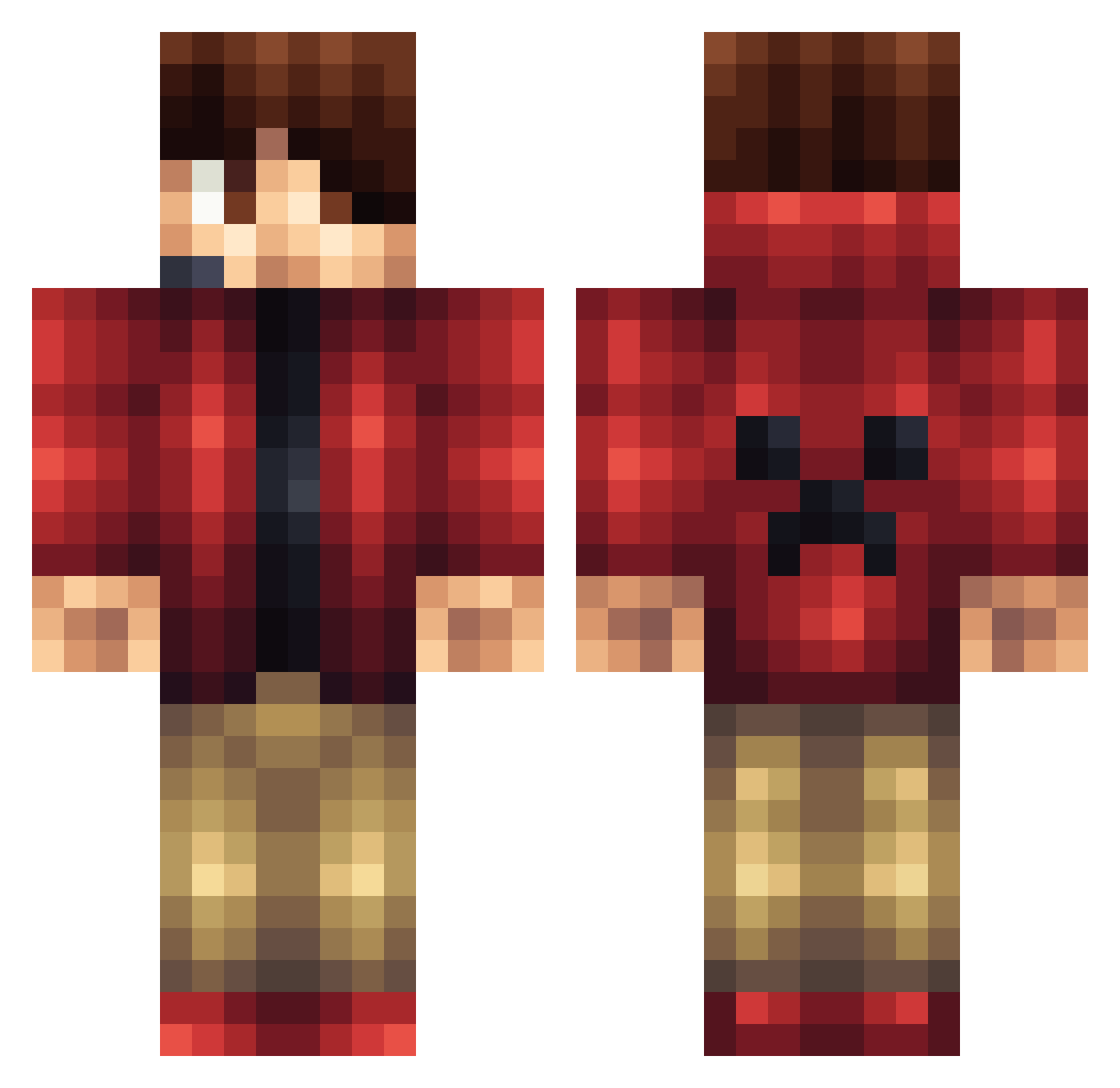
Current Minecraft skin of the player AnthonyTheGamer1, loaded from the official Mojang API. Rotate the 3D model with your mouse or finger, then download the skin as a PNG file and use it in Minecraft: Bedrock Edition or Java Edition for free. When AnthonyTheGamer1 changes their skin, this page updates automatically and the old skin stays in the history below.
Other players with this skin (1171)
AnthonyTheGamer1 was the 634th player we have seen with this skin, first spotted on 23.09.2026. The same skin was seen on these players. Open a nickname to see their current skin and skin history.
 ClonStab Skyking2120 FussionGaming superman87999 Levinten IcyCoconut Mutant_Zombie678 OgnonPlacebo28 a_random23 Kiki2015 Hanate4294 ironcartx xanderwolf2005 LazerMiner1 codywodybear RedRanger01 JFrocksMC 17westberg Steelers6190 AwesomeFluff Redgladiator jmart45 Dantinob Ashdude13 Oconnorules1 DaffuqX Blox1896 GoDShoTz Joshualee169 apizza14 TheDavidMC cgoody152 Malama1222 GoldenGamer1223 Nick043 Orison21 KrissAmazed TheKingdom50 Tapman7712 sonic_B00M123 Z_GoDz_SkiLLz_Z Powerfulfort TimmHansen emilio1403 lightingred colemanbaker Matthew6425 noahxl2000 Naxcraft Autobot_456 mrdeverson Cletus63 EliteMiner22 ichbinOwner Paulo78990 lukaswish1 Jlbutt98 MelohPlays minedino1 Julien_du_76
More Headset Minecraft skins
How to install the AnthonyTheGamer1 skin
- Press the Download button above to save the skin as a PNG file.
- Minecraft: Bedrock Edition (PE): open the Dressing Room from the main menu (or tap your character → Edit Character), go to Classic Skins → Owned, press the + (new skin) button, choose the downloaded PNG and pick the Classic (Steve) model. Works on PC and mobile; consoles cannot import custom skins.
- Minecraft: Java Edition: open the Minecraft Launcher, go to the Skins tab, click New Skin, load the PNG, pick the Classic (Steve) model and press Save & Use. You can also upload it at minecraft.net → Profile → Change Skin.
The skin does not show up after import - what should I do?
Restart Minecraft and open the Dressing Room again - imported skins sometimes appear only after a restart. Also make sure you selected the imported skin and picked the Classic (Steve) model.
Which model should I choose, Classic or Slim?
This skin is designed for the Classic (Steve) model. If you pick the wrong model, the arms of the skin will look stretched or squeezed.
Is the skin of AnthonyTheGamer1 free to download?
Yes. Press Download, save the PNG file and use it in Minecraft: Bedrock Edition or Java Edition - no payment or registration needed. The skin also works on multiplayer servers and Realms.
More skins
Looking for more? Go back to all Minecraft skins and check the top skins of the week, month and all time, or find any player's skin by nickname.