
Anthonelly03 - Minecraft Skins & Skin History
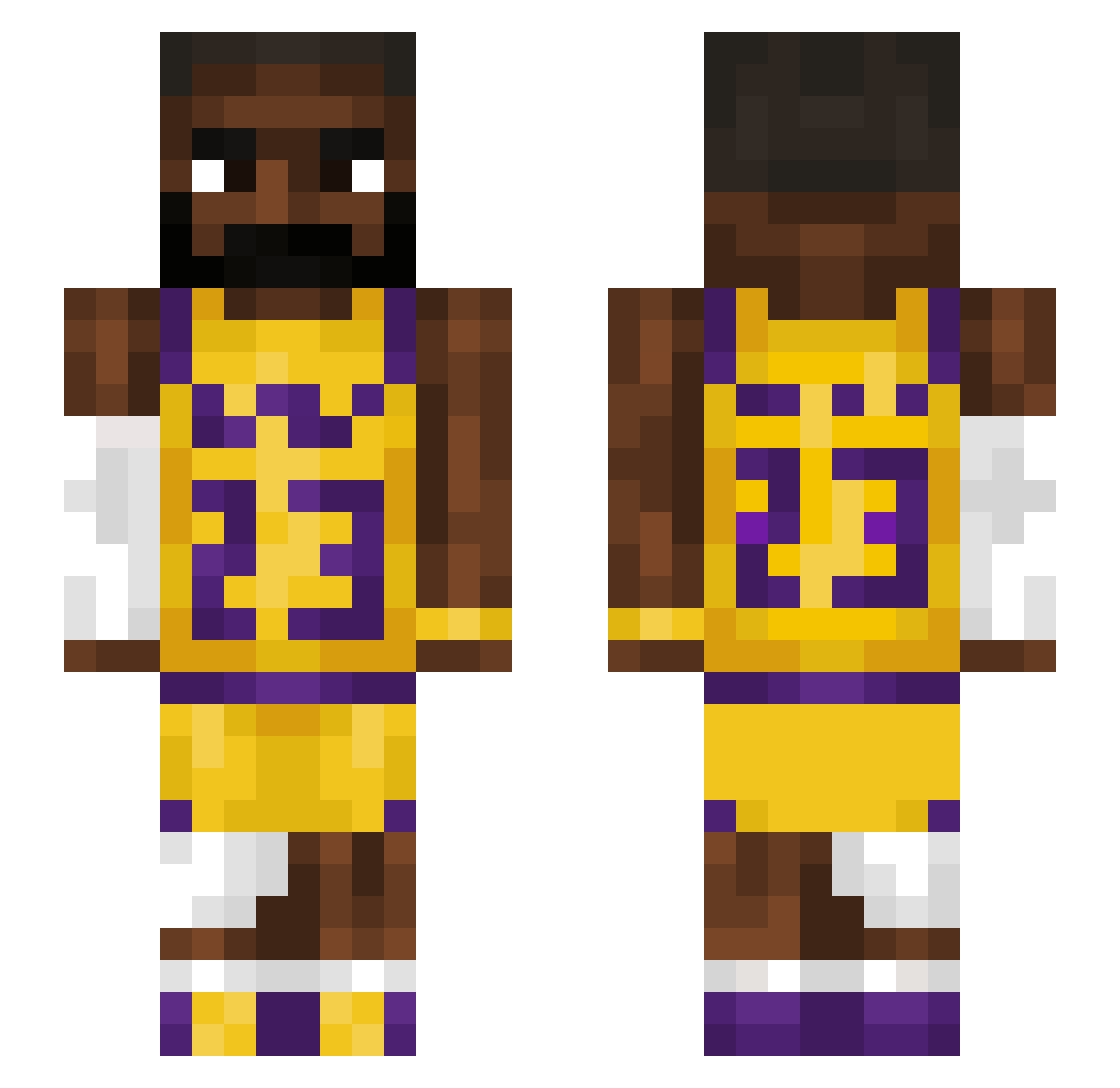
Current Minecraft skin of the player Anthonelly03, loaded from the official Mojang API. Rotate the 3D model with your mouse or finger, then download the skin as a PNG file and use it in Minecraft: Bedrock Edition or Java Edition for free. When Anthonelly03 changes their skin, this page updates automatically and the old skin stays in the history below.
Other players with this skin (1227)
Anthonelly03 was the 326th player we have seen with this skin, first spotted on 17.08.2026. The same skin was seen on these players. Open a nickname to see their current skin and skin history.
 bakedbush69 kypvan Ricosheet Paulchen0000 ProxyAU CloutLordJames cutehansol Heavens777 SharkbaitXL Thatane29 hao430 soulAlonzo m1son Sa3d2k MVP_TaZxZ IceHawk_11 AlThePa1 SteakMelon marstoesniffer Batka_MM Nots3npai Get_meaBeer009 Schnitzel_Biber NotGura1 pejblooficjalnie Davee123451 ZJJI RogueHotPot Mooing4 YearlyPlot76374 Cum_Dumpster08 Macius4774 PGLVSS zacksbees chereow irmokenny GamezJohan14 SanitizedLemon Sulle164 namarks710 BringMeTHAN0S Supersonicjezek guppatron_xx Elbrandoo Agent_Andrew_ TexasJeep shroud92 DoenermanALibaba NrKay Sub_Zero024 flare265 Nonami00 Dutgh MoldyPopcorn pdod18 Hunzito Phantsy__ Luke_G_Petrucci Cobi1413 Alirul
More Lakers Minecraft skins
How to install the Anthonelly03 skin
- Press the Download button above to save the skin as a PNG file.
- Minecraft: Bedrock Edition (PE): open the Dressing Room from the main menu (or tap your character → Edit Character), go to Classic Skins → Owned, press the + (new skin) button, choose the downloaded PNG and pick the Slim (Alex) model. Works on PC and mobile; consoles cannot import custom skins.
- Minecraft: Java Edition: open the Minecraft Launcher, go to the Skins tab, click New Skin, load the PNG, pick the Slim (Alex) model and press Save & Use. You can also upload it at minecraft.net → Profile → Change Skin.
The skin does not show up after import - what should I do?
Restart Minecraft and open the Dressing Room again - imported skins sometimes appear only after a restart. Also make sure you selected the imported skin and picked the Slim (Alex) model.
Which model should I choose, Classic or Slim?
This skin is designed for the Slim (Alex) model. If you pick the wrong model, the arms of the skin will look stretched or squeezed.
Is the skin of Anthonelly03 free to download?
Yes. Press Download, save the PNG file and use it in Minecraft: Bedrock Edition or Java Edition - no payment or registration needed. The skin also works on multiplayer servers and Realms.
More skins
Looking for more? Go back to all Minecraft skins and check the top skins of the week, month and all time, or find any player's skin by nickname.