
AniemGamerz - Minecraft Skins & Skin History
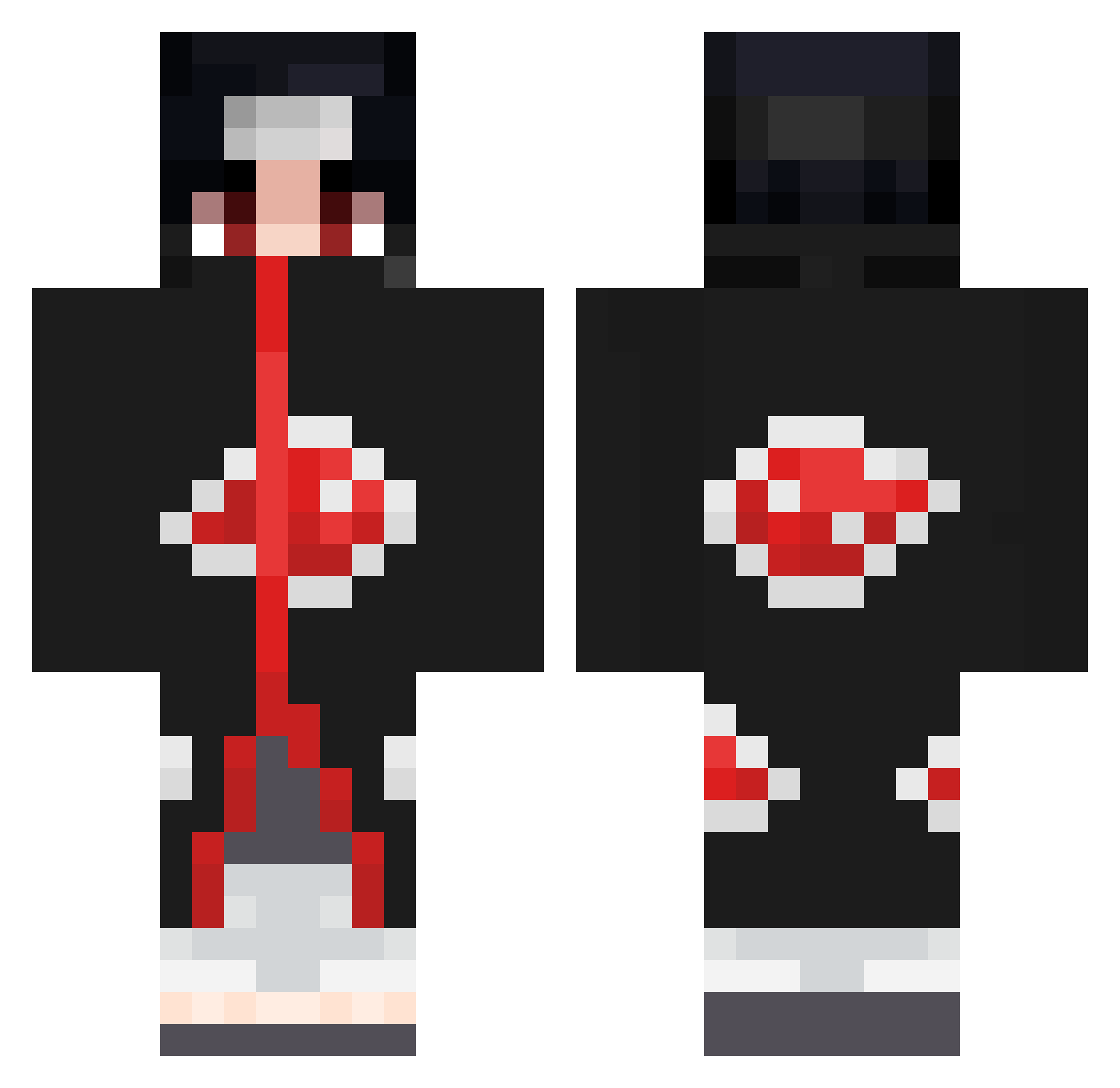
Current Minecraft skin of the player AniemGamerz, loaded from the official Mojang API. Rotate the 3D model with your mouse or finger, then download the skin as a PNG file and use it in Minecraft: Bedrock Edition or Java Edition for free. When AniemGamerz changes their skin, this page updates automatically and the old skin stays in the history below.
Other players with this skin (670)
AniemGamerz was the 349th player we have seen with this skin, first spotted on 18.09.2026. The same skin was seen on these players. Open a nickname to see their current skin and skin history.
 ItzKennyPvPz yoshi_ko Uchihaitachi31 iZwyk Pinyin_n Rix_B4D Thanatos59800 bxn_0415 sert1111 Eyrossa SoLIDFinesse KJ4real tonta_002 Sans36654 Rafaeuh cerealIlI Yeetfulness FerniusX Dour98 KuNinmI y1ngj13 TheUpSky Teiwaz94 Simply_Sadow ChefKevko AbuAljoud Bloodarm Fumparump WelcomeToMine Nicuu7 AkeelYou Pabloty56 OhBinho ZinoxLeShinobi_ Rinko0821 LooneyB02 BaenaDG JasonJT_753 KarlDylan8 Pedrito3298 stubbysix5471 mencony vaniapro315 Its_BeaN YAMI_SUKEHIRO__ Jauroe ILoveRiceThings abdulkreem AKXDU Mnidry TrueEnough91 lCEamericano mmate1233 minato254 fang_an MILIM18 Lolik_Bolik _Fire1 sevvir Splashy_I
More Itachi Uchiha Minecraft skins
See all 318 Itachi Uchiha skins
How to install the AniemGamerz skin
- Press the Download button above to save the skin as a PNG file.
- Minecraft: Bedrock Edition (PE): open the Dressing Room from the main menu (or tap your character → Edit Character), go to Classic Skins → Owned, press the + (new skin) button, choose the downloaded PNG and pick the Classic (Steve) model. Works on PC and mobile; consoles cannot import custom skins.
- Minecraft: Java Edition: open the Minecraft Launcher, go to the Skins tab, click New Skin, load the PNG, pick the Classic (Steve) model and press Save & Use. You can also upload it at minecraft.net → Profile → Change Skin.
The skin does not show up after import - what should I do?
Restart Minecraft and open the Dressing Room again - imported skins sometimes appear only after a restart. Also make sure you selected the imported skin and picked the Classic (Steve) model.
Which model should I choose, Classic or Slim?
This skin is designed for the Classic (Steve) model. If you pick the wrong model, the arms of the skin will look stretched or squeezed.
Is the skin of AniemGamerz free to download?
Yes. Press Download, save the PNG file and use it in Minecraft: Bedrock Edition or Java Edition - no payment or registration needed. The skin also works on multiplayer servers and Realms.
More skins
Looking for more? Go back to all Minecraft skins and check the top skins of the week, month and all time, or find any player's skin by nickname.