
Andrewjnb - Minecraft Skins & Skin History
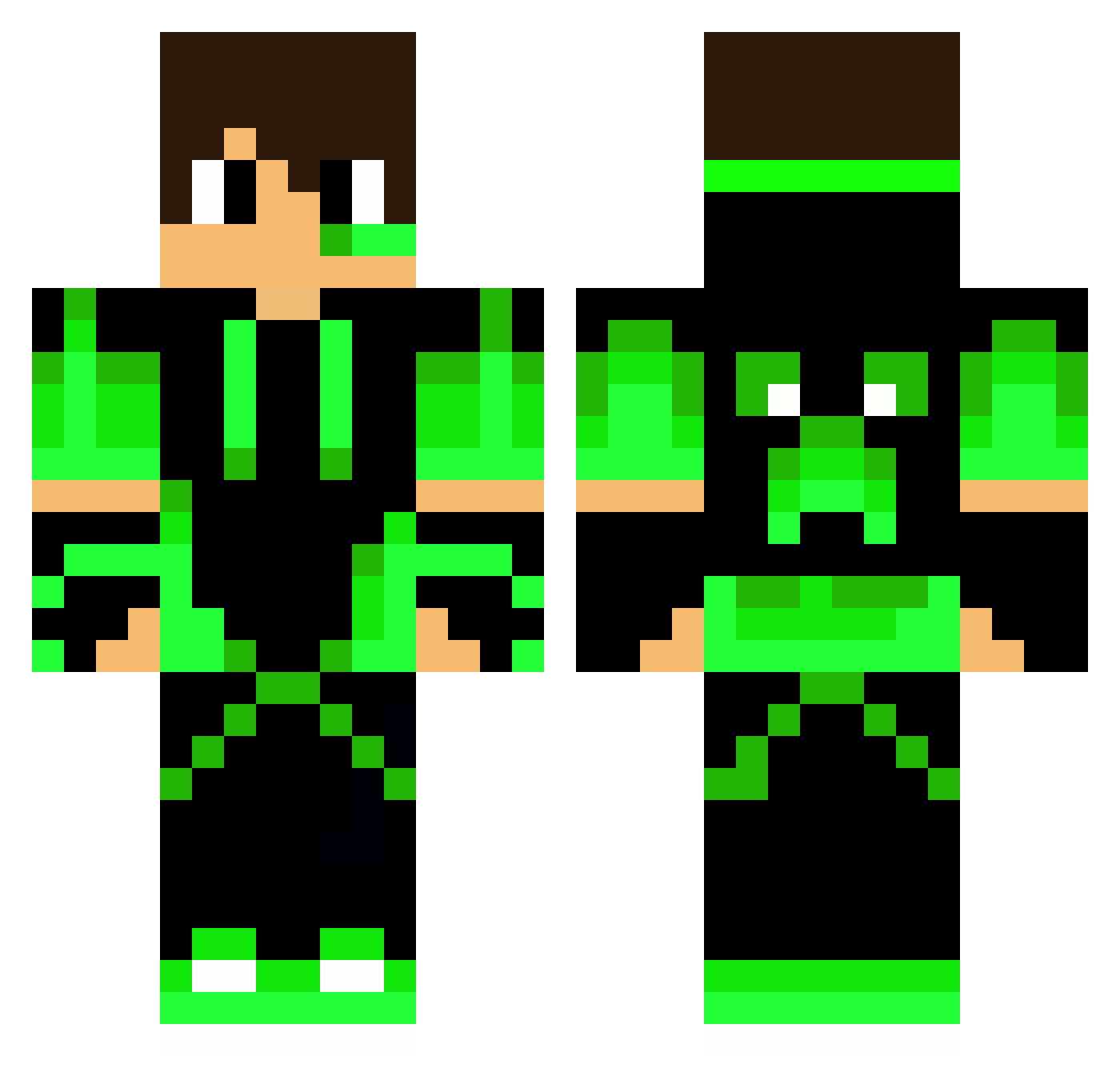
Current Minecraft skin of the player Andrewjnb, loaded from the official Mojang API. Rotate the 3D model with your mouse or finger, then download the skin as a PNG file and use it in Minecraft: Bedrock Edition or Java Edition for free. When Andrewjnb changes their skin, this page updates automatically and the old skin stays in the history below.
Other players with this skin (63)
Andrewjnb was the 7th player we have seen with this skin, first spotted on 30.07.2026. The same skin was seen on these players. Open a nickname to see their current skin and skin history.
 SilaghiTiberiu Krmytk35 AidenC2010 BielCraft GuimaraoBorge_19 kukki1126 Santtugamer1 JackWiggel NrA_Silentbeast ASTROKT brett0192 SkyAlt41 INatsuyI vovasik1009 kiwikiwi2003 Terra_Terror5783 Toffee09 Spacca Roger102007 _Raka Islahul_Kafa Alien1234 Thiag53 Alpert01 LazyPr0 ThGoldAssassin WifaxFR Leon2652 RapWorld_OP2 Crash76aa XxBryaNNxX Nairix_o4 Alfie0421 LoronBreaker IVANDUKIC Kiritoval lucaskids2111 Solaflexus Azitain xLambo05x DarthWicket Iron77 Knock_Kartoffel lurop arzul958 valdes2005 faby99OL kla1men AlGa64 Yhyhyhy JamesGamePlay97 souzaarthur_pvp WavenTro123_GT herrmann1999 Blockcrafter94 TomoyaPVP SanderStarBoy Anton9977 Domdiaz SkyJayLP
More Neon Green Minecraft skins
How to install the Andrewjnb skin
- Press the Download button above to save the skin as a PNG file.
- Minecraft: Bedrock Edition (PE): open the Dressing Room from the main menu (or tap your character → Edit Character), go to Classic Skins → Owned, press the + (new skin) button, choose the downloaded PNG and pick the Classic (Steve) model. Works on PC and mobile; consoles cannot import custom skins.
- Minecraft: Java Edition: open the Minecraft Launcher, go to the Skins tab, click New Skin, load the PNG, pick the Classic (Steve) model and press Save & Use. You can also upload it at minecraft.net → Profile → Change Skin.
The skin does not show up after import - what should I do?
Restart Minecraft and open the Dressing Room again - imported skins sometimes appear only after a restart. Also make sure you selected the imported skin and picked the Classic (Steve) model.
Which model should I choose, Classic or Slim?
This skin is designed for the Classic (Steve) model. If you pick the wrong model, the arms of the skin will look stretched or squeezed.
Is the skin of Andrewjnb free to download?
Yes. Press Download, save the PNG file and use it in Minecraft: Bedrock Edition or Java Edition - no payment or registration needed. The skin also works on multiplayer servers and Realms.
More skins
Looking for more? Go back to all Minecraft skins and check the top skins of the week, month and all time, or find any player's skin by nickname.