
Alvie13 - Minecraft Skins & Skin History
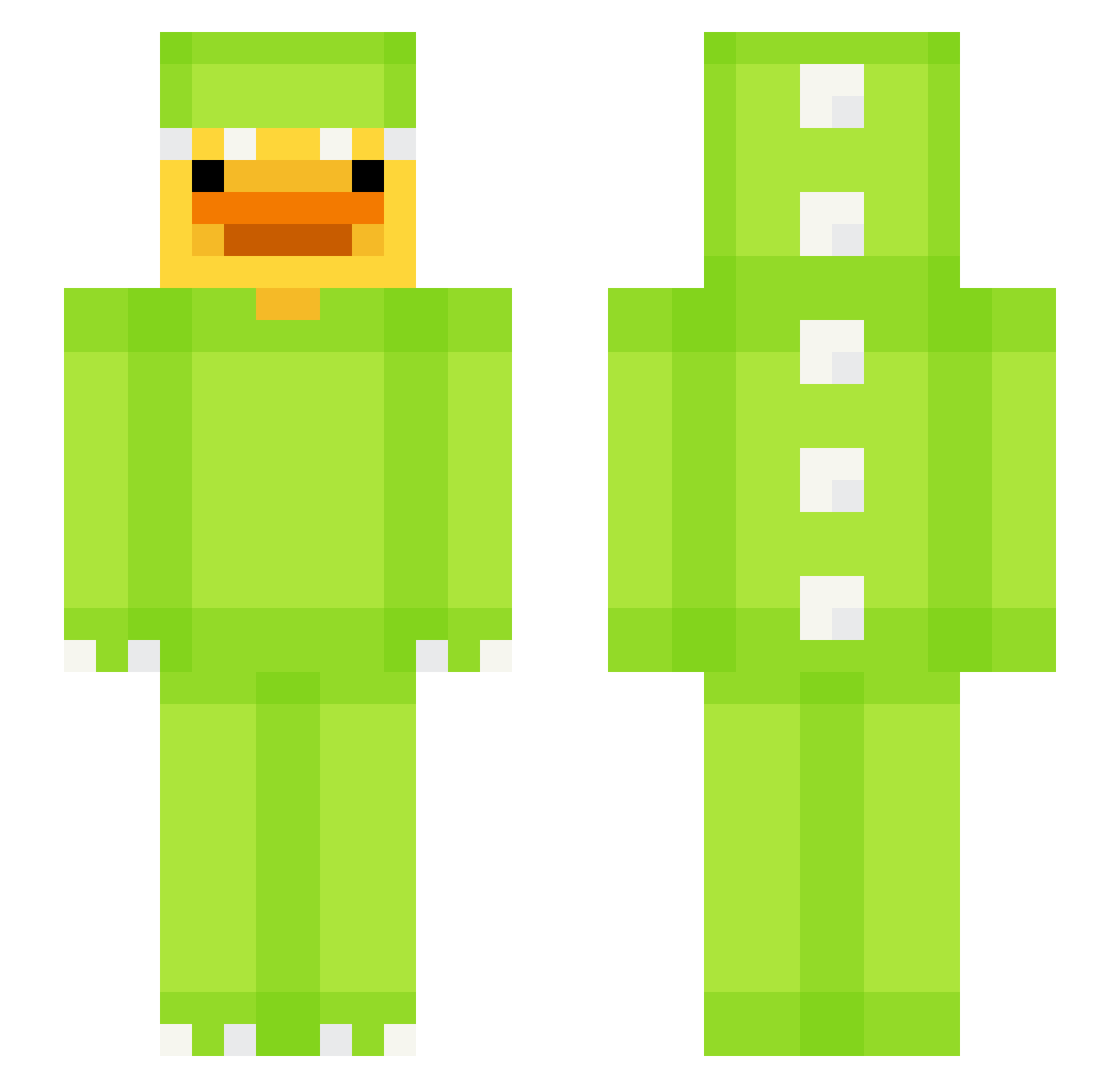
Current Minecraft skin of the player Alvie13, loaded from the official Mojang API. Rotate the 3D model with your mouse or finger, then download the skin as a PNG file and use it in Minecraft: Bedrock Edition or Java Edition for free. When Alvie13 changes their skin, this page updates automatically and the old skin stays in the history below.
Other players with this skin (617)
Alvie13 was the 131st player we have seen with this skin, first spotted on 14.08.2026. The same skin was seen on these players. Open a nickname to see their current skin and skin history.
 mariox7de
 gamtae0318 Calistos18 classicjoo1012 sarkinova SincelSawVienna glass_mental_ DarthMousemat Andrehou super_teckno mybeluga BR4XS Alvddin xdJ0Na RafaPuhl Real_Viperrr IsntFishyy navwere duckie_1205 oNAT_TYo yttki Izzygm SnowWhite104 FemboyLIS Berzin11 ReQe_RaQe MR_DUCK009 stoccolma11 LaundryDotCom IDAHQ199266 kubelekuk Sunshiiii Juaneloide
 Rowoon7255 SicqDucq375 fraank03 OrafuS _max31 Tom0512 Meepmoop100 EliseTheB33 _lecks Mr_Mi1kMan Four10GZombie13
 Void517 RUBYandaCLAN11 eu_rays MrPrutis toastbrotkonsti mystiqe87 xherry_ Hyper_bubkyu E1don815 AquaticBunny
 ttttwewoeow2 Patryq1211 ItsSidDaBoss Zakle0c Slaphia frgys
More Dinosaur Kigurumi Minecraft skins
See all 394 Dinosaur Kigurumi skins
How to install the Alvie13 skin
- Press the Download button above to save the skin as a PNG file.
- Minecraft: Bedrock Edition (PE): open the Dressing Room from the main menu (or tap your character → Edit Character), go to Classic Skins → Owned, press the + (new skin) button, choose the downloaded PNG and pick the Slim (Alex) model. Works on PC and mobile; consoles cannot import custom skins.
- Minecraft: Java Edition: open the Minecraft Launcher, go to the Skins tab, click New Skin, load the PNG, pick the Slim (Alex) model and press Save & Use. You can also upload it at minecraft.net → Profile → Change Skin.
The skin does not show up after import - what should I do?
Restart Minecraft and open the Dressing Room again - imported skins sometimes appear only after a restart. Also make sure you selected the imported skin and picked the Slim (Alex) model.
Which model should I choose, Classic or Slim?
This skin is designed for the Slim (Alex) model. If you pick the wrong model, the arms of the skin will look stretched or squeezed.
Is the skin of Alvie13 free to download?
Yes. Press Download, save the PNG file and use it in Minecraft: Bedrock Edition or Java Edition - no payment or registration needed. The skin also works on multiplayer servers and Realms.
More skins
Looking for more? Go back to all Minecraft skins and check the top skins of the week, month and all time, or find any player's skin by nickname.