
AlpineTheFox - Minecraft Skins & Skin History
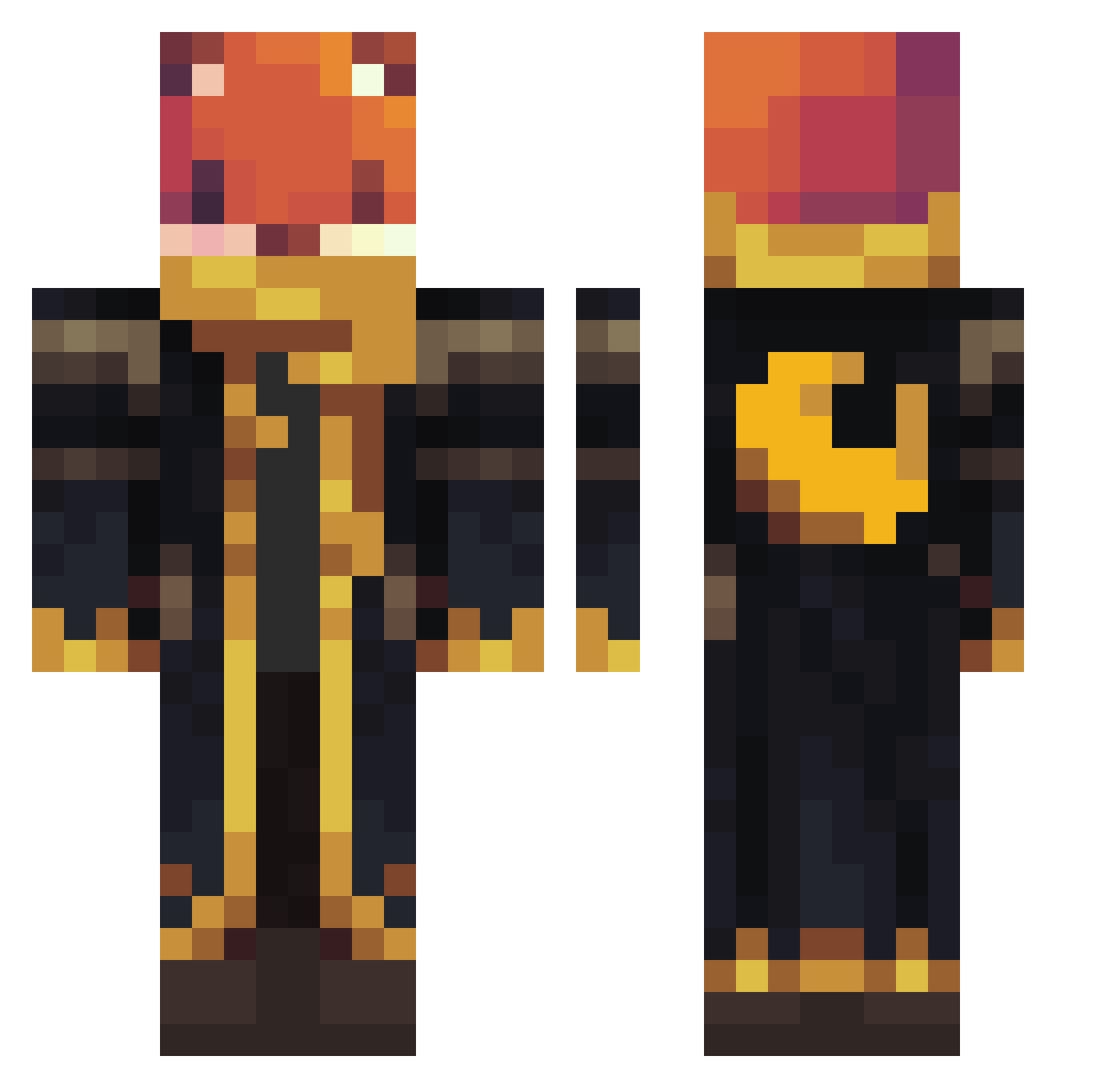
Current Minecraft skin of the player AlpineTheFox, loaded from the official Mojang API. Rotate the 3D model with your mouse or finger, then download the skin as a PNG file and use it in Minecraft: Bedrock Edition or Java Edition for free. When AlpineTheFox changes their skin, this page updates automatically and the old skin stays in the history below.
Other players with this skin (923)
AlpineTheFox was the 244th player we have seen with this skin, first spotted on 19.08.2026. The same skin was seen on these players. Open a nickname to see their current skin and skin history.
 Fortnite4212 cokun72
 DAGRE2008 Iceman22567 eq200 OpapPIpo SeniorPP marci8888888 sniperpersonguar
 fernando0104 littlea308 brunin230 scorpion126
 Fishgamer1234 Assassin07010 Rabbat4411 Ribito1 Artistas Richcrypt wedturtle NollerNiels_DK suckyballz Sejboy XxBarackObamaXx1 Dadancraft 7s3ven7 Dominik201103 Pizza_box4135 FoxyFyGaming08 DrClavin
 4R13M15 skymonster10 stormingwither FatihTerim01 Kevin_Meyer ohsnapdragon22 Goodrygo Xhispat DipperD felix9191 HalcyonCenturies Snare_destroyerg Miloolo1206 estebanmore Atsuko22
 LOU8LOU darktwo2
 Hubert1218 wolfgang_1938 kochu mnadw Dekolo Kingofseats79 DBmendes 1r6_Dark_wgi Niemand5
 Slick_slothss Fursegi
 incantingtable Cabbai
More Crescent Moon Minecraft skins
See all 254 Crescent Moon skins
How to install the AlpineTheFox skin
- Press the Download button above to save the skin as a PNG file.
- Minecraft: Bedrock Edition (PE): open the Dressing Room from the main menu (or tap your character → Edit Character), go to Classic Skins → Owned, press the + (new skin) button, choose the downloaded PNG and pick the Classic (Steve) model. Works on PC and mobile; consoles cannot import custom skins.
- Minecraft: Java Edition: open the Minecraft Launcher, go to the Skins tab, click New Skin, load the PNG, pick the Classic (Steve) model and press Save & Use. You can also upload it at minecraft.net → Profile → Change Skin.
The skin does not show up after import - what should I do?
Restart Minecraft and open the Dressing Room again - imported skins sometimes appear only after a restart. Also make sure you selected the imported skin and picked the Classic (Steve) model.
Which model should I choose, Classic or Slim?
This skin is designed for the Classic (Steve) model. If you pick the wrong model, the arms of the skin will look stretched or squeezed.
Is the skin of AlpineTheFox free to download?
Yes. Press Download, save the PNG file and use it in Minecraft: Bedrock Edition or Java Edition - no payment or registration needed. The skin also works on multiplayer servers and Realms.
More skins
Looking for more? Go back to all Minecraft skins and check the top skins of the week, month and all time, or find any player's skin by nickname.