
Almehairi5 - Minecraft Skins & Skin History
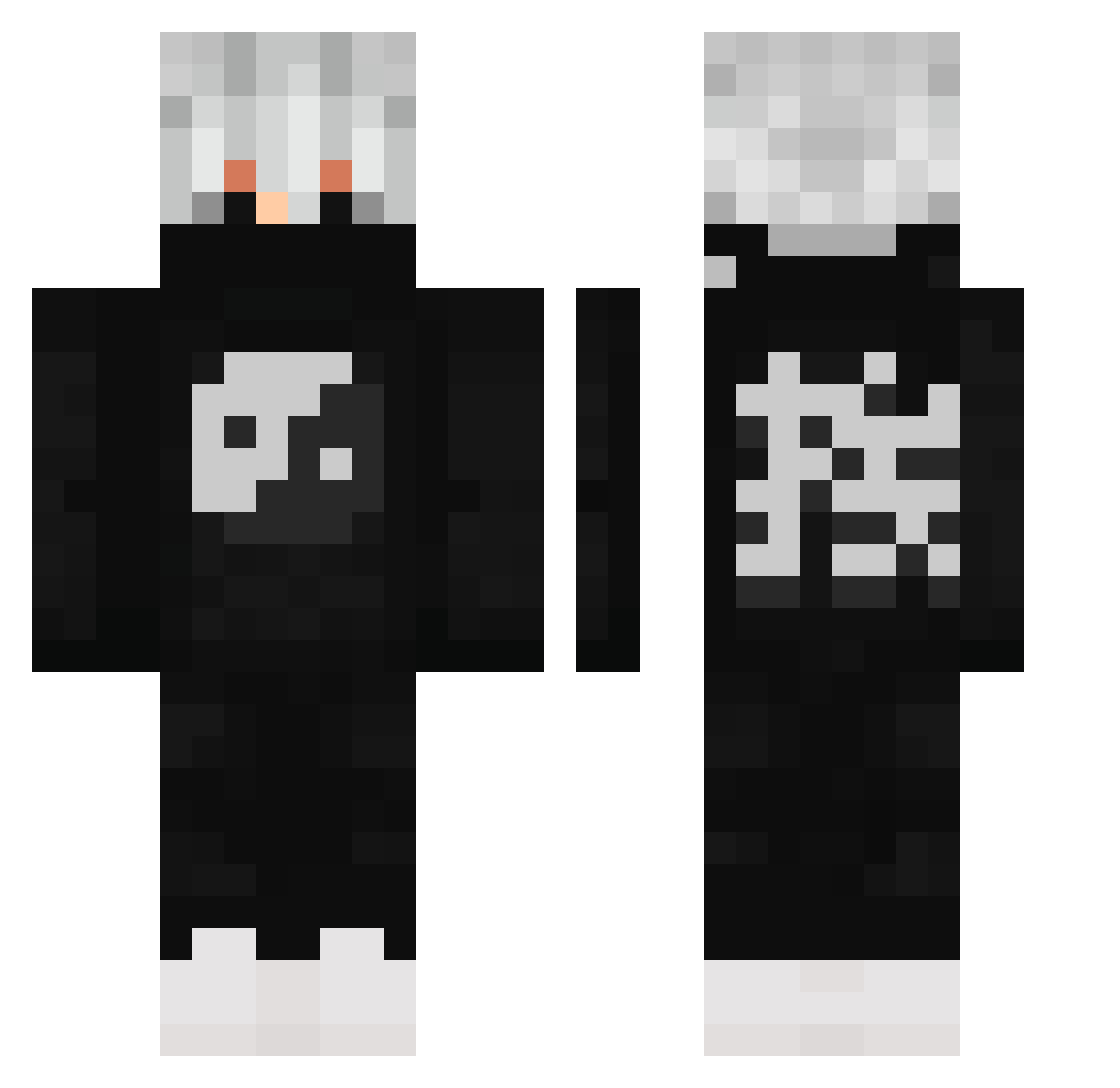
Current Minecraft skin of the player Almehairi5, loaded from the official Mojang API. Rotate the 3D model with your mouse or finger, then download the skin as a PNG file and use it in Minecraft: Bedrock Edition or Java Edition for free. When Almehairi5 changes their skin, this page updates automatically and the old skin stays in the history below.
Other players with this skin (502)
Almehairi5 was the 434th player we have seen with this skin, first spotted on 18.10.2026. The same skin was seen on these players. Open a nickname to see their current skin and skin history.
 HollowDea tkrasusky envy2445 DryestBark79278 aersol PandaWaffles01 ZEPingas UncleHuge Rorri23FX FaceMyBlade V4iNz mexi2137 IMBR34D ariel544 Emil_xD2 Strider_69420 MintSummer124 LECHROT allanking1 Verzzache ShinssiHi Speedy_Gojira SinisterSense RyZex_x capitalL9 orig0511 Dutypatrol TheKaiserPumpkin FutueMango BadKarma1770 Fede_W ZETR0 Averyyyq Kineskope Cryptix21 Buffyyo kntachev2 rannz2 LiamD2609 Luisinx7 QuantumStardust LilScoobie Ronneu dream1402 Johrl Lxve_Interest YinAndTheYang17 The2Thor Nuxip seagullbomb Syliths Emperial_ EnesCengiz Moritz69m ImZato Coffy1988 Love_Llif3 TheBondy m1lkshake_228 B3LLY_BOY
More Yin Yang Minecraft skins
How to install the Almehairi5 skin
- Press the Download button above to save the skin as a PNG file.
- Minecraft: Bedrock Edition (PE): open the Dressing Room from the main menu (or tap your character → Edit Character), go to Classic Skins → Owned, press the + (new skin) button, choose the downloaded PNG and pick the Classic (Steve) model. Works on PC and mobile; consoles cannot import custom skins.
- Minecraft: Java Edition: open the Minecraft Launcher, go to the Skins tab, click New Skin, load the PNG, pick the Classic (Steve) model and press Save & Use. You can also upload it at minecraft.net → Profile → Change Skin.
The skin does not show up after import - what should I do?
Restart Minecraft and open the Dressing Room again - imported skins sometimes appear only after a restart. Also make sure you selected the imported skin and picked the Classic (Steve) model.
Which model should I choose, Classic or Slim?
This skin is designed for the Classic (Steve) model. If you pick the wrong model, the arms of the skin will look stretched or squeezed.
Is the skin of Almehairi5 free to download?
Yes. Press Download, save the PNG file and use it in Minecraft: Bedrock Edition or Java Edition - no payment or registration needed. The skin also works on multiplayer servers and Realms.
More skins
Looking for more? Go back to all Minecraft skins and check the top skins of the week, month and all time, or find any player's skin by nickname.