
Alikhan1404 - Minecraft Skins & Skin History
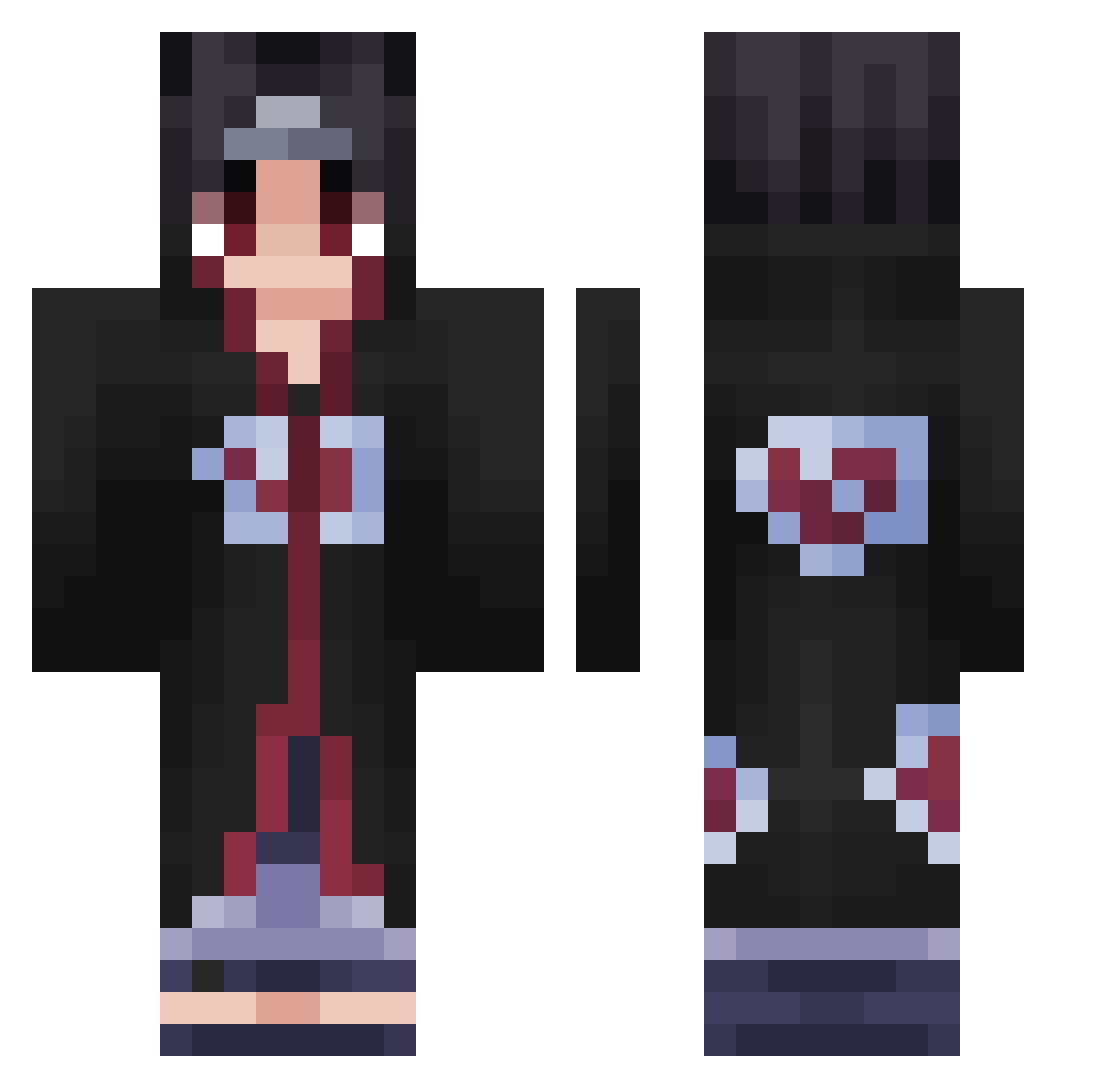
Current Minecraft skin of the player Alikhan1404, loaded from the official Mojang API. Rotate the 3D model with your mouse or finger, then download the skin as a PNG file and use it in Minecraft: Bedrock Edition or Java Edition for free. When Alikhan1404 changes their skin, this page updates automatically and the old skin stays in the history below.
Other players with this skin (424)
Alikhan1404 was the 169th player we have seen with this skin, first spotted on 31.08.2026. The same skin was seen on these players. Open a nickname to see their current skin and skin history.
 SoyMawi KaWwOz todbg HSY2034 Slay_404 Toony_92 Schicksalsleser GoatPoo BBoxKing05 JEANKY_PTY Never0612 MSHP51 Gogo_Zeph nonsensefull Daphnis mufflol Donsoi Kruluu JellyDonnuts Branzin komaxu ItsMavie Xomth Bureina yaboitylagoatted JFMDDelta Thunfisch03 lbetto WinterVibee eVolute_king iTsGhostWarrioR Porini Mofinak heli0_ Fraer_o4k BiGWolFMaN OgDonado ExoticPanzer Fuko543 gkzach icnatbeseentip XenonX_12 xBALLSx bobagrxssive_ elcuh18 Hikarikage XCamiaX OniChanDuh D0ng0_04 GodOfTheLight joseluis KuzeyM_ greenyoshipink mov8 sheubo243 Nxil_ RODSPAMMINGLOL _laba_ FreDy_7 regretSpaghett
More Itachi Uchiha Minecraft skins
See all 320 Itachi Uchiha skins
How to install the Alikhan1404 skin
- Press the Download button above to save the skin as a PNG file.
- Minecraft: Bedrock Edition (PE): open the Dressing Room from the main menu (or tap your character → Edit Character), go to Classic Skins → Owned, press the + (new skin) button, choose the downloaded PNG and pick the Classic (Steve) model. Works on PC and mobile; consoles cannot import custom skins.
- Minecraft: Java Edition: open the Minecraft Launcher, go to the Skins tab, click New Skin, load the PNG, pick the Classic (Steve) model and press Save & Use. You can also upload it at minecraft.net → Profile → Change Skin.
The skin does not show up after import - what should I do?
Restart Minecraft and open the Dressing Room again - imported skins sometimes appear only after a restart. Also make sure you selected the imported skin and picked the Classic (Steve) model.
Which model should I choose, Classic or Slim?
This skin is designed for the Classic (Steve) model. If you pick the wrong model, the arms of the skin will look stretched or squeezed.
Is the skin of Alikhan1404 free to download?
Yes. Press Download, save the PNG file and use it in Minecraft: Bedrock Edition or Java Edition - no payment or registration needed. The skin also works on multiplayer servers and Realms.
More skins
Looking for more? Go back to all Minecraft skins and check the top skins of the week, month and all time, or find any player's skin by nickname.