
AliceCharlie73 - Minecraft Skins & Skin History
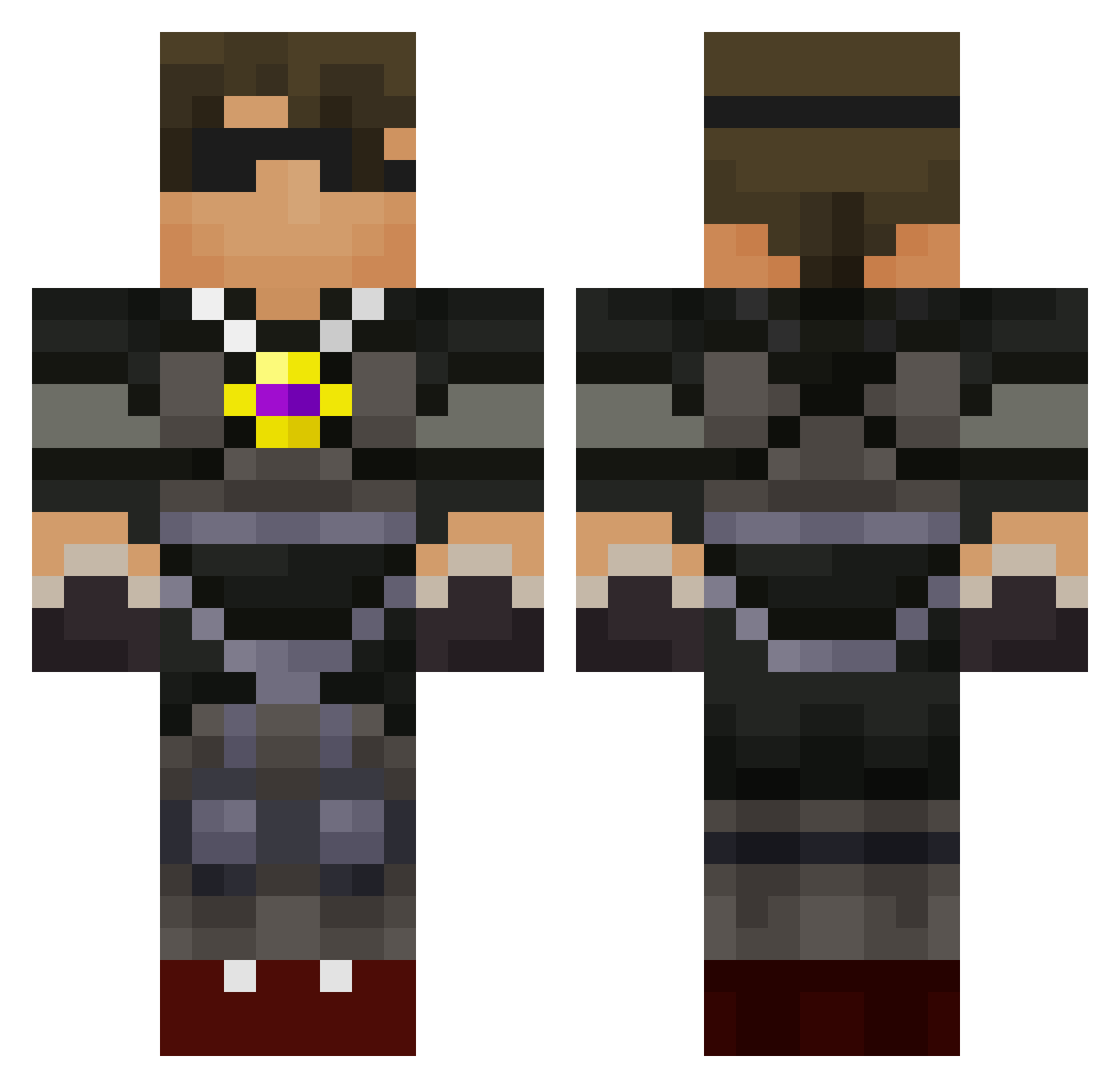
Current Minecraft skin of the player AliceCharlie73, loaded from the official Mojang API. Rotate the 3D model with your mouse or finger, then download the skin as a PNG file and use it in Minecraft: Bedrock Edition or Java Edition for free. When AliceCharlie73 changes their skin, this page updates automatically and the old skin stays in the history below.
Other players with this skin (750)
AliceCharlie73 was the 621st player we have seen with this skin, first spotted on 26.10.2026. The same skin was seen on these players. Open a nickname to see their current skin and skin history.
 imovies47 juli299 S_Gianni Herrington1 nicholas0810 debomber clytie02 REECECM brennon132 searseaker jordan9841 Migmaster123 RG3LOV3R nickpanda2003 unknowntroller33 JavaStout NyxMedic mspelly17 taeshawn1 thosaa955 skydoseminecraft dareowr3 Luigiboy425 kinkykushh thunderbolt245 SkyDoesMineRS wjtell Michael1p Kayrick1 VRKids Brandon0516 SteveTheKidRs1 thedidstroyer AgramonGames kalebes supermanga5 PenisPolice 00evoulution00gr AdamLight2003 Robthekid22 skythekidrs1384 ajcoles bugattiman02 megatronica tiggerwebkinz ACDC_247 beetlezack kooljacob012 dieselm22 thomas_f skythekidjr345 gabe0310 goomba527 dragonslayerlife spartyfan2003 SoccerRonaldo7 Cobrastarship77 prettygirlalyssa jbackie69 24babies
More Necklace Minecraft skins
How to install the AliceCharlie73 skin
- Press the Download button above to save the skin as a PNG file.
- Minecraft: Bedrock Edition (PE): open the Dressing Room from the main menu (or tap your character → Edit Character), go to Classic Skins → Owned, press the + (new skin) button, choose the downloaded PNG and pick the Classic (Steve) model. Works on PC and mobile; consoles cannot import custom skins.
- Minecraft: Java Edition: open the Minecraft Launcher, go to the Skins tab, click New Skin, load the PNG, pick the Classic (Steve) model and press Save & Use. You can also upload it at minecraft.net → Profile → Change Skin.
The skin does not show up after import - what should I do?
Restart Minecraft and open the Dressing Room again - imported skins sometimes appear only after a restart. Also make sure you selected the imported skin and picked the Classic (Steve) model.
Which model should I choose, Classic or Slim?
This skin is designed for the Classic (Steve) model. If you pick the wrong model, the arms of the skin will look stretched or squeezed.
Is the skin of AliceCharlie73 free to download?
Yes. Press Download, save the PNG file and use it in Minecraft: Bedrock Edition or Java Edition - no payment or registration needed. The skin also works on multiplayer servers and Realms.
More skins
Looking for more? Go back to all Minecraft skins and check the top skins of the week, month and all time, or find any player's skin by nickname.