
AlanShafer - Minecraft Skins & Skin History
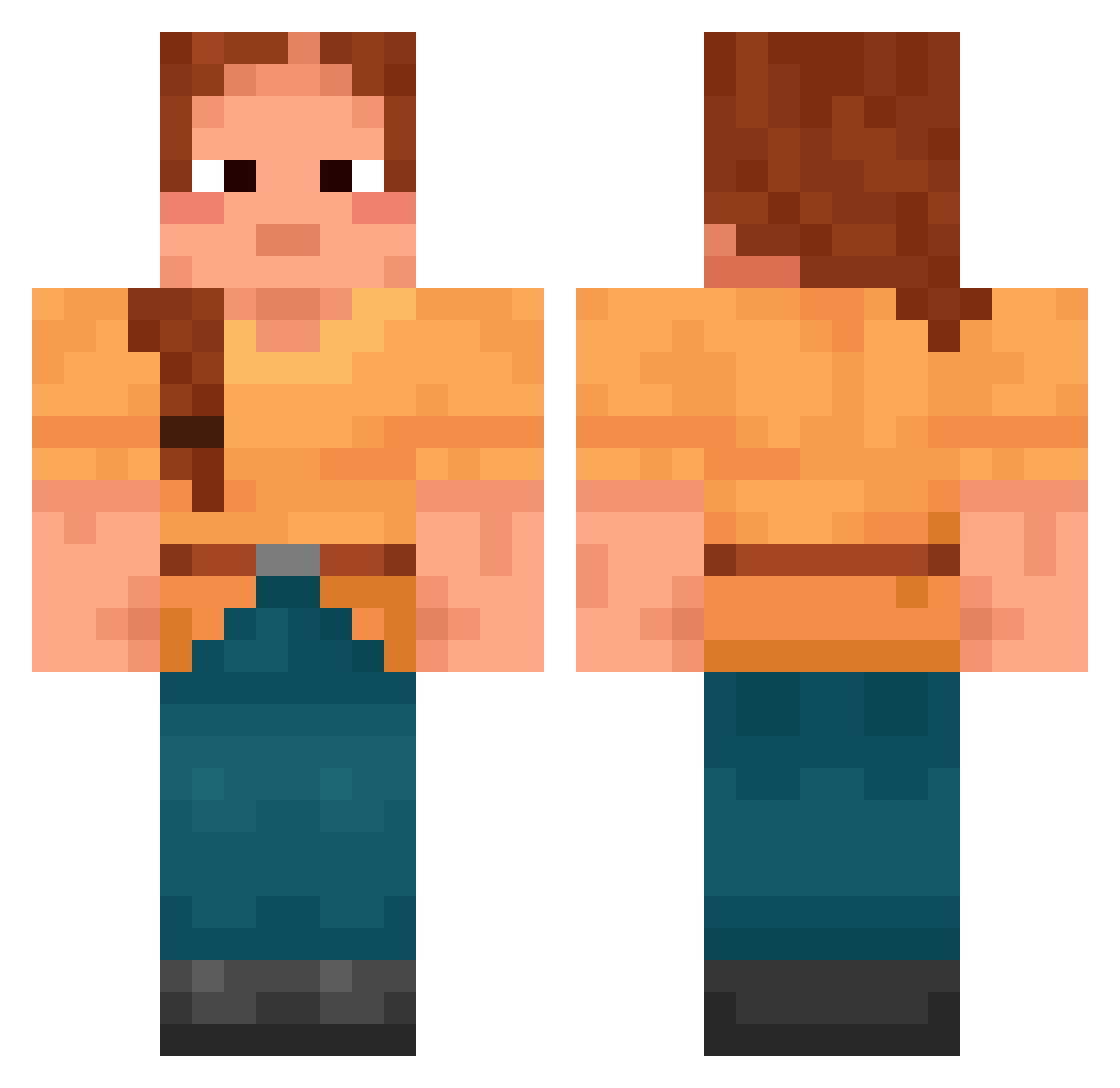
Current Minecraft skin of the player AlanShafer, loaded from the official Mojang API. Rotate the 3D model with your mouse or finger, then download the skin as a PNG file and use it in Minecraft: Bedrock Edition or Java Edition for free. When AlanShafer changes their skin, this page updates automatically and the old skin stays in the history below.
Other players with this skin (1426)
AlanShafer was the 102nd player we have seen with this skin, first spotted on 29.07.2026. The same skin was seen on these players. Open a nickname to see their current skin and skin history.
 Lars_21 Ingrowing Mr0kU zochsxv EV8T sorochens CutoverOsprey39 Sixties Soester w3m_Epstein_7jg SnarlyBroom9781 Jaacqui MtLAquaTurtle RasFam Freezers Influxion saprophyte Syxl1 jornojovana7 ShoneOx G1veMe50 Amoskeag LarsUndSo trinhhyy Jogi_ sasapannda acidic_hope5
 GoToGym jodeballer Incognoscible Cambridge Tempao squallier Bewilderments Honex_Q23 huyari8163 Yuch mangooooooooooo_ Impolicy stormhockey97 dyad cahokia Infantrymen capt_hjh Bubikooo King_Alastor86 TheDude555 ZzangSsenSuum Mookierr XILPER Ravioner CreazyBomber urdy mon1616 Nahosan Phoenicopteridae
 sellywin loonybin flAMER feufollet_
More Cottagecore Minecraft skins
See all 5597 Cottagecore skins
How to install the AlanShafer skin
- Press the Download button above to save the skin as a PNG file.
- Minecraft: Bedrock Edition (PE): open the Dressing Room from the main menu (or tap your character → Edit Character), go to Classic Skins → Owned, press the + (new skin) button, choose the downloaded PNG and pick the Classic (Steve) model. Works on PC and mobile; consoles cannot import custom skins.
- Minecraft: Java Edition: open the Minecraft Launcher, go to the Skins tab, click New Skin, load the PNG, pick the Classic (Steve) model and press Save & Use. You can also upload it at minecraft.net → Profile → Change Skin.
The skin does not show up after import - what should I do?
Restart Minecraft and open the Dressing Room again - imported skins sometimes appear only after a restart. Also make sure you selected the imported skin and picked the Classic (Steve) model.
Which model should I choose, Classic or Slim?
This skin is designed for the Classic (Steve) model. If you pick the wrong model, the arms of the skin will look stretched or squeezed.
Is the skin of AlanShafer free to download?
Yes. Press Download, save the PNG file and use it in Minecraft: Bedrock Edition or Java Edition - no payment or registration needed. The skin also works on multiplayer servers and Realms.
More skins
Looking for more? Go back to all Minecraft skins and check the top skins of the week, month and all time, or find any player's skin by nickname.