
AlanDuncan - Minecraft Skins & Skin History
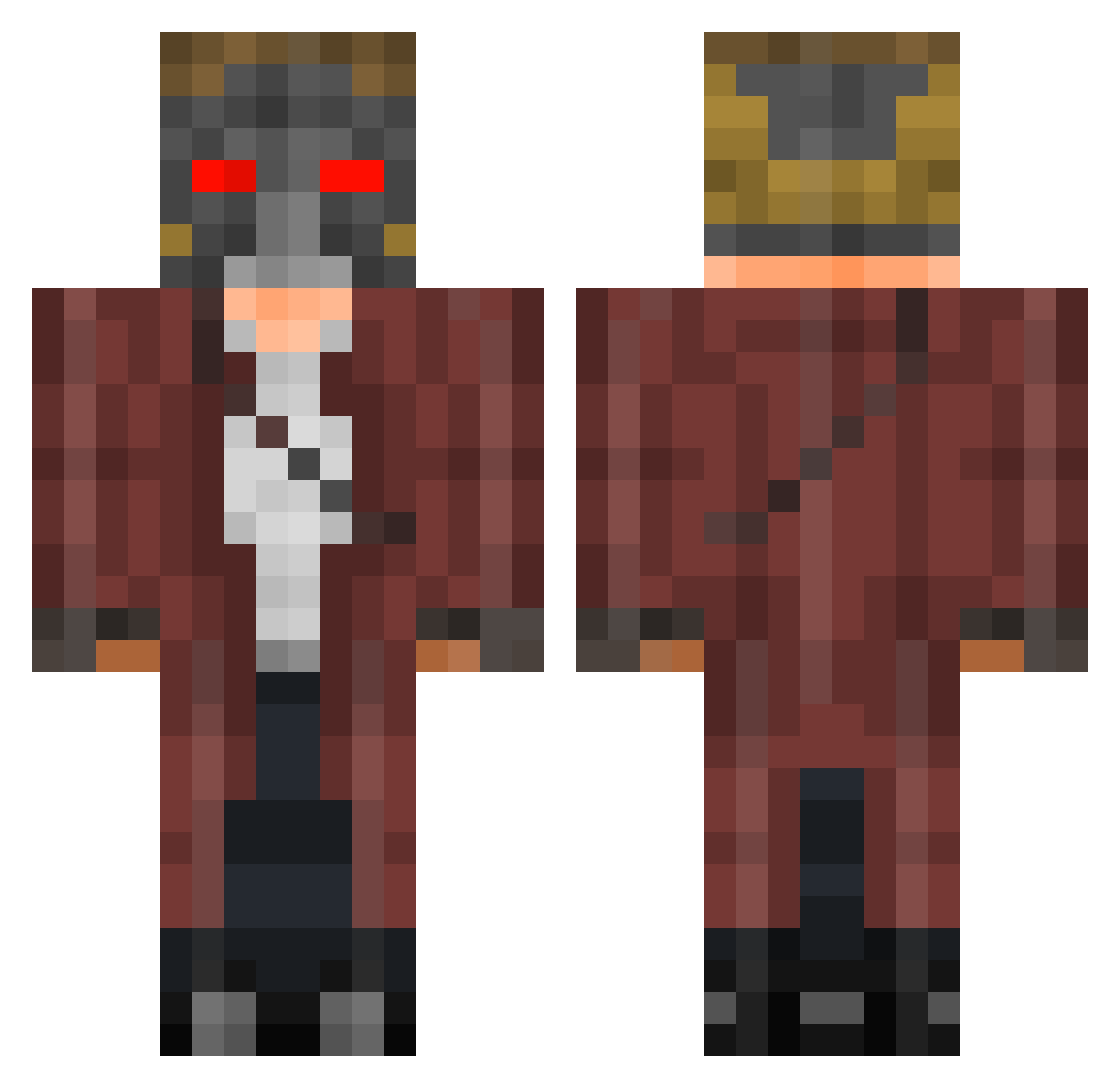
Current Minecraft skin of the player AlanDuncan, loaded from the official Mojang API. Rotate the 3D model with your mouse or finger, then download the skin as a PNG file and use it in Minecraft: Bedrock Edition or Java Edition for free. When AlanDuncan changes their skin, this page updates automatically and the old skin stays in the history below.
Other players with this skin (401)
AlanDuncan was the 72nd player we have seen with this skin, first spotted on 08.08.2026. The same skin was seen on these players. Open a nickname to see their current skin and skin history.
 raptor6984 yamum1 Krousk flowbas KingSlothyy Tyl3sh wawan972 Benjo1216 Aluna_Nyx KiboSama frogggerman ShortClan38 xAlexEtzx JKeLl91939 dagthecreeper Gloomyx Okle eddyb001 Jcangel Starkiller47 ninodon J4ck1 Lolopator300 MagicMatt295 el_dynamo hobbit39 axelholmen arrink pkninja Average15 XCyberBladeX Gamin_Gabe1337 MartyMcFlu Pandejo TheDoctorZelda bigmanjosh169 Redjester_ ButturflomV2
 bigheadzach Jano2499 Gunnilar javicraft28 Bossman324 NinjaPantz_ Michael8p Jmaster4039 kyman1221 matesno NeuerDenis giovannivg94 Addario NoRexxar jhkardas jargen6 BIG_D907 ExtremeZebra654 alex_eti gracememphis Belenoss Jovacov
More Star-Lord Minecraft skins
How to install the AlanDuncan skin
- Press the Download button above to save the skin as a PNG file.
- Minecraft: Bedrock Edition (PE): open the Dressing Room from the main menu (or tap your character → Edit Character), go to Classic Skins → Owned, press the + (new skin) button, choose the downloaded PNG and pick the Classic (Steve) model. Works on PC and mobile; consoles cannot import custom skins.
- Minecraft: Java Edition: open the Minecraft Launcher, go to the Skins tab, click New Skin, load the PNG, pick the Classic (Steve) model and press Save & Use. You can also upload it at minecraft.net → Profile → Change Skin.
The skin does not show up after import - what should I do?
Restart Minecraft and open the Dressing Room again - imported skins sometimes appear only after a restart. Also make sure you selected the imported skin and picked the Classic (Steve) model.
Which model should I choose, Classic or Slim?
This skin is designed for the Classic (Steve) model. If you pick the wrong model, the arms of the skin will look stretched or squeezed.
Is the skin of AlanDuncan free to download?
Yes. Press Download, save the PNG file and use it in Minecraft: Bedrock Edition or Java Edition - no payment or registration needed. The skin also works on multiplayer servers and Realms.
More skins
Looking for more? Go back to all Minecraft skins and check the top skins of the week, month and all time, or find any player's skin by nickname.