
Akyael - Minecraft Skins & Skin History
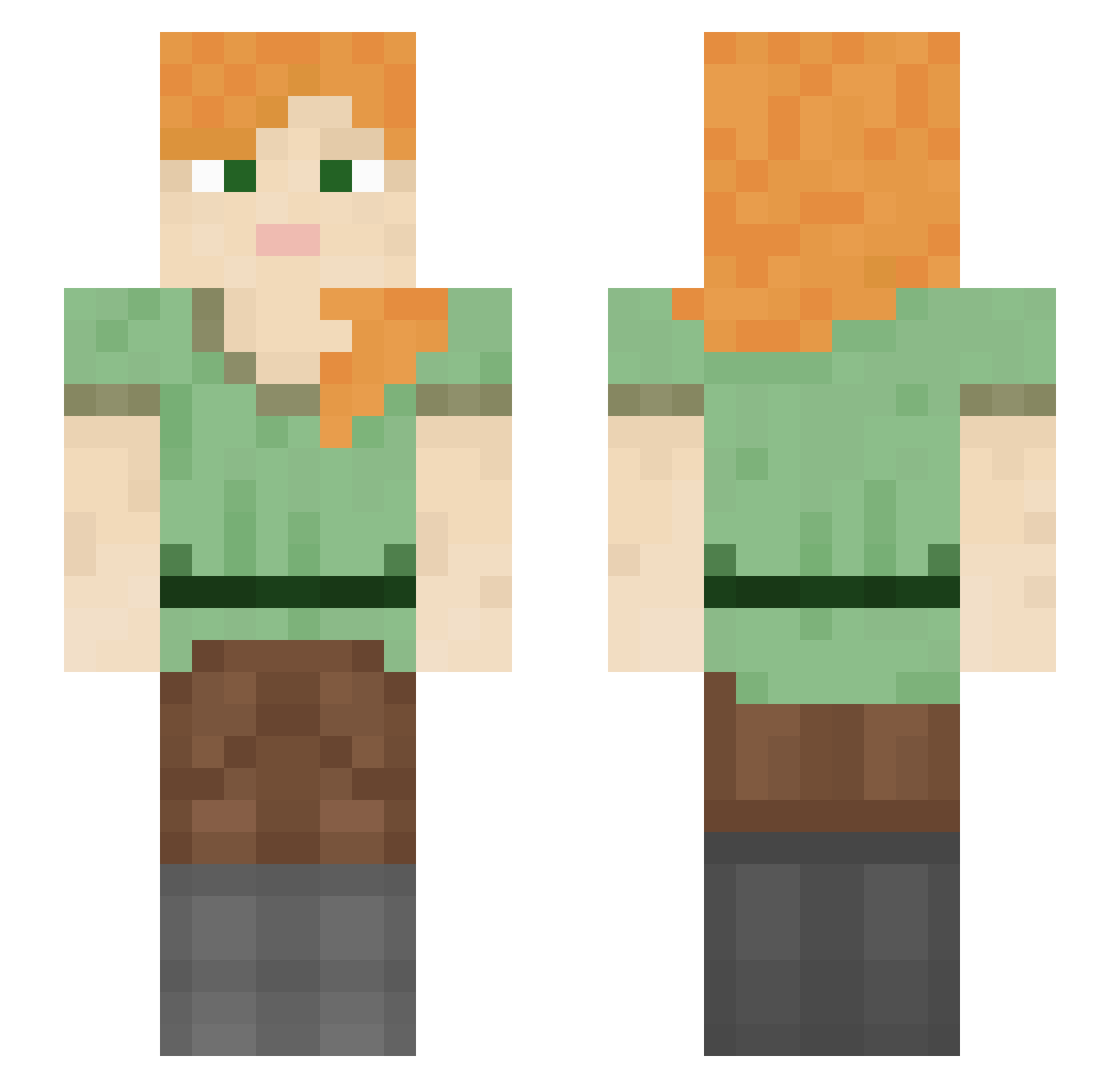
Current Minecraft skin of the player Akyael, loaded from the official Mojang API. Rotate the 3D model with your mouse or finger, then download the skin as a PNG file and use it in Minecraft: Bedrock Edition or Java Edition for free. When Akyael changes their skin, this page updates automatically and the old skin stays in the history below.
Other players with this skin (1211)
Akyael was the 723rd player we have seen with this skin, first spotted on 28.09.2026. The same skin was seen on these players. Open a nickname to see their current skin and skin history.
 teratology Puglyfe Caecias Wolf_Dead DirtyChips JuliuszXciapka 1FaHaD_ Finn_daddy2 Reginka04 vishant2501 royalmi1ktea Entaroth LizaMazanova hjy1305__ Skunk_Funk emsaur Hyemaek Obi444 NuteIIa_ imayan101 Tupik SirGuppie znack larez gulash_popi Bombaster iSebxstian clebsandwich pythonist Anhedron Semnuelkajegoat sandejj Ginger229 LumosTheora aleceleste RomaneS gabyandmilly Office1887 Relier Muro000027 kcajmagic knorio SmallBoy159 WolfHunter9999 Assonant oxtos ScientistWylie StarkillersEJ Radiantly Skapendi L_shimoyana mkultraazz YWHS EmptySpelt13 TyeDyeHumps pedrinhw VoidNoxious Iamsuckatthis090 TLo HardcoreGngBng
How to install the Akyael skin
- Press the Download button above to save the skin as a PNG file.
- Minecraft: Bedrock Edition (PE): open the Dressing Room from the main menu (or tap your character → Edit Character), go to Classic Skins → Owned, press the + (new skin) button, choose the downloaded PNG and pick the Slim (Alex) model. Works on PC and mobile; consoles cannot import custom skins.
- Minecraft: Java Edition: open the Minecraft Launcher, go to the Skins tab, click New Skin, load the PNG, pick the Slim (Alex) model and press Save & Use. You can also upload it at minecraft.net → Profile → Change Skin.
The skin does not show up after import - what should I do?
Restart Minecraft and open the Dressing Room again - imported skins sometimes appear only after a restart. Also make sure you selected the imported skin and picked the Slim (Alex) model.
Which model should I choose, Classic or Slim?
This skin is designed for the Slim (Alex) model. If you pick the wrong model, the arms of the skin will look stretched or squeezed.
Is the skin of Akyael free to download?
Yes. Press Download, save the PNG file and use it in Minecraft: Bedrock Edition or Java Edition - no payment or registration needed. The skin also works on multiplayer servers and Realms.
More skins
Looking for more? Go back to all Minecraft skins and check the top skins of the week, month and all time, or find any player's skin by nickname.