
Skapendi - Minecraft Skins & Skin History
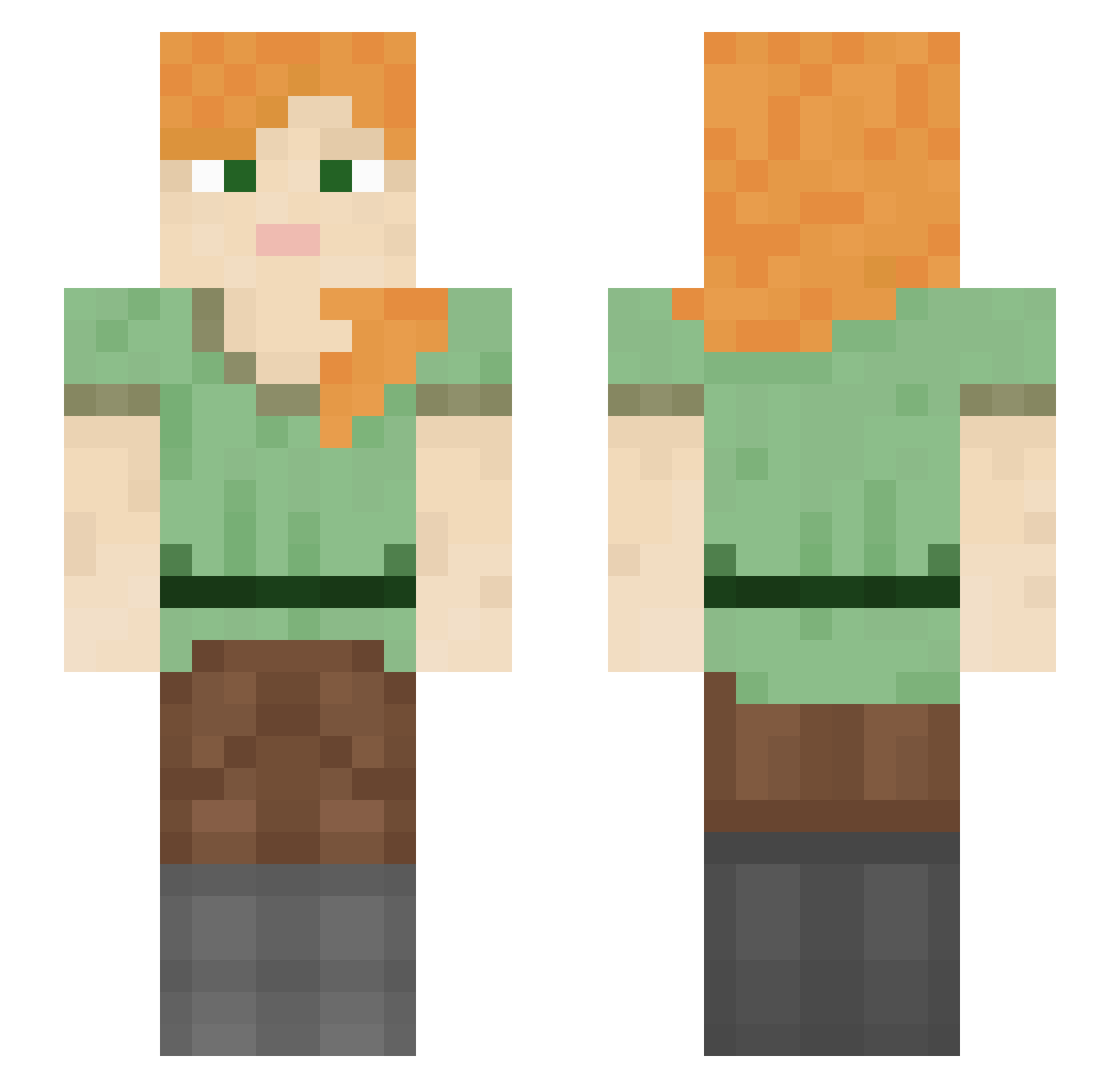
Current Minecraft skin of the player Skapendi, loaded from the official Mojang API. Rotate the 3D model with your mouse or finger, then download the skin as a PNG file and use it in Minecraft: Bedrock Edition or Java Edition for free. When Skapendi changes their skin, this page updates automatically and the old skin stays in the history below.
Other players with this skin (1211)
Skapendi was the 750th player we have seen with this skin, first spotted on 01.10.2026. The same skin was seen on these players. Open a nickname to see their current skin and skin history.
 L_shimoyana mkultraazz EmptySpelt13 TyeDyeHumps Iamsuckatthis090 StarkillersEJ Winnifred ze5nep ScientistWylie Albochan Sinlik oxtos Assonant BeraltofMivia Cerebrate WolfHunter9999 _oBedwars_ haoyuhang2007 Derrezzed kidlee AldariaZ niklasustrup kcajmagic Muro000027 Relier M0kiOio RomaneS Redoubt Podole2 Relly_Sunshine Ginger229 RafaoSW Semnuelkajegoat guvvsan alimony Kiwi_Queen artis2007 Pisky pythonist larez Afrodite90 dnakilamagnam bis_coch Tupik NuteIIa_ Hyemaek emsaur Skunk_Funk hjy1305__ Istik_YT Entaroth Sweenies vishant2501 Reginka04 Finn_daddy2 Gaming_god_69 1FaHaD_ r3deleven Ishiyaman JuliuszXciapka
How to install the Skapendi skin
- Press the Download button above to save the skin as a PNG file.
- Minecraft: Bedrock Edition (PE): open the Dressing Room from the main menu (or tap your character → Edit Character), go to Classic Skins → Owned, press the + (new skin) button, choose the downloaded PNG and pick the Slim (Alex) model. Works on PC and mobile; consoles cannot import custom skins.
- Minecraft: Java Edition: open the Minecraft Launcher, go to the Skins tab, click New Skin, load the PNG, pick the Slim (Alex) model and press Save & Use. You can also upload it at minecraft.net → Profile → Change Skin.
The skin does not show up after import - what should I do?
Restart Minecraft and open the Dressing Room again - imported skins sometimes appear only after a restart. Also make sure you selected the imported skin and picked the Slim (Alex) model.
Which model should I choose, Classic or Slim?
This skin is designed for the Slim (Alex) model. If you pick the wrong model, the arms of the skin will look stretched or squeezed.
Is the skin of Skapendi free to download?
Yes. Press Download, save the PNG file and use it in Minecraft: Bedrock Edition or Java Edition - no payment or registration needed. The skin also works on multiplayer servers and Realms.
More skins
Looking for more? Go back to all Minecraft skins and check the top skins of the week, month and all time, or find any player's skin by nickname.