
Akxyjf - Minecraft Skins & Skin History
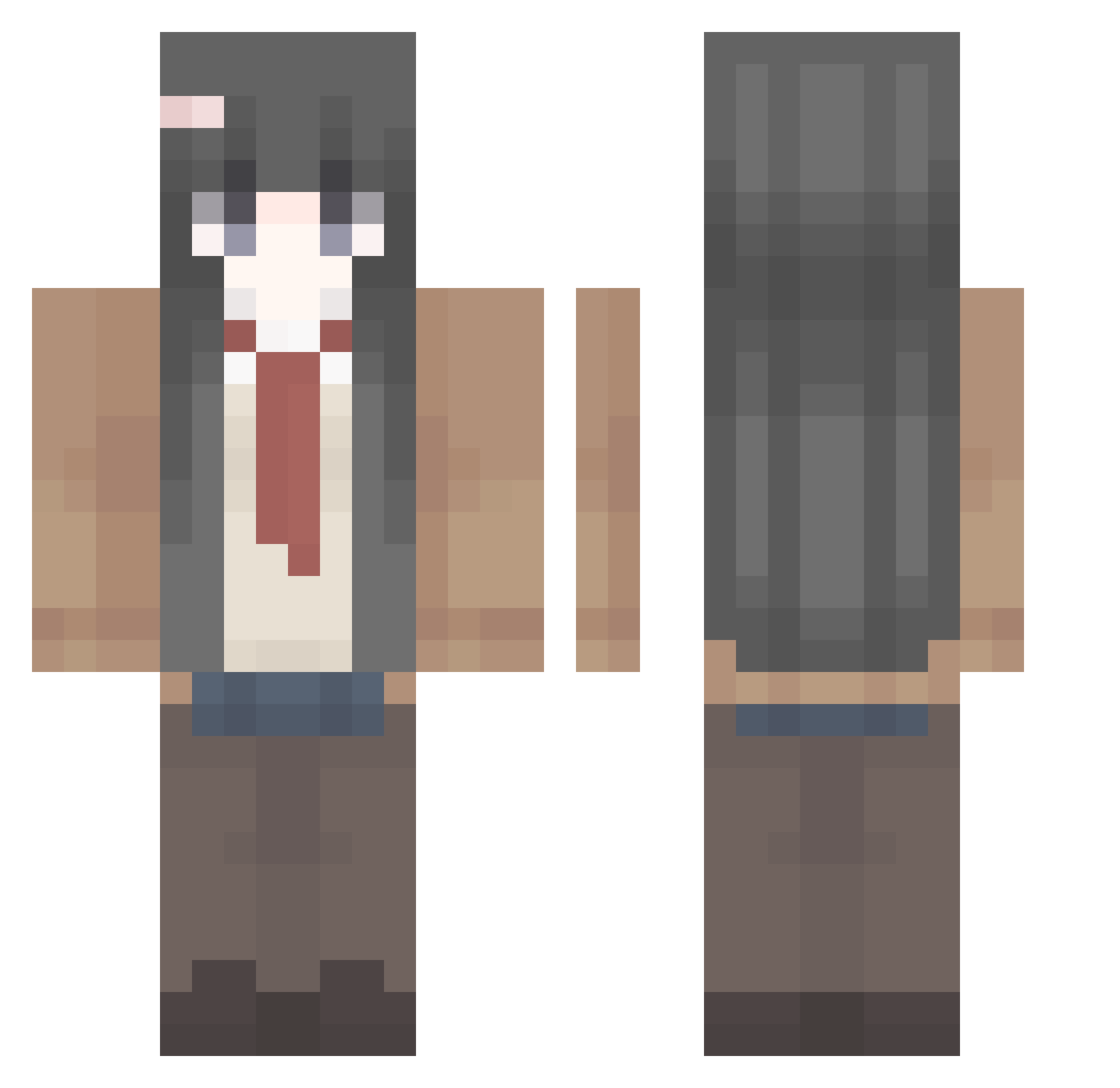
Current Minecraft skin of the player Akxyjf, loaded from the official Mojang API. Rotate the 3D model with your mouse or finger, then download the skin as a PNG file and use it in Minecraft: Bedrock Edition or Java Edition for free. When Akxyjf changes their skin, this page updates automatically and the old skin stays in the history below.
Other players with this skin (410)
Akxyjf was the 82nd player we have seen with this skin, first spotted on 16.08.2026. The same skin was seen on these players. Open a nickname to see their current skin and skin history.
 WAFJ moonight1127 xikoxiko123 HANSHI520 VV_le_BG ShazhouLeng ryxnreborn 777111221 tncxk jchdv Bzzb3 Inamla Bierewo_ ZhuQiBin DanielKrauter atian1234 this_people SHAIE_ Ace_duh teijks Xqlvo chaykung 22EEee22
 AKEZI_2005 Youth09 SacredJusticee_ afevd caikying yanxinpeng tpqlc Candy1156 CNSSM yizhongren0 ChaosCZ Fabsination49 o_0_Meow White_Ice_Tea RedstoneKing789 Ngisa467 KUNN_NN Meigum1 teinji ZhYuki Sakurashisu12 VIRPOW1234 perrkiss g0rilla3mpire Knjie King___PYD XIGuaPI__ Gamblegamerr Misakinr Holleh_ iHamburgerr Y_chayu hbanii 5ETIRE 10KFOX WAYZT mucha124
More School Uniform Minecraft skins
See all 6639 School Uniform skins
How to install the Akxyjf skin
- Press the Download button above to save the skin as a PNG file.
- Minecraft: Bedrock Edition (PE): open the Dressing Room from the main menu (or tap your character → Edit Character), go to Classic Skins → Owned, press the + (new skin) button, choose the downloaded PNG and pick the Classic (Steve) model. Works on PC and mobile; consoles cannot import custom skins.
- Minecraft: Java Edition: open the Minecraft Launcher, go to the Skins tab, click New Skin, load the PNG, pick the Classic (Steve) model and press Save & Use. You can also upload it at minecraft.net → Profile → Change Skin.
The skin does not show up after import - what should I do?
Restart Minecraft and open the Dressing Room again - imported skins sometimes appear only after a restart. Also make sure you selected the imported skin and picked the Classic (Steve) model.
Which model should I choose, Classic or Slim?
This skin is designed for the Classic (Steve) model. If you pick the wrong model, the arms of the skin will look stretched or squeezed.
Is the skin of Akxyjf free to download?
Yes. Press Download, save the PNG file and use it in Minecraft: Bedrock Edition or Java Edition - no payment or registration needed. The skin also works on multiplayer servers and Realms.
More skins
Looking for more? Go back to all Minecraft skins and check the top skins of the week, month and all time, or find any player's skin by nickname.