
Akstar19 - Minecraft Skins & Skin History
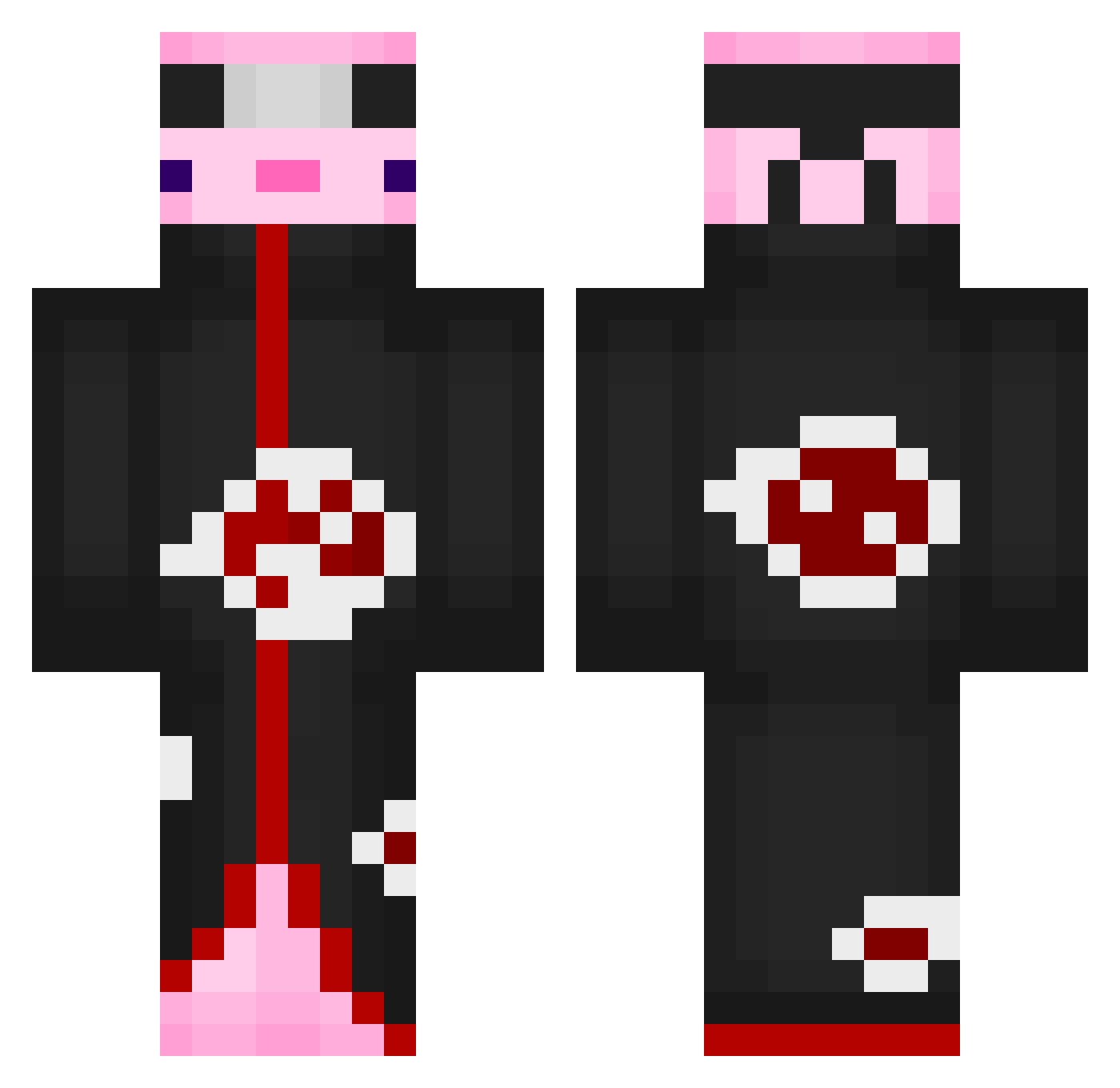
Current Minecraft skin of the player Akstar19, loaded from the official Mojang API. Rotate the 3D model with your mouse or finger, then download the skin as a PNG file and use it in Minecraft: Bedrock Edition or Java Edition for free. When Akstar19 changes their skin, this page updates automatically and the old skin stays in the history below.
Other players with this skin (531)
Akstar19 was the 22nd player we have seen with this skin, first spotted on 26.07.2026. The same skin was seen on these players. Open a nickname to see their current skin and skin history.
 uzuzilla30 AkatsukiAksolotl localimon danestshin HaloPusher kkasp GCP5 Iru1045 DrrLulu H0rnet4 BellBabel Kazuo_Trow RickySquad Alex_jedi1 Caverinha1908 Dutch_511 mekatrox captinab GarryAPizza tubdee SantiagoRB1307 Elviejo13x Ehabina1 gossipgirl1311 Jaywahnine dirty_pig1888 Miker2413 F4bulou5 clonem09 check1221 _PandaSticot_ XenoPlays420 27Cr4ppy Sushininjafish rodalcham michalminecruft M0NK3YDLUFFY35 JJANJINYI malikyy JuniCR07 PDEric Super_anden ShowyIvy783910 edubas DJDOORBELL StopWay Vexrim t4lhaXX Neckito LoneiyBOY_Mowen l_Almazik_l Aerolic kkpaidor prorohk Kiyudai Evaron SnakeManC o0Jodo0o Aliminyum26 zaka2620
More Akatsuki Minecraft skins
How to install the Akstar19 skin
- Press the Download button above to save the skin as a PNG file.
- Minecraft: Bedrock Edition (PE): open the Dressing Room from the main menu (or tap your character → Edit Character), go to Classic Skins → Owned, press the + (new skin) button, choose the downloaded PNG and pick the Classic (Steve) model. Works on PC and mobile; consoles cannot import custom skins.
- Minecraft: Java Edition: open the Minecraft Launcher, go to the Skins tab, click New Skin, load the PNG, pick the Classic (Steve) model and press Save & Use. You can also upload it at minecraft.net → Profile → Change Skin.
The skin does not show up after import - what should I do?
Restart Minecraft and open the Dressing Room again - imported skins sometimes appear only after a restart. Also make sure you selected the imported skin and picked the Classic (Steve) model.
Which model should I choose, Classic or Slim?
This skin is designed for the Classic (Steve) model. If you pick the wrong model, the arms of the skin will look stretched or squeezed.
Is the skin of Akstar19 free to download?
Yes. Press Download, save the PNG file and use it in Minecraft: Bedrock Edition or Java Edition - no payment or registration needed. The skin also works on multiplayer servers and Realms.
More skins
Looking for more? Go back to all Minecraft skins and check the top skins of the week, month and all time, or find any player's skin by nickname.