
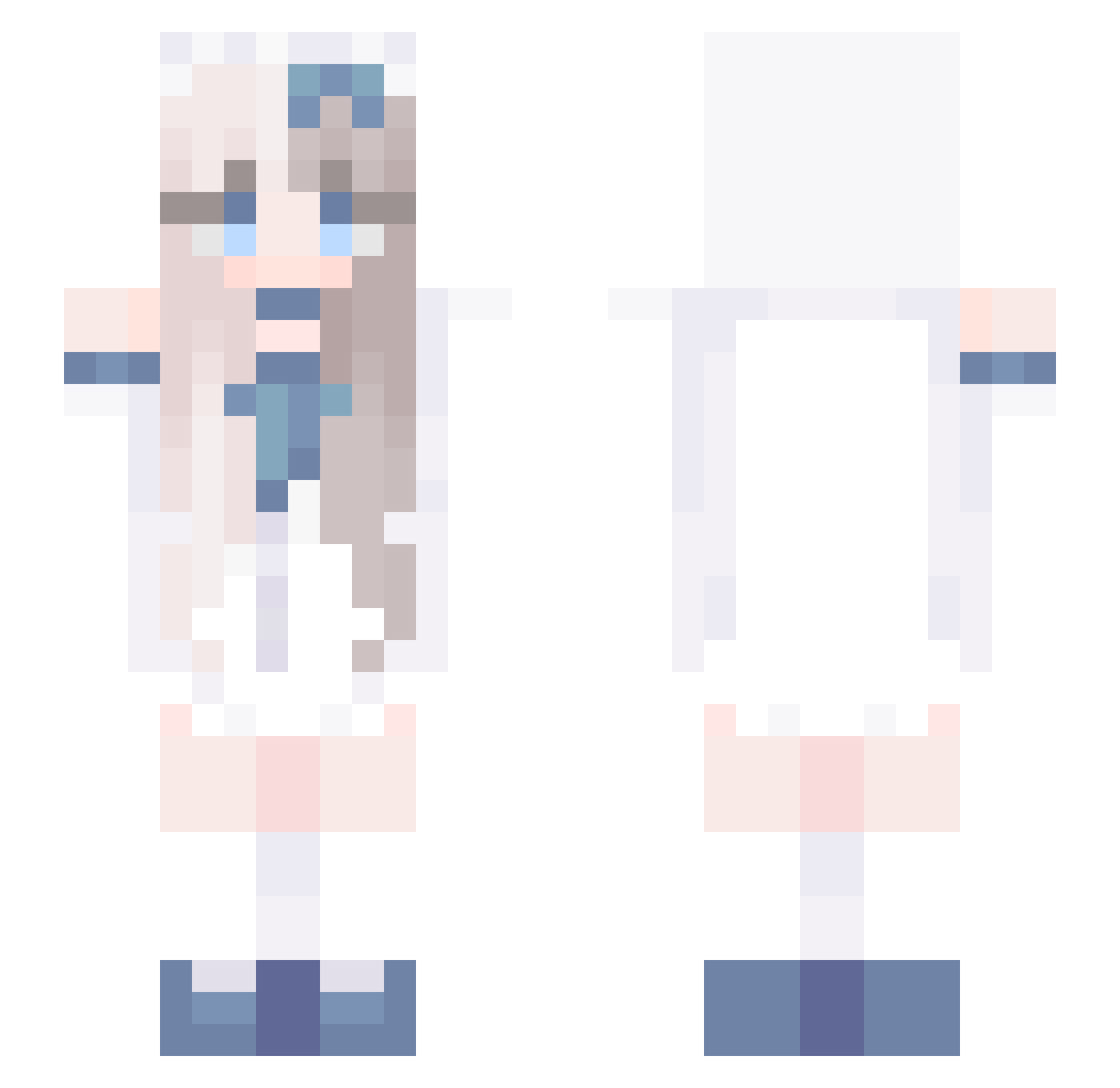
Current Minecraft skin of the player AkibaCanian, loaded from the official Mojang API. Rotate the 3D model with your mouse or finger, then download the skin as a PNG file and use it in Minecraft: Bedrock Edition or Java Edition for free. When AkibaCanian changes their skin, this page updates automatically and the old skin stays in the history below.
Other players with this skin (582)
AkibaCanian was the 396th player we have seen with this skin, first spotted on 21.09.2026. The same skin was seen on these players. Open a nickname to see their current skin and skin history.
 xxvyx runawayz SigmaSeeb husiwei WanGYiMing1 elex12_ Zehint yian_iouu AgentKiwi1 kr9bby Anafuentess schulina8388 aaoli7 Bghrd cocoya0322 WhyteDash Marmotdyg felixave BLADE0309 kuebikoexe Hyyyf BurntBiscuit95 maoyu demu_ouo skzontop ophe1211 Fefile78 shades1111 jbib11 superYaoBaiYang ShinoSang Urfalii vanillamunchkins loneliest_baby Bestiie Kushishi deadgirllex _QU3_ YedollE ELDANN saurin_ egoistical_jade yut0804 Hxx_Eun0 Sula801 laoxuji teh_86 bai158 Tmar0301 xiandataa yyy345 Foxy___________ Alka2121 ChatTaoPT Josefine_Gamer stars010 Myqtee linlin1106 Annayx Rosiina0
More Anime Girl Minecraft skins
See all 10968 Anime Girl skins
How to install the AkibaCanian skin
- Press the Download button above to save the skin as a PNG file.
- Minecraft: Bedrock Edition (PE): open the Dressing Room from the main menu (or tap your character → Edit Character), go to Classic Skins → Owned, press the + (new skin) button, choose the downloaded PNG and pick the Slim (Alex) model. Works on PC and mobile; consoles cannot import custom skins.
- Minecraft: Java Edition: open the Minecraft Launcher, go to the Skins tab, click New Skin, load the PNG, pick the Slim (Alex) model and press Save & Use. You can also upload it at minecraft.net → Profile → Change Skin.
The skin does not show up after import - what should I do?
Restart Minecraft and open the Dressing Room again - imported skins sometimes appear only after a restart. Also make sure you selected the imported skin and picked the Slim (Alex) model.
Which model should I choose, Classic or Slim?
This skin is designed for the Slim (Alex) model. If you pick the wrong model, the arms of the skin will look stretched or squeezed.
Is the skin of AkibaCanian free to download?
Yes. Press Download, save the PNG file and use it in Minecraft: Bedrock Edition or Java Edition - no payment or registration needed. The skin also works on multiplayer servers and Realms.
More skins
Looking for more? Go back to all Minecraft skins and check the top skins of the week, month and all time, or find any player's skin by nickname.