
AkatsuyoIV - Minecraft Skins & Skin History
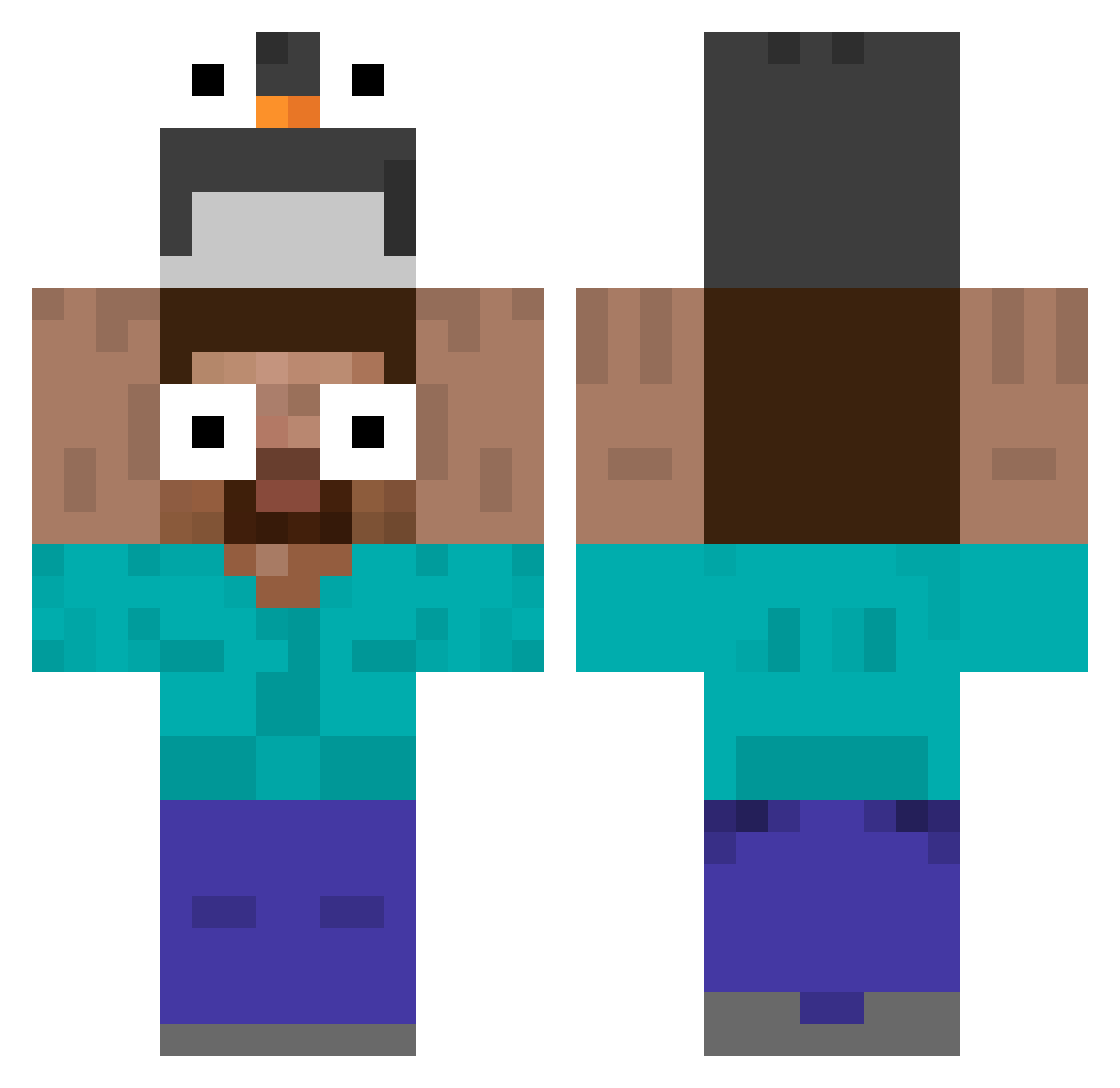
Current Minecraft skin of the player AkatsuyoIV, loaded from the official Mojang API. Rotate the 3D model with your mouse or finger, then download the skin as a PNG file and use it in Minecraft: Bedrock Edition or Java Edition for free. When AkatsuyoIV changes their skin, this page updates automatically and the old skin stays in the history below.
Other players with this skin (458)
AkatsuyoIV was the 289th player we have seen with this skin, first spotted on 25.09.2026. The same skin was seen on these players. Open a nickname to see their current skin and skin history.
 hlt1018 ohmsYT BlackyyZ Moacir_Cudeganso Lancelot9 Dog_Panda ugetdoxed StripedBrake958 Fekko18 Itz_Aidan1 gemma_angus DemonKiwi1 zozonoixdecoco KelvinIp TheHarunRD Its2 DadinhoZEPIKAENO caseypoo927 woxiangcc CaoNiM5678 Nitmae JONGSEO_ Modemam Farrett69 Nsplaty SPOOOKYTREE SrAlmondQR vexxysmexxy Physics96 hibie Kysune Jasss_00 biLuna123 kadrilhe Beamkung404 lemonminty JaePal01 Bxdan FakeEmanuel Hazellindo Junhee_0423 guitedesco tlgus27 EL_SANGI Supernem10 puerta______ cqwlxc AimAstra _TaBuReTkA_ Blastt3r EnormousTorrent5 pg666 Ethan_Invierno Yangmal2972 Vokint kinyoubi0326 matetita Heyimlive2 dashdas mari_crf
More Funny Eyes Minecraft skins
How to install the AkatsuyoIV skin
- Press the Download button above to save the skin as a PNG file.
- Minecraft: Bedrock Edition (PE): open the Dressing Room from the main menu (or tap your character → Edit Character), go to Classic Skins → Owned, press the + (new skin) button, choose the downloaded PNG and pick the Classic (Steve) model. Works on PC and mobile; consoles cannot import custom skins.
- Minecraft: Java Edition: open the Minecraft Launcher, go to the Skins tab, click New Skin, load the PNG, pick the Classic (Steve) model and press Save & Use. You can also upload it at minecraft.net → Profile → Change Skin.
The skin does not show up after import - what should I do?
Restart Minecraft and open the Dressing Room again - imported skins sometimes appear only after a restart. Also make sure you selected the imported skin and picked the Classic (Steve) model.
Which model should I choose, Classic or Slim?
This skin is designed for the Classic (Steve) model. If you pick the wrong model, the arms of the skin will look stretched or squeezed.
Is the skin of AkatsuyoIV free to download?
Yes. Press Download, save the PNG file and use it in Minecraft: Bedrock Edition or Java Edition - no payment or registration needed. The skin also works on multiplayer servers and Realms.
More skins
Looking for more? Go back to all Minecraft skins and check the top skins of the week, month and all time, or find any player's skin by nickname.