
AizenNjm - Minecraft Skins & Skin History
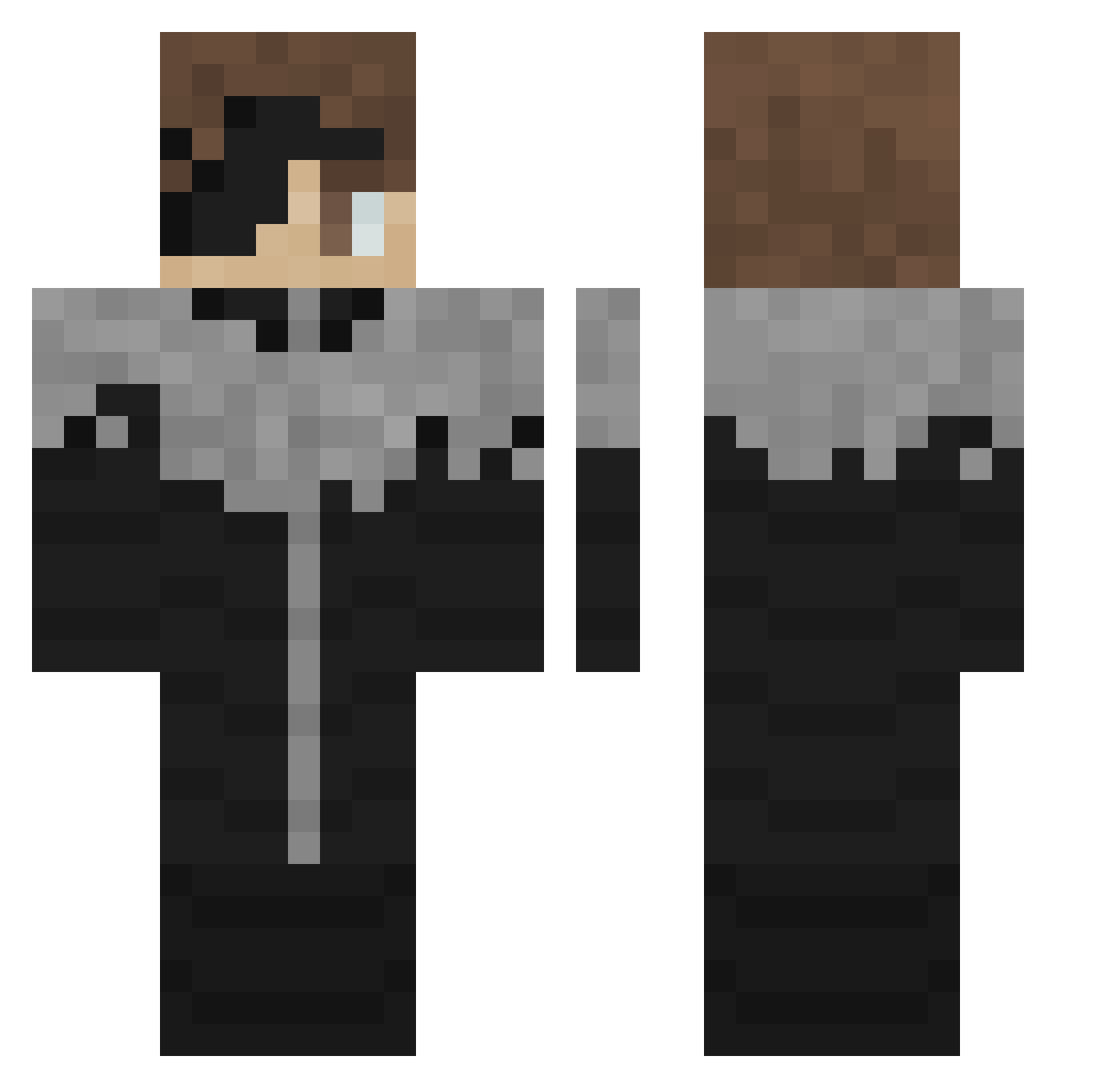
Current Minecraft skin of the player AizenNjm, loaded from the official Mojang API. Rotate the 3D model with your mouse or finger, then download the skin as a PNG file and use it in Minecraft: Bedrock Edition or Java Edition for free. When AizenNjm changes their skin, this page updates automatically and the old skin stays in the history below.
Other players with this skin (305)
AizenNjm was the 132nd player we have seen with this skin, first spotted on 10.09.2026. The same skin was seen on these players. Open a nickname to see their current skin and skin history.
 scrimse Drenosir iiTzMAT30CHiEF setoka02 MSF_SA RaZeGonYT PiciMoe Mexeenn Anthony_Playz69 M1L1O AgentMaksim Eizen_2 Jaymiere Sonty0 Sazster66 pradatun3 maakunn6357 LinoRaptor Tensaida xMF02 likenk Hlebushek1488 Bjvar RickSand88 sk_ycn mrbahbahwi BasilicTubage44 Yostttt SaintNotorious Winkt Kayuss_ lmaowhy SIN3149 cletustookmydog Tacodude53 RF_777z C_Ronaldo777 Sashiosae_rareta wazin34 chuivs Issoufs Balrog2828 SpringTrap8787 charonHACK NotBlanc STA2903 bigunc23 laolong1 HeliopXD MAEP22 SacredSG CheesMees BASTOSS83 KasarHooD Lolosulis2 TomaKsT max777te dicerobber Thegamer7087 hadep
More Kaneki Ken Minecraft skins
How to install the AizenNjm skin
- Press the Download button above to save the skin as a PNG file.
- Minecraft: Bedrock Edition (PE): open the Dressing Room from the main menu (or tap your character → Edit Character), go to Classic Skins → Owned, press the + (new skin) button, choose the downloaded PNG and pick the Classic (Steve) model. Works on PC and mobile; consoles cannot import custom skins.
- Minecraft: Java Edition: open the Minecraft Launcher, go to the Skins tab, click New Skin, load the PNG, pick the Classic (Steve) model and press Save & Use. You can also upload it at minecraft.net → Profile → Change Skin.
The skin does not show up after import - what should I do?
Restart Minecraft and open the Dressing Room again - imported skins sometimes appear only after a restart. Also make sure you selected the imported skin and picked the Classic (Steve) model.
Which model should I choose, Classic or Slim?
This skin is designed for the Classic (Steve) model. If you pick the wrong model, the arms of the skin will look stretched or squeezed.
Is the skin of AizenNjm free to download?
Yes. Press Download, save the PNG file and use it in Minecraft: Bedrock Edition or Java Edition - no payment or registration needed. The skin also works on multiplayer servers and Realms.
More skins
Looking for more? Go back to all Minecraft skins and check the top skins of the week, month and all time, or find any player's skin by nickname.