
AirtightWall64 - Minecraft Skins & Skin History
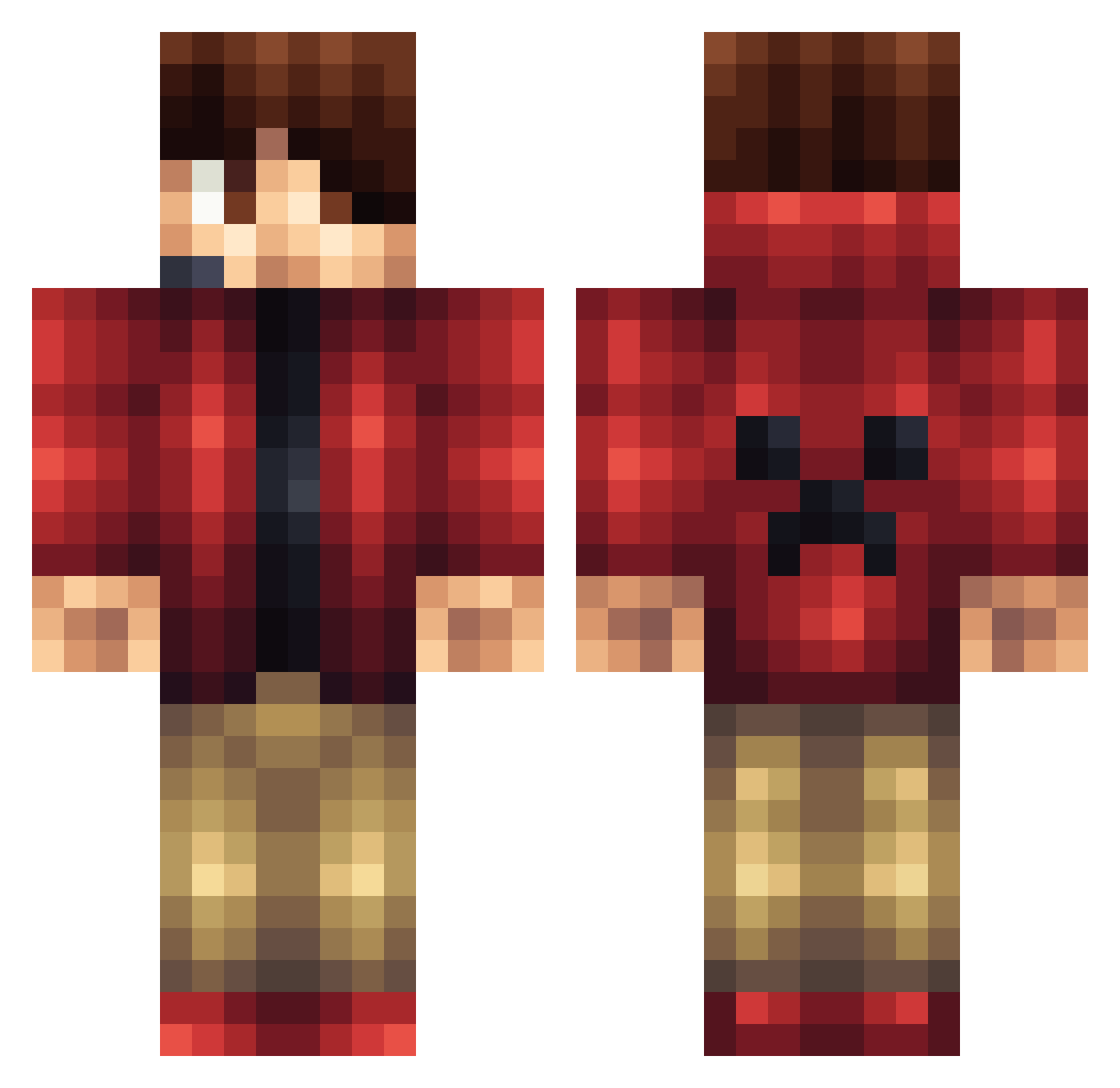
Current Minecraft skin of the player AirtightWall64, loaded from the official Mojang API. Rotate the 3D model with your mouse or finger, then download the skin as a PNG file and use it in Minecraft: Bedrock Edition or Java Edition for free. When AirtightWall64 changes their skin, this page updates automatically and the old skin stays in the history below.
Other players with this skin (1165)
AirtightWall64 was the 794th player we have seen with this skin, first spotted on 04.10.2026. The same skin was seen on these players. Open a nickname to see their current skin and skin history.
 EdWaRdPiNkY2001 ZayneDivi 3eeDxD TohtoriGerhardi cardsfan01 kooper4678 hariram SirDeathking MsGina Joko_LP MonsterBoyGaming bulva Vladeex crazycreeper4152 Jacobs300 AEC_007 AidenArt creating_night DAT_BOY_GAV_GAME oDxJordan MoJoMogz43 Lukhad joep01 ehayess BigMacBro KRISK0PF HBINK Riviachie Madpoint83 Mr_Stud_Hall AstronomicalDev Flo2525 NetworkLevel lejonkungen4 Wesley1216 Larment damian70586 crusher1029 DeckyBear Leo_W7 BlueRayKid mattmls00 Justasquirrel Manny_rocks jamesjaden2355 PickyBrownie Niu_Rou Rodney841 MaximumMicah WTFKytkin snowdill Germsoon Rishidan Texasfrosch Mr_Cool_777 oTyyz AneirinR mb_95 Megacold CaptainCarlIvar
More Headset Minecraft skins
How to install the AirtightWall64 skin
- Press the Download button above to save the skin as a PNG file.
- Minecraft: Bedrock Edition (PE): open the Dressing Room from the main menu (or tap your character → Edit Character), go to Classic Skins → Owned, press the + (new skin) button, choose the downloaded PNG and pick the Classic (Steve) model. Works on PC and mobile; consoles cannot import custom skins.
- Minecraft: Java Edition: open the Minecraft Launcher, go to the Skins tab, click New Skin, load the PNG, pick the Classic (Steve) model and press Save & Use. You can also upload it at minecraft.net → Profile → Change Skin.
The skin does not show up after import - what should I do?
Restart Minecraft and open the Dressing Room again - imported skins sometimes appear only after a restart. Also make sure you selected the imported skin and picked the Classic (Steve) model.
Which model should I choose, Classic or Slim?
This skin is designed for the Classic (Steve) model. If you pick the wrong model, the arms of the skin will look stretched or squeezed.
Is the skin of AirtightWall64 free to download?
Yes. Press Download, save the PNG file and use it in Minecraft: Bedrock Edition or Java Edition - no payment or registration needed. The skin also works on multiplayer servers and Realms.
More skins
Looking for more? Go back to all Minecraft skins and check the top skins of the week, month and all time, or find any player's skin by nickname.