
AgeraF12 - Minecraft Skins & Skin History
Current Minecraft skin of the player AgeraF12, loaded from the official Mojang API. Rotate the 3D model with your mouse or finger, then download the skin as a PNG file and use it in Minecraft: Bedrock Edition or Java Edition for free. When AgeraF12 changes their skin, this page updates automatically and the old skin stays in the history below.
Other players with this skin (55)
AgeraF12 was the 15th player we have seen with this skin, first spotted on 15.08.2026. The same skin was seen on these players. Open a nickname to see their current skin and skin history.
 whippy1
 Panic0_ DrLarping Exeffo Severrus lZakeenl jdy200558
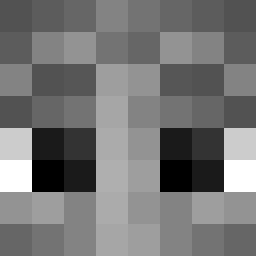 iamtheaura Dropkeyy _Charliekirk67 Kwizu_ De4T Bubensahne_ fulgator urfavCheese2017 agentfbi2 babymanfr notchrisftw whizi lin_0zero0 The_Esclave itsAleck Fitzmc_ x1Lover sbxsnt caupedr
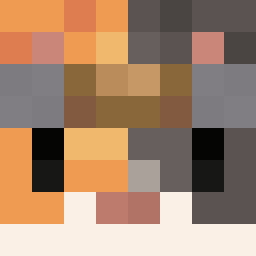 nnec_ Cestnik_RQk Denji_101 Jpmedin Mysz0jelen Gitsel Creates zyzzzzzzzzz vhdr ouvintedopodpah wRain_ Jussisss Ryoteria Kurmis365 nael02 SlaffyTaffy ___y____ temp15 YaroslavL diogoamigao dxxrz La_Bomby_ Itz_Pyra Mikolaj3055 Nachoszn n6x0 not2max LuxCxmi_ therealch3f
Previous skins of AgeraF12
Skins that AgeraF12 wore before, newest first. Click a skin to open its page and download it.
How to install the AgeraF12 skin
- Press the Download button above to save the skin as a PNG file.
- Minecraft: Bedrock Edition (PE): open the Dressing Room from the main menu (or tap your character → Edit Character), go to Classic Skins → Owned, press the + (new skin) button, choose the downloaded PNG and pick the Slim (Alex) model. Works on PC and mobile; consoles cannot import custom skins.
- Minecraft: Java Edition: open the Minecraft Launcher, go to the Skins tab, click New Skin, load the PNG, pick the Slim (Alex) model and press Save & Use. You can also upload it at minecraft.net → Profile → Change Skin.
The skin does not show up after import - what should I do?
Restart Minecraft and open the Dressing Room again - imported skins sometimes appear only after a restart. Also make sure you selected the imported skin and picked the Slim (Alex) model.
Which model should I choose, Classic or Slim?
This skin is designed for the Slim (Alex) model. If you pick the wrong model, the arms of the skin will look stretched or squeezed.
Is the skin of AgeraF12 free to download?
Yes. Press Download, save the PNG file and use it in Minecraft: Bedrock Edition or Java Edition - no payment or registration needed. The skin also works on multiplayer servers and Realms.
More skins
Looking for more? Go back to all Minecraft skins and check the top skins of the week, month and all time, or find any player's skin by nickname.