
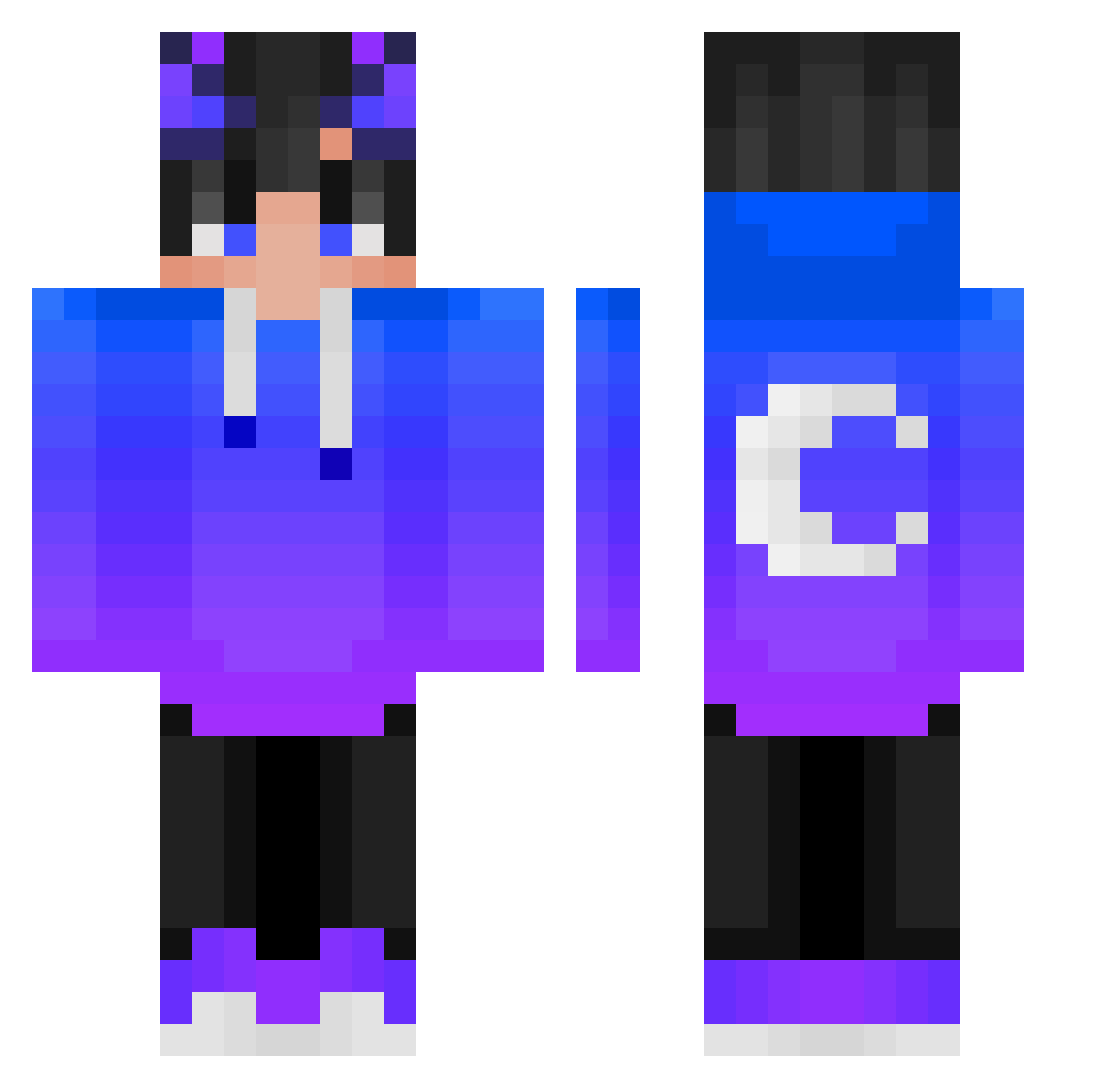
Current Minecraft skin of the player AgateSaucer5885, loaded from the official Mojang API. Rotate the 3D model with your mouse or finger, then download the skin as a PNG file and use it in Minecraft: Bedrock Edition or Java Edition for free. When AgateSaucer5885 changes their skin, this page updates automatically and the old skin stays in the history below.
Other players with this skin (309)
AgateSaucer5885 was the 303rd player we have seen with this skin, first spotted on 08.10.2026. The same skin was seen on these players. Open a nickname to see their current skin and skin history.
 AdaMpo12 Squazy0 Unknown_Terms Hi_Call_Me_Daddy SkyWhale5199 TateC808 Minecraft3869 horo44 JoNgMiN44 Nawingodff Xx_MojoPvP_xX 4iter_bomgik Dejonacrafthp _Adrian2006_ ZZDdar Tomek_Ziomek_420 KeqpuP232 inno0818 Macierzyca HowToBeAExpert slz_Fynix __Vasili__ SUS_XD Viktor71 MADYX Nilpojken BeetleMango7697 _Darksing Harlan3066 EmmaBiscotti Tajbw1212 xiaoguaiwu Kongblur H7IDER M4ttyJ_ DarkPitta05 Erie_ Xing9487 Meeggg PlayerzinNAD4 NoveltyMoon Snike_Ice CristiPre2010 Flyries Feayde_ PIGHLYSIUUUM AetherRiot Benike221 Seoul_Saturn minifarcon0429 xSqiuel Yonezys Hanun_ jhonata50 VKmomo nofacesmile xFormulaCosine redrUD0lf SHeizMD NodaYuki
More Moon Minecraft skins
How to install the AgateSaucer5885 skin
- Press the Download button above to save the skin as a PNG file.
- Minecraft: Bedrock Edition (PE): open the Dressing Room from the main menu (or tap your character → Edit Character), go to Classic Skins → Owned, press the + (new skin) button, choose the downloaded PNG and pick the Classic (Steve) model. Works on PC and mobile; consoles cannot import custom skins.
- Minecraft: Java Edition: open the Minecraft Launcher, go to the Skins tab, click New Skin, load the PNG, pick the Classic (Steve) model and press Save & Use. You can also upload it at minecraft.net → Profile → Change Skin.
The skin does not show up after import - what should I do?
Restart Minecraft and open the Dressing Room again - imported skins sometimes appear only after a restart. Also make sure you selected the imported skin and picked the Classic (Steve) model.
Which model should I choose, Classic or Slim?
This skin is designed for the Classic (Steve) model. If you pick the wrong model, the arms of the skin will look stretched or squeezed.
Is the skin of AgateSaucer5885 free to download?
Yes. Press Download, save the PNG file and use it in Minecraft: Bedrock Edition or Java Edition - no payment or registration needed. The skin also works on multiplayer servers and Realms.
More skins
Looking for more? Go back to all Minecraft skins and check the top skins of the week, month and all time, or find any player's skin by nickname.