
AdventRising - Minecraft Skins & Skin History
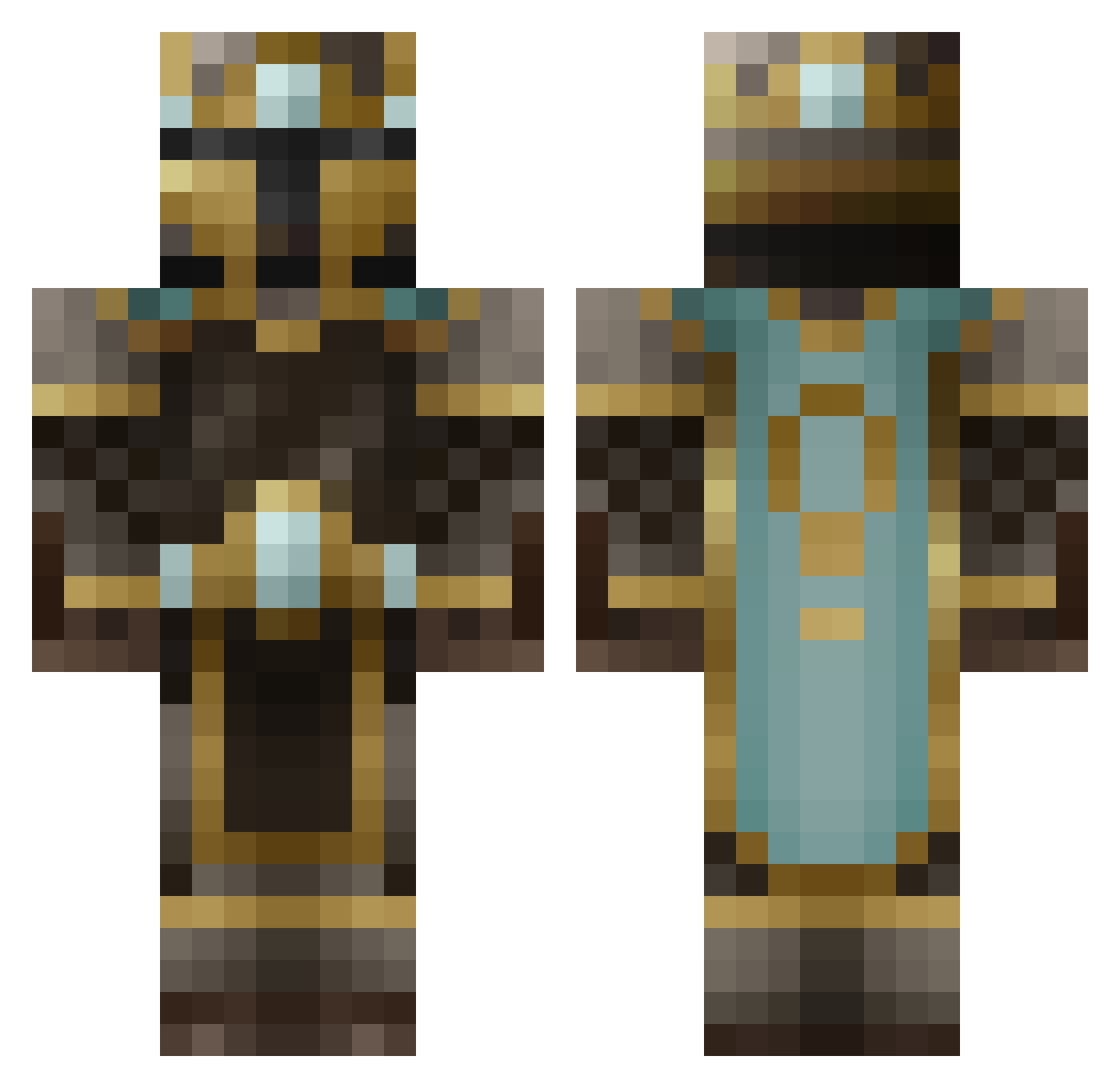
Current Minecraft skin of the player AdventRising, loaded from the official Mojang API. Rotate the 3D model with your mouse or finger, then download the skin as a PNG file and use it in Minecraft: Bedrock Edition or Java Edition for free. When AdventRising changes their skin, this page updates automatically and the old skin stays in the history below.
Other players with this skin (484)
AdventRising was the 344th player we have seen with this skin, first spotted on 02.10.2026. The same skin was seen on these players. Open a nickname to see their current skin and skin history.
 landdragon HGuardian artsi1703 ngquinn trvlxjmcgavinx7 weemee23 VGT994 TysonMcLovin kfriend Commie_slayer Alorar ApostolicFire bravo_2016 CookieNoLife _Lord_Lorenzo Twigg Tensors12 CobaltShuriken XxTHExGhoSt D3athHazard CobyGamer517 Salx182 uvbeenmoused Connacht07 julesf34 nebben86 12345678steve Daandroiid Her0Jack miourf F0zzyBear joshua10111 Mangochutney1999 ninjabear17 trooperstorm123 Darvinesc Minnesota_Crack Turnip_King40 pheopix Mithguar alex1o dnwilliams58 celadar Pagorin stefantchorb DLS1234 dbk07 alrockson1 Schamwow albertding Fiermie Dascissorsman mueller39 Cyrtex01 Reach49 Deadcheese2 lionnpet123 gold_artem BlindedXFrOsT A_Goomba_Killer
More King Minecraft skins
How to install the AdventRising skin
- Press the Download button above to save the skin as a PNG file.
- Minecraft: Bedrock Edition (PE): open the Dressing Room from the main menu (or tap your character → Edit Character), go to Classic Skins → Owned, press the + (new skin) button, choose the downloaded PNG and pick the Classic (Steve) model. Works on PC and mobile; consoles cannot import custom skins.
- Minecraft: Java Edition: open the Minecraft Launcher, go to the Skins tab, click New Skin, load the PNG, pick the Classic (Steve) model and press Save & Use. You can also upload it at minecraft.net → Profile → Change Skin.
The skin does not show up after import - what should I do?
Restart Minecraft and open the Dressing Room again - imported skins sometimes appear only after a restart. Also make sure you selected the imported skin and picked the Classic (Steve) model.
Which model should I choose, Classic or Slim?
This skin is designed for the Classic (Steve) model. If you pick the wrong model, the arms of the skin will look stretched or squeezed.
Is the skin of AdventRising free to download?
Yes. Press Download, save the PNG file and use it in Minecraft: Bedrock Edition or Java Edition - no payment or registration needed. The skin also works on multiplayer servers and Realms.
More skins
Looking for more? Go back to all Minecraft skins and check the top skins of the week, month and all time, or find any player's skin by nickname.