
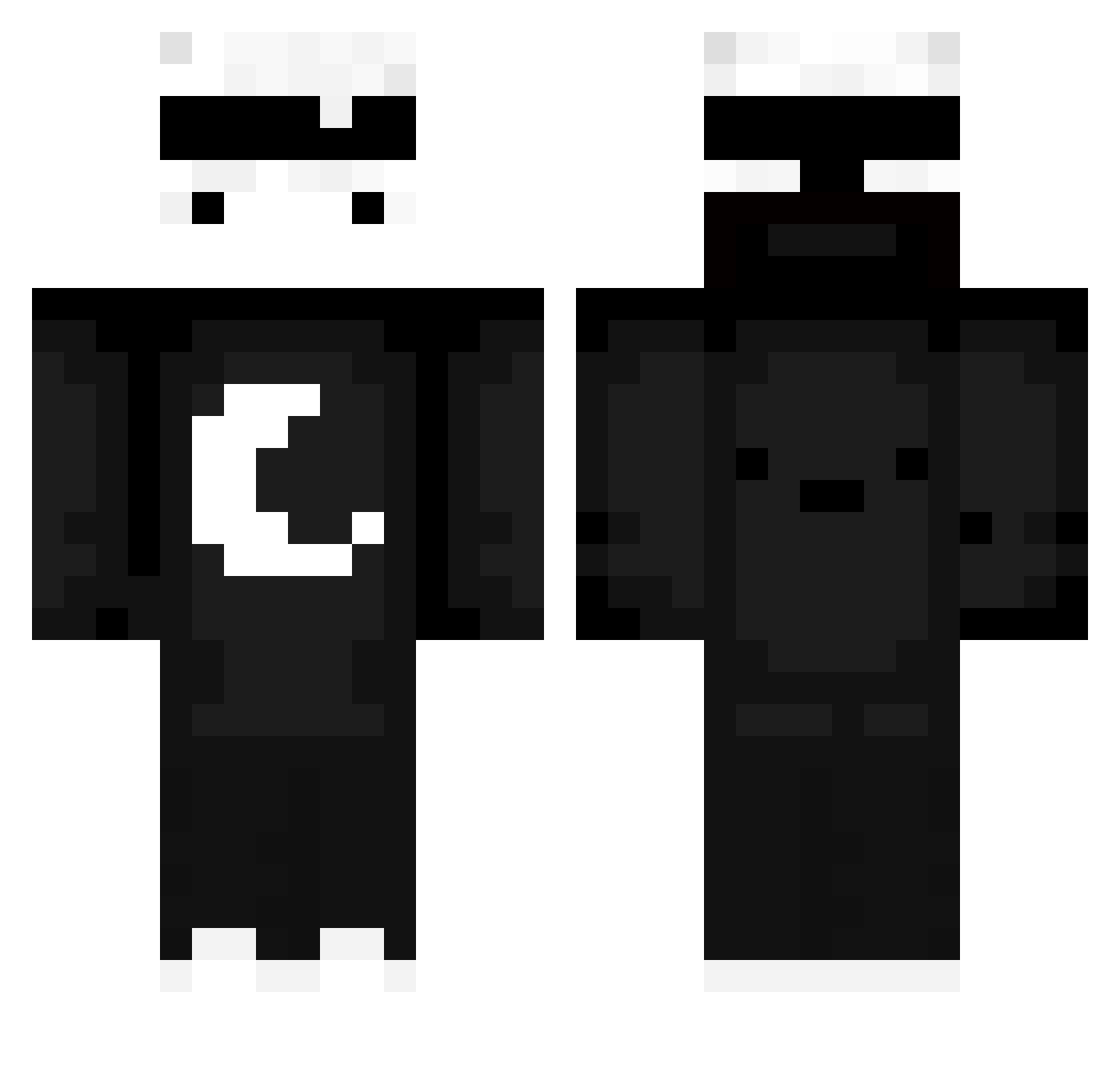
Current Minecraft skin of the player Adelin_YDY, loaded from the official Mojang API. Rotate the 3D model with your mouse or finger, then download the skin as a PNG file and use it in Minecraft: Bedrock Edition or Java Edition for free. When Adelin_YDY changes their skin, this page updates automatically and the old skin stays in the history below.
Other players with this skin (534)
Adelin_YDY was the 123rd player we have seen with this skin, first spotted on 14.08.2026. The same skin was seen on these players. Open a nickname to see their current skin and skin history.
 Michax572 I_Dasty_I KL_fufu_ DicedDesign jake_notfound2 skyblue6213 MrReboot ala1nn__ Taazar_ iNotxender settiesama W2syo LoanMC volcano_ddx _Fer HTR_124 Cygnify Su4za Itspoksupvp vfxnate BioFlasche Vox4ri blizanci12 TheCinar jam_mans RobloxMoblox MATTI9842 zygLTU LaurOliNi MidCrisisJay Run1254 AlotMinecraft Mama_knock jones1223pp Maex_33 TwiggyRocket366 50k_dollarz Mastreo11 Mao_Vulcan R_OOFLERON korean_human0710 E1X3o Teflon42 LadyBrutal daxyxw
 Kinetic_14 Lorax_00 Voyger2020 OnlyKingMT J0sh21 renexblendz_ MCnathan25 TheBlueKingWolf Invasor2 ommr208 yudj1n Theman1127 Technonine bag3l4 OHLI08
More Moon Minecraft skins
How to install the Adelin_YDY skin
- Press the Download button above to save the skin as a PNG file.
- Minecraft: Bedrock Edition (PE): open the Dressing Room from the main menu (or tap your character → Edit Character), go to Classic Skins → Owned, press the + (new skin) button, choose the downloaded PNG and pick the Classic (Steve) model. Works on PC and mobile; consoles cannot import custom skins.
- Minecraft: Java Edition: open the Minecraft Launcher, go to the Skins tab, click New Skin, load the PNG, pick the Classic (Steve) model and press Save & Use. You can also upload it at minecraft.net → Profile → Change Skin.
The skin does not show up after import - what should I do?
Restart Minecraft and open the Dressing Room again - imported skins sometimes appear only after a restart. Also make sure you selected the imported skin and picked the Classic (Steve) model.
Which model should I choose, Classic or Slim?
This skin is designed for the Classic (Steve) model. If you pick the wrong model, the arms of the skin will look stretched or squeezed.
Is the skin of Adelin_YDY free to download?
Yes. Press Download, save the PNG file and use it in Minecraft: Bedrock Edition or Java Edition - no payment or registration needed. The skin also works on multiplayer servers and Realms.
More skins
Looking for more? Go back to all Minecraft skins and check the top skins of the week, month and all time, or find any player's skin by nickname.