
ActuallyRibs - Minecraft Skins & Skin History
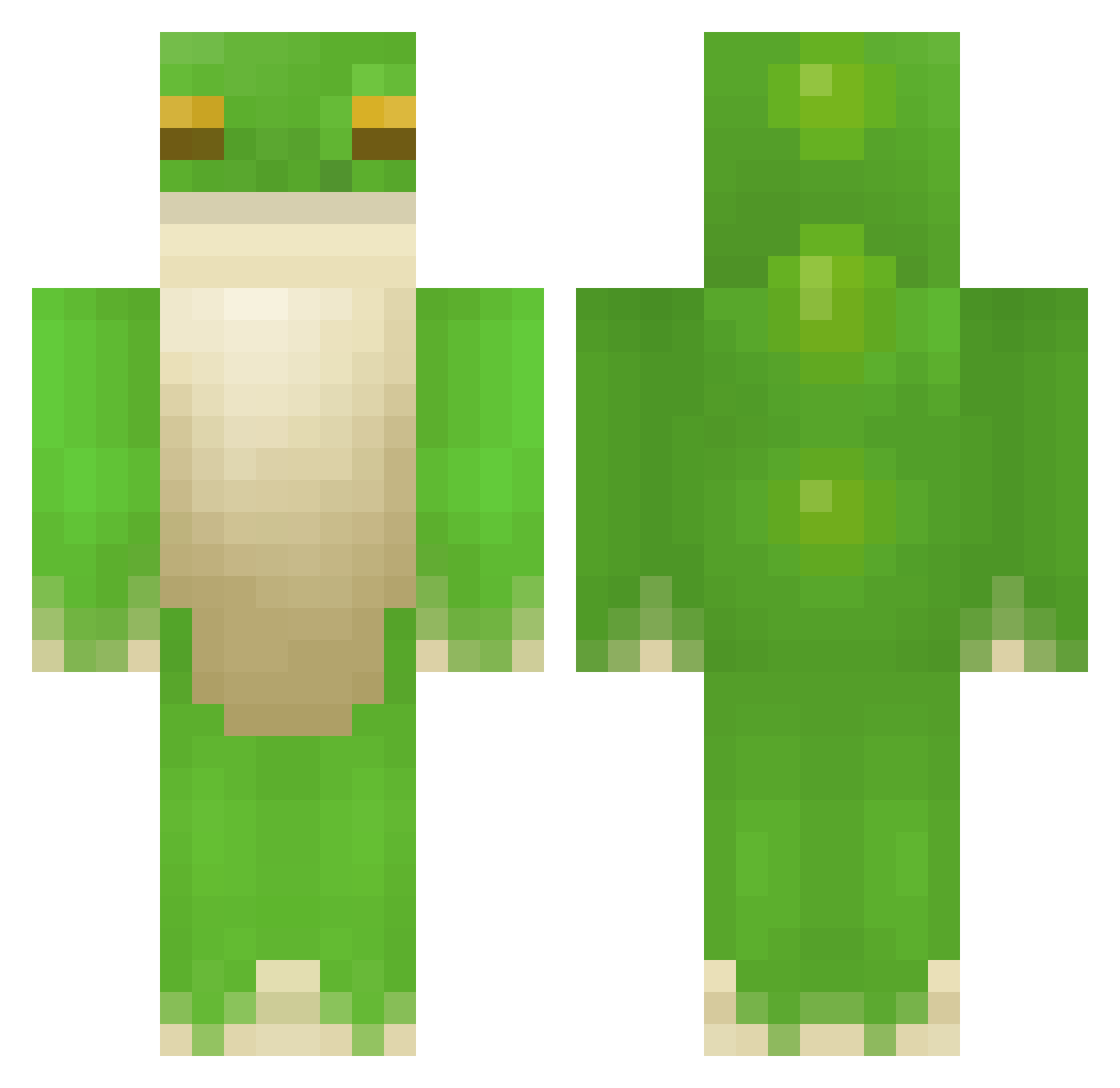
Current Minecraft skin of the player ActuallyRibs, loaded from the official Mojang API. Rotate the 3D model with your mouse or finger, then download the skin as a PNG file and use it in Minecraft: Bedrock Edition or Java Edition for free. When ActuallyRibs changes their skin, this page updates automatically and the old skin stays in the history below.
Other players with this skin (408)
ActuallyRibs was the 16th player we have seen with this skin, first spotted on 29.07.2026. The same skin was seen on these players. Open a nickname to see their current skin and skin history.
 kacy_hill fr0gbutter grump0639 badziurke 3mber_6934 Starboarder2008 Slinkyfrog32 TelefosintoBR Grumbo3019 AndersAnden1234 mati123454 titip26 karimondo pogcz191 luckyleo28 Jegsha Toadinn28 tangmane1312 BianX Karola12 Fat_Women Dersuchter SeaJC falin122 bobg444 alm1s Aunra_ GooseCam Kerbbie Toadlly_Bubbly bestinoce dilana456 ButtonBoyy MonkeyQG Saguul FrogMan1704 2_two_2 qaqhuhuai Deanthat Sherfrog YeboiKarma LoafOfBread3761 Tawnytree WillieFrog10 Eduard1822 ThefinalFrog_ Theriople kingemma1 Boss_Bi lynnndsey Chucklles Waller122 geometrytrip Jillane BeachManager Sneaky76 bastoche_zinzin Zodiac22 JoeyP0lio bigc_4905
More Frog Minecraft skins
How to install the ActuallyRibs skin
- Press the Download button above to save the skin as a PNG file.
- Minecraft: Bedrock Edition (PE): open the Dressing Room from the main menu (or tap your character → Edit Character), go to Classic Skins → Owned, press the + (new skin) button, choose the downloaded PNG and pick the Classic (Steve) model. Works on PC and mobile; consoles cannot import custom skins.
- Minecraft: Java Edition: open the Minecraft Launcher, go to the Skins tab, click New Skin, load the PNG, pick the Classic (Steve) model and press Save & Use. You can also upload it at minecraft.net → Profile → Change Skin.
The skin does not show up after import - what should I do?
Restart Minecraft and open the Dressing Room again - imported skins sometimes appear only after a restart. Also make sure you selected the imported skin and picked the Classic (Steve) model.
Which model should I choose, Classic or Slim?
This skin is designed for the Classic (Steve) model. If you pick the wrong model, the arms of the skin will look stretched or squeezed.
Is the skin of ActuallyRibs free to download?
Yes. Press Download, save the PNG file and use it in Minecraft: Bedrock Edition or Java Edition - no payment or registration needed. The skin also works on multiplayer servers and Realms.
More skins
Looking for more? Go back to all Minecraft skins and check the top skins of the week, month and all time, or find any player's skin by nickname.