
ActiveWolf28326 - Minecraft Skins & Skin History
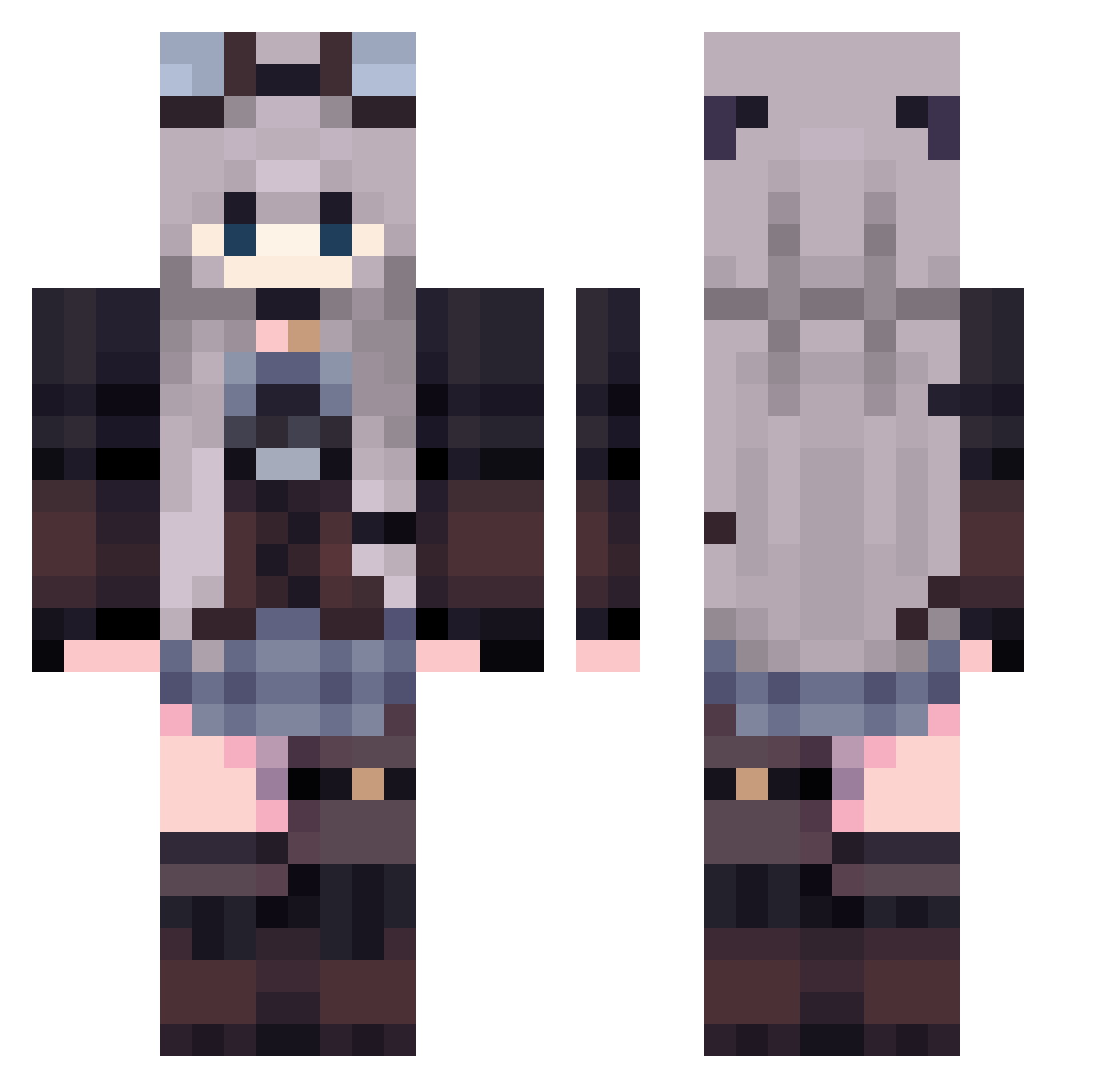
Current Minecraft skin of the player ActiveWolf28326, loaded from the official Mojang API. Rotate the 3D model with your mouse or finger, then download the skin as a PNG file and use it in Minecraft: Bedrock Edition or Java Edition for free. When ActiveWolf28326 changes their skin, this page updates automatically and the old skin stays in the history below.
Other players with this skin (435)
ActiveWolf28326 was the 92nd player we have seen with this skin, first spotted on 20.08.2026. The same skin was seen on these players. Open a nickname to see their current skin and skin history.
 ldmsquf JKOOkie01 Your_LocalWinter Darkitah itsmetucker Mineti1 Ola1405 Jelly_Do Always9 PhantomBuster37 Bombelek_1 Sillkix EviePevie_ cries_when_poops Chiaxo Whisper525 isaawhxaa MiniWillow MIMOMIMO1 tshibubble Kikioo98 cyy0809 NixLyy g4cl4 clowpl NzSyou _Auvia Poldzyy
 Roru_ GalaxieQueen cochi_minori xingyue8 AEW233 Saverii YuMoo__ Hanjijung sugarplummay Jetpama Duffyish RinRin_18 Kyra_14 Black3970 Jiceness SubwaySandwch Polymorpha Rzenifer Korshi_Aloe Mazilla FeddyKrytoy Elo0218 dani_ra_1765 ImLav mashimon1980 namekujio Soka_kelp aaazhao1 Nyvrir wanwan_bushi Nina012 khm1101
More Steampunk Minecraft skins
How to install the ActiveWolf28326 skin
- Press the Download button above to save the skin as a PNG file.
- Minecraft: Bedrock Edition (PE): open the Dressing Room from the main menu (or tap your character → Edit Character), go to Classic Skins → Owned, press the + (new skin) button, choose the downloaded PNG and pick the Classic (Steve) model. Works on PC and mobile; consoles cannot import custom skins.
- Minecraft: Java Edition: open the Minecraft Launcher, go to the Skins tab, click New Skin, load the PNG, pick the Classic (Steve) model and press Save & Use. You can also upload it at minecraft.net → Profile → Change Skin.
The skin does not show up after import - what should I do?
Restart Minecraft and open the Dressing Room again - imported skins sometimes appear only after a restart. Also make sure you selected the imported skin and picked the Classic (Steve) model.
Which model should I choose, Classic or Slim?
This skin is designed for the Classic (Steve) model. If you pick the wrong model, the arms of the skin will look stretched or squeezed.
Is the skin of ActiveWolf28326 free to download?
Yes. Press Download, save the PNG file and use it in Minecraft: Bedrock Edition or Java Edition - no payment or registration needed. The skin also works on multiplayer servers and Realms.
More skins
Looking for more? Go back to all Minecraft skins and check the top skins of the week, month and all time, or find any player's skin by nickname.