
Acoylite - Minecraft Skins & Skin History
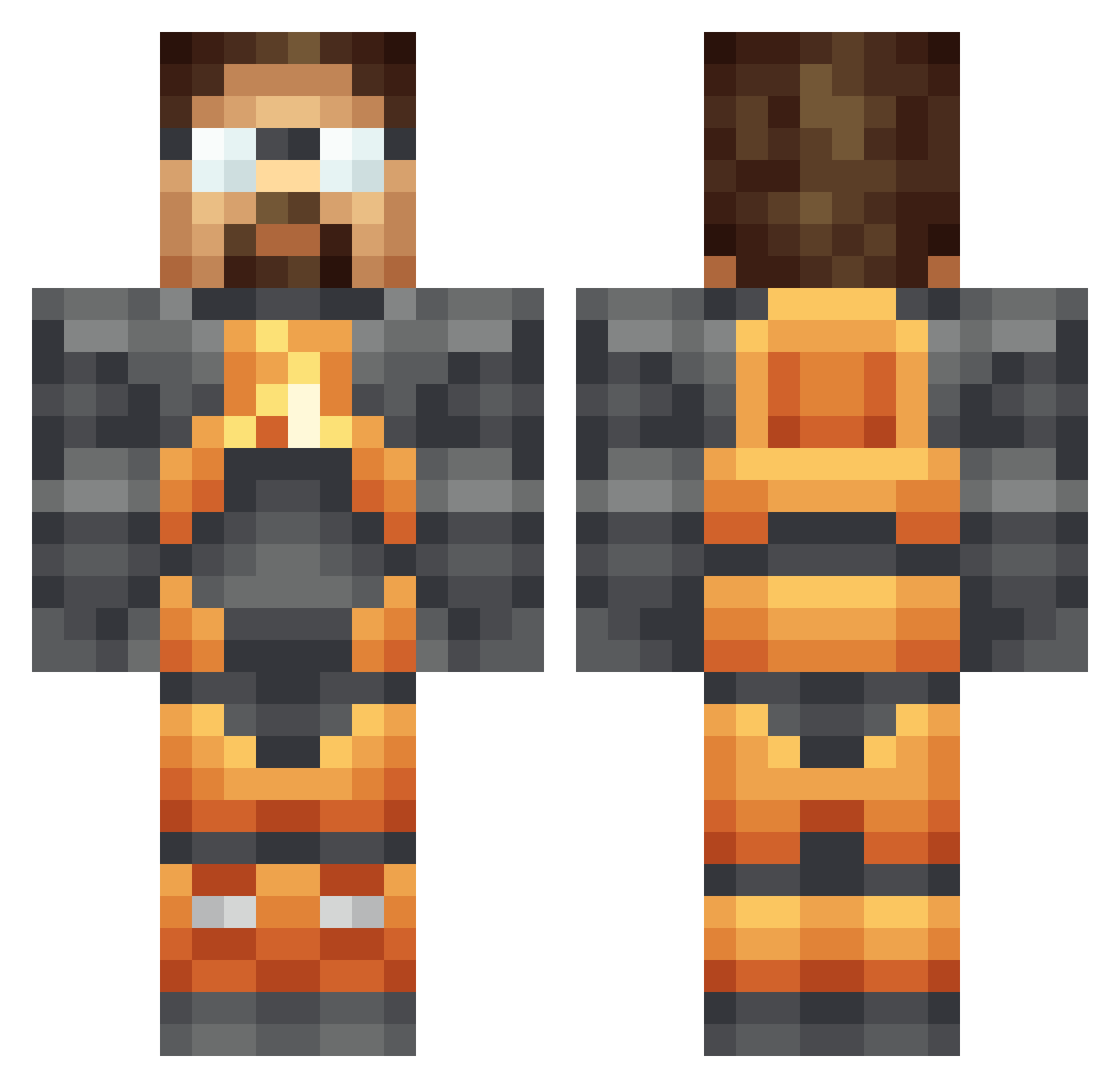
Current Minecraft skin of the player Acoylite, loaded from the official Mojang API. Rotate the 3D model with your mouse or finger, then download the skin as a PNG file and use it in Minecraft: Bedrock Edition or Java Edition for free. When Acoylite changes their skin, this page updates automatically and the old skin stays in the history below.
Other players with this skin (418)
Acoylite was the 392nd player we have seen with this skin, first spotted on 12.11.2026. The same skin was seen on these players. Open a nickname to see their current skin and skin history.
 PocketDoor Unmigrateds mrscream3 Melenmir Gonffed Loader_uk Shinodoyko Jack_Oat evandixon linext ImAZombii CBDRock xbeinerxweinerx Kek_Keks Pineconekiller1 Twin_Renegadez Twishber RoscoD wheredidmyhairgo SVGLNR Dronite Michael_80m severian988 Calllis Sraosha jonti_ SmokeyNuts Estogie12 Nitebytes simspid BlackLight54 OakenMan Gandorvoid BfutGrEG bacondeity dragontoster Chu4a BezelBreaker Davik TheFriendlyBro JasperSamson scgdh pablopdlc Khazho OvenMittLorenzo elMantequillaaa adamfr33man sicostello Mackabie Fabinhio31 Syntheticx SchnakeEyes eleymo F3nTROn JadonRRMartin SamuelSimnitt rush349 Midnight_cmdr TiberiusHarrison NICKO_SAN
More Gordon Freeman Minecraft skins
See all 392 Gordon Freeman skins
How to install the Acoylite skin
- Press the Download button above to save the skin as a PNG file.
- Minecraft: Bedrock Edition (PE): open the Dressing Room from the main menu (or tap your character → Edit Character), go to Classic Skins → Owned, press the + (new skin) button, choose the downloaded PNG and pick the Classic (Steve) model. Works on PC and mobile; consoles cannot import custom skins.
- Minecraft: Java Edition: open the Minecraft Launcher, go to the Skins tab, click New Skin, load the PNG, pick the Classic (Steve) model and press Save & Use. You can also upload it at minecraft.net → Profile → Change Skin.
The skin does not show up after import - what should I do?
Restart Minecraft and open the Dressing Room again - imported skins sometimes appear only after a restart. Also make sure you selected the imported skin and picked the Classic (Steve) model.
Which model should I choose, Classic or Slim?
This skin is designed for the Classic (Steve) model. If you pick the wrong model, the arms of the skin will look stretched or squeezed.
Is the skin of Acoylite free to download?
Yes. Press Download, save the PNG file and use it in Minecraft: Bedrock Edition or Java Edition - no payment or registration needed. The skin also works on multiplayer servers and Realms.
More skins
Looking for more? Go back to all Minecraft skins and check the top skins of the week, month and all time, or find any player's skin by nickname.